

You’ve hit your search limit
Start your free trial to keep exploring full traffic and performance insights.
Get StartedReverb Time Analyzer analisi dell'app per 8 gennaio
Reverb Time Analyzer
- TOON,LLC
- App Store di Apple
- A pagamento
- Servizi
"Reverb Time Analyzer" is an acoustic analysis tool for iPhone that allows you to measure the reverberation time of a room.
Would you like to control the sound reverberation in your listening room? Knowing the reverberation time is one of the guidelines for creating a comfortable sound space. For example, it can be obtained as objective data on the current status of various acoustic disturbances, such as high room reverberation and poor intelligibility, too much flutter echo and howling.
This app can analyze the reverberation time using the interrupted noise method, in which a random test noise signal is generated from the iPhone's speaker and then turned off. Up to 6 consecutive measurements, reverberation time analysis, and spectrogram analysis can be performed.
Features:
- Reverberation time analysis by interrupted noise method: RT30, RT60 (converted from RT30)
- Test source: White noise
- Pre-measurement checks and settings (LVL): Measurement of background noise level and adjustment of test signal output level.
- Sound pressure level measurement and result display (MSR): Up to 6 consecutive measurements.
- Sound recording and playback function
- Reverberation time analysis results display (RT): Reverberation decay curve, reverberation time of each measurement (RT30, RT60), sample average reverberation time (Avg) of valid measurement times.
- Measurement error detection function.
- Octave-band spectrogram (OCT): 1/3, 1/48 octave band.
- Delay start time setting: 0 - 60 seconds (5 second steps)
- Capture function (Snap): Saves the analysis results as an image.
Usage:
The following steps are used to analyze reverberation time measurements. Step 1 must be performed for each environment.
1) Pre-measurement checks and settings (LVL): Measure the noise level with "MUTE" and confirm that the appropriate background noise level for reverberation time analysis is less than about 50dB. Then, to ensure the dynamic range of the test sound source, play the output noise signal using "NOISE" and adjust the slider so that the sound pressure level of the observed sound exceeds the red line. If the sound pressure level is insufficient, adjust the iPhone audio volume.
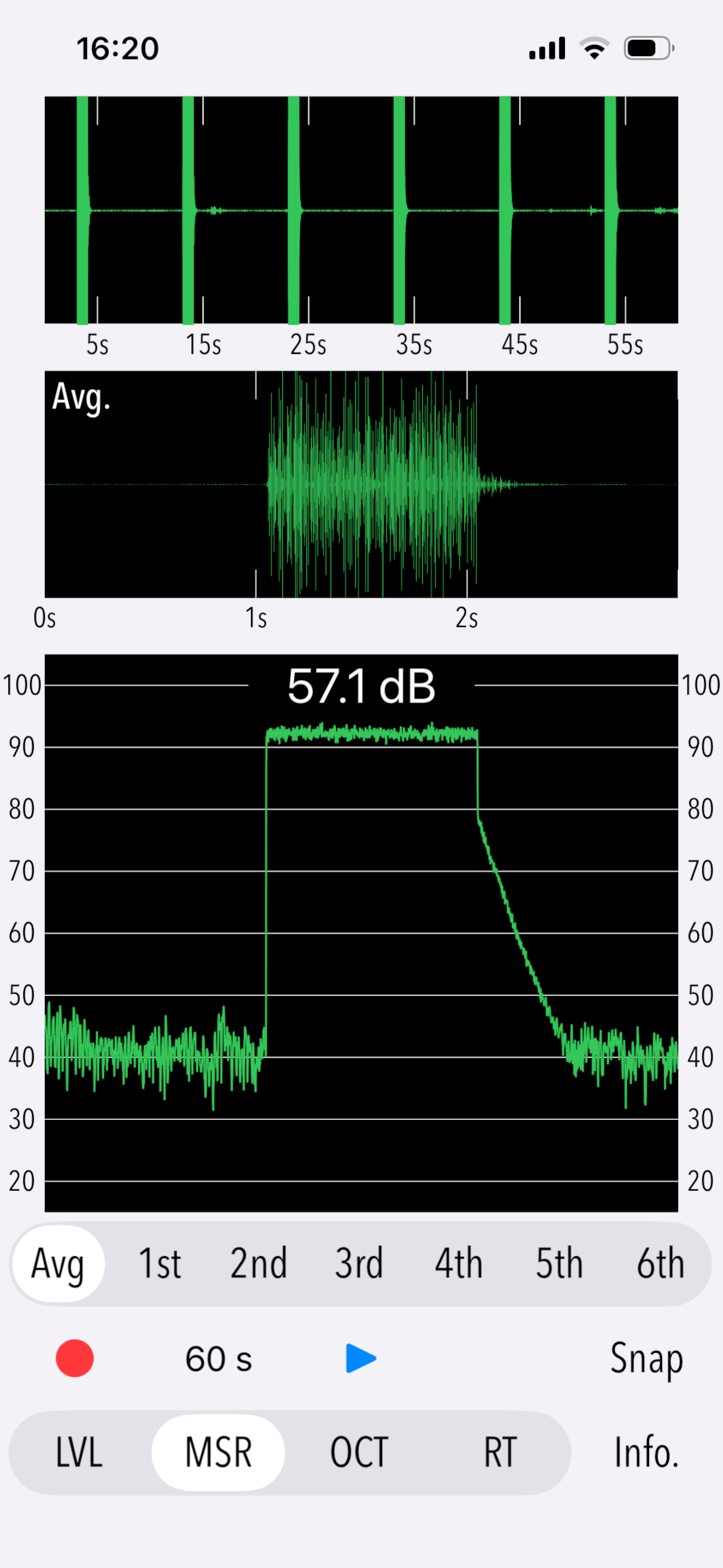
2) Sound pressure level measurement and result display (MSR): Tap the start button to play a burst of a test sound source and perform sound pressure level measurement and reverberation time analysis. It can be discontinued with the stop button and will automatically stop after 6 consecutive measurements. (The start button is available only when "Avg" is selected.)
3) Reverberation time analysis results display (RT): Displays the reverberation time (RT30, RT60) for each measurement, the average reverberation time (Avg) for valid measurement sessions, and the reverberation decay curve.
4) Octave-band spectrogram (OCT): Displays 1/3 or 1/48 octave band spectrogram analysis results of the observed sound at each measurement session.
Notes:
- The reverberation time RT60 is obtained by analyzing the time variation of the gain of the observed noise cutoff sound as it decays by 60dB. Since it is quite difficult to actually achieve a dynamic range of 60dB, a reverberation time RT30 with 30dB decay is measured and converted to RT60.
- The reverberation time may not be analyzed correctly if high levels of noise are present during the measurement of background noise or measurement test signals.
- The sound level (dB) display in this app is the value of the sound pressure level (without frequency weighting correction; Z-characteristics) received by the iPhone's built-in microphone. Due to its flat response, it generally measures at higher values than a standard sound level meter (dBA; A-weighted).
- If the iPhone audio volume is adjusted when using this app, it will remain at a very high-volume setting. When using other apps, please make sure that the current volume level is appropriate before use.
Please visit our iOS app support page for more information on this app.
Classifica degli store
La classifica del store si basa su diversi parametri stabiliti da Google e Apple.
Tutte le categorie in
Stati Uniti--
Servizi in
Stati Uniti--
Principali concorrenti e app alternative
App con un'alta probabilità di essere utilizzate dagli stessi utenti, provenienti dallo stesso store.

BuzziSpace RT60

ClapReverb

Room acoustics measurement

ClapIR Acoustics Measurement
 Reverb Time Analyzer VS.
 gennaio 8, 2026