

You’ve hit your search limit
Start your free trial to keep exploring full traffic and performance insights.
Get StartedThunder-Go analisi dell'app per 14 febbraio

Thunder-Go
- Wuhan Huakexunce Technology Co., Ltd.
- App Store di Apple
- Gratis
- Navigazione
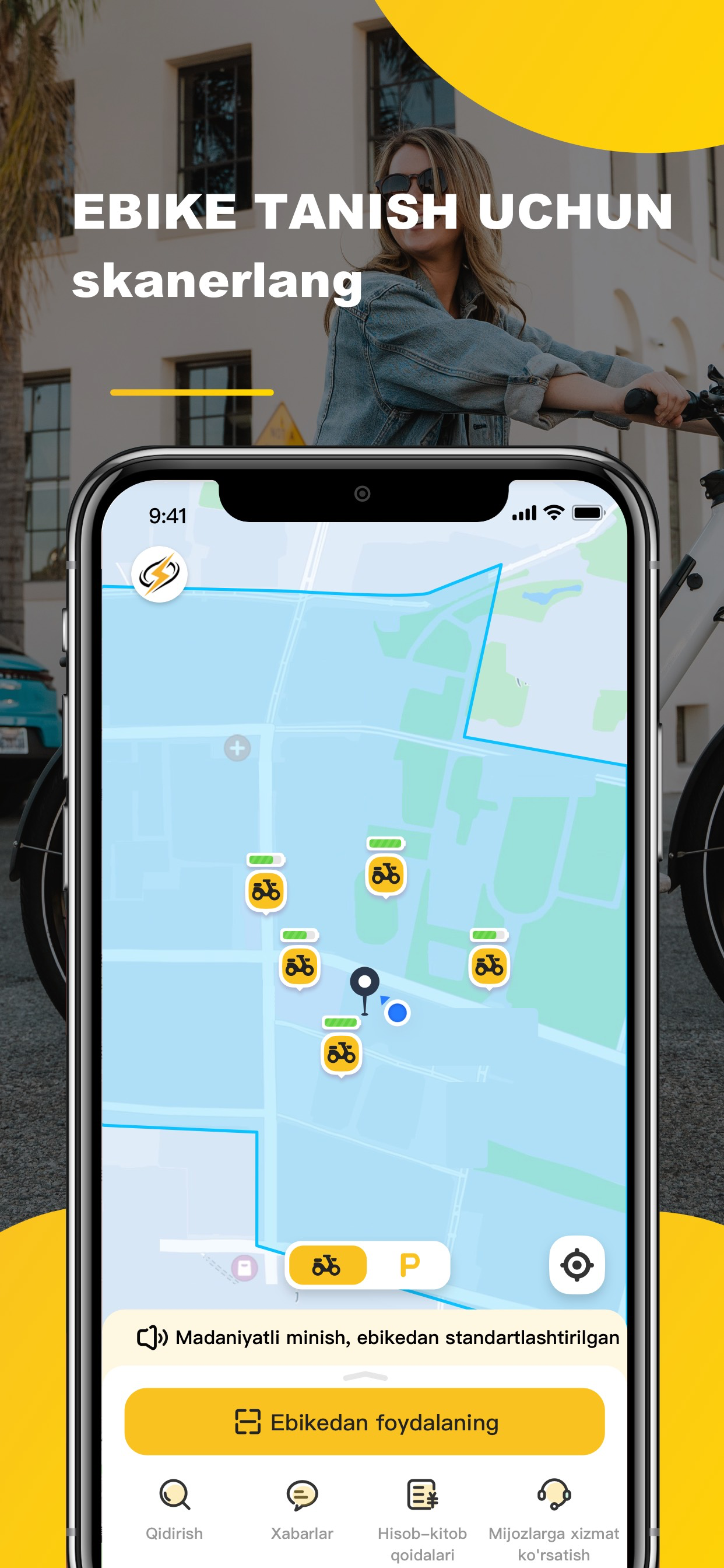
Thunder Go Ebike is an electric bike-sharing platform that is easily accessible via a mobile application. Here are the instructions:
1. **Usage Instructions**
- **Finding a Bike:** Discover nearby bikes by clicking on the bike icon to view information.
- **Unlocking:** Scan the QR code on the bike, display the unlocking interface, tap the unlock button, and the bike will unlock automatically.
- **Starting:** Gently twist the right handle inward to start riding.
- **Ending the Ride:** Tap the "End Ride" button, and the bike will automatically lock, ending the billing.
2. **Locking Failure**
- If locking fails, check if the network is functioning properly. You can also try unlocking via Bluetooth. Multiple attempts might lead to successful locking. If repeated attempts fail, provide timely feedback through the "Online Customer Service."
3. **How to Unlock**
- Hello, open the "Scan to Ride" feature at the bottom of the app. Enter the scanning page and place the bike's QR code in the viewfinder. Confirm clear focus. Shortly, the remaining mileage of the bike will pop up. Confirm that the displayed distance is greater than the distance to your destination. Click "Unlock," and the bike will audibly confirm "Unlock Successful." If the lighting is low, you can choose to activate the "Flashlight." Alternatively, on the scanning page, select "Input Number to Unlock" and manually input the bike number.
4. **Unlocking Failure**
- If scanning indicates bike maintenance, ongoing use by others, or unlocking failure, Thunder Go suggests switching to another bike. Check the network or attempt unlocking via Bluetooth.
5. **How to Lock**
- After using Thunder Go Ebike, freely return the bike within the service area. You can park the bike at roadside white lines or non-motorized vehicle parking areas. In the app, tap "End Ride." Don't rush to leave. Upon hearing the bike audibly confirm "Lock Successful," the corresponding trip details will display your ride bill, confirming a successful return. Currently, Thunder Go Ebike only supports bike return via mobile app operation.
6. **Forgetting to Lock**
- Overdue orders will incur certain fees. Therefore, promptly lock the bike after use. Thunder Go Ebike sends reminders via SMS or calls for long periods of inactivity or excessive overdue periods. Fees incurred during this time will be charged normally. Thus, after returning the bike, ensure it's properly locked. If forgotten and the bike cannot be found, please contact customer service promptly for assistance.
7. **Temporary Locking**
- Temporary locking incurs regular charges. To save costs, manage the duration of temporary parking according to your needs. Drive to your destination promptly to minimize expenses.
Classifica degli store
La classifica del store si basa su diversi parametri stabiliti da Google e Apple.
Tutte le categorie in
Stati Uniti--
Navigazione in
Stati Uniti--
Principali concorrenti e app alternative
App con un'alta probabilità di essere utilizzate dagli stessi utenti, provenienti dallo stesso store.

IZZY - Kicksharing service

Silk Road Sharing

MyTaxi - taxi and delivery
Karly
 Thunder-Go VS.
 febbraio 14, 2026