

You’ve hit your search limit
Start your free trial to keep exploring full traffic and performance insights.
Get StartedWizCalc analisi dell'app per 15 gennaio

WizCalc
- Hiroshi Hattori
- App Store di Apple
- Gratis
- Produttività
- FEATURES
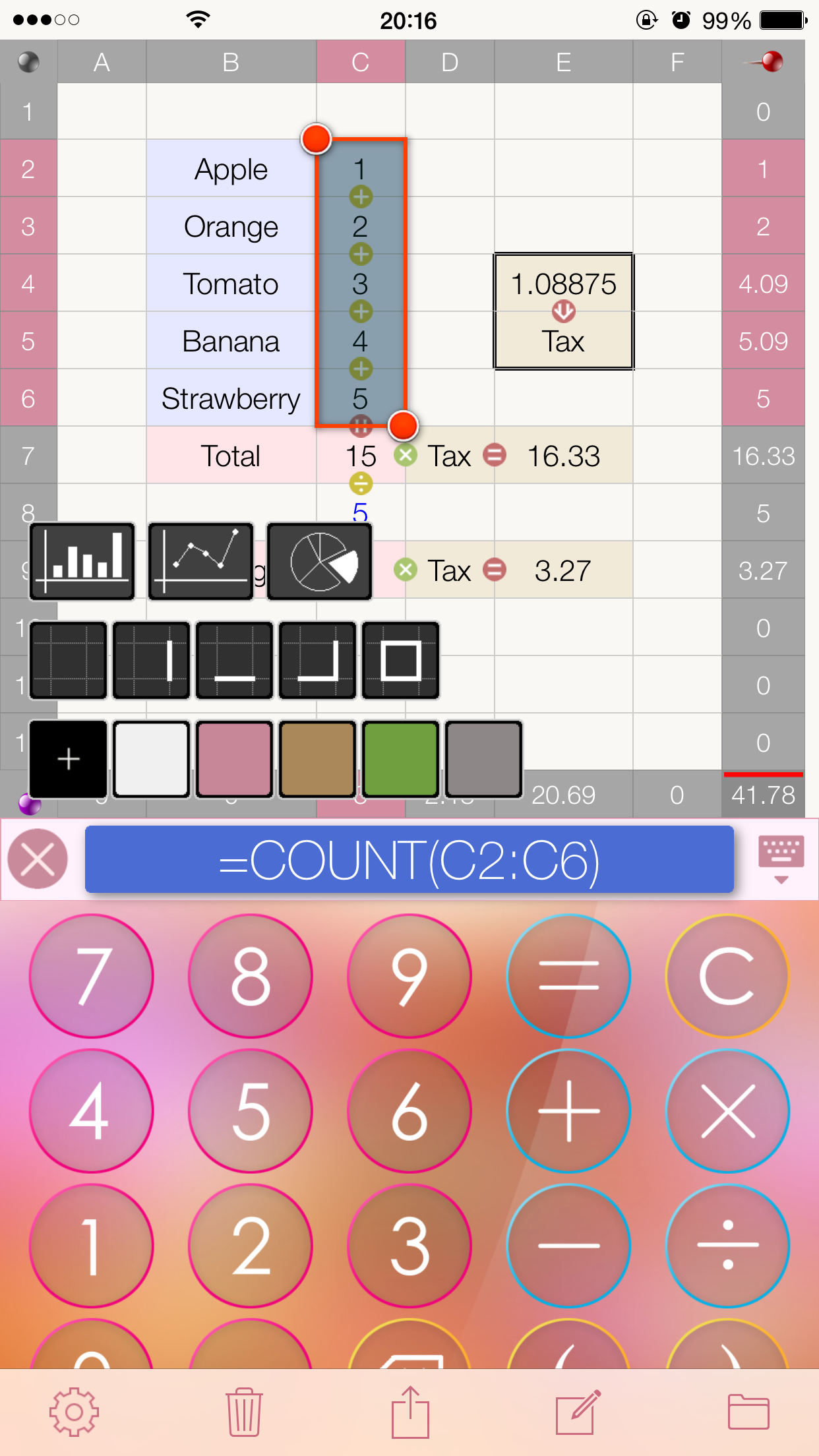
WizCalc is the easy-to-use, functional and unique calculator that integrates a calculator with spreadsheet.
It is recommended to use when you find a calculation with ordinary calculator difficult but can't be bothered to calculate it with Excel.
Sometime calculators give you trouble of referencing previous calculation values or correcting math formulas. However, WizCalc keeps values and formulas by dragging them into cells.
You can use these cells for more other calculations.
WizCalc is also capable of spreadsheet calculations with specifying cells as well as pie/bar/line charts display.
- HOW TO USE
After entering a value with the calculator, drag and drop it into a cell.
You can do the same with calculation formulas such as “1 + 1”.
For just simple addition (SUM function), you need to enter series of numbers in a single row or column and the sum of these numbers will be automatically displayed in the Footer.
A value will be copied into the Calculation Bar by tapping a cell, so you can continue to enter an operator followed by tapping a cell for the calculation.
You need to double tap a cell to edit it directly.
You can calculate numbers in cells by dragging an operator from the calculator such as (÷) and (+) in between cells.
It is not necessary to enter formulas to specify cells like “=A1+A2” in Excel.
You need to drag the equal key (=) to display the result of a calculation.
WizCalc calculates values in both horizontal and vertical directions.
(Please note that calculations are done in order from left to right or top to bottom and multiplication and division operators have no precedence.)
The set operator will be deleted by dropping the (C) key.
To change the background color of a cell, you need to change the color of the Calculation Bar from the menu then drag and drop into the cell.
If the Calculation Bar has no input, only the background color of a cell will be changed.
Please set the background color of the Calculation Bar back to black after changing the background color of a cell because the background color of the Calculation Bar must be black to clear a value in a cell by dropping.
To display the history of calculations, you need to swipe to the right with one finger on the Calculator Area.
You can change the size of the calculator as you like by dragging the Keyboard Button.
The display will be switched to the MemoPad by tapping.
You can select multiple cells by a long press and drag of cells.
HINT:
When multiple cells are selected, for instance, if you drop “1+1+” into the selected area, the series of values that increment by 1 starting from 1 will be entered.
You can display a chart by selecting multiple cells in a row or column and pressing the Chart Display Button from the Menu Button.
The following formulas for cells are available: SUM, COUNT, SIN, COS, TAN, RADIANS.
(e.g., = SUM(A1:B2)
HINT:
A Cell address will be automatically enter by entering “=” and long-pressing a cell. If you drag and select multiple cells, “=SUM(START:END)” will be entered.
Variables can be used.
You can define a variable by entering the name of a variable directory into the cell adjacent to the right of (=).
The defined variable can be used for calculations in the cells which should be located after the variable defined cell.
You can pinch out to zoom in and double-tap with two fingers to clear the zoom.
The header and footer can be locked respectively by tapping the pin in the top right and the bottom left.
CSV format files are available for importing/exporting from/to other apps.
The spreadsheet of this app is only designed for dealing with small data not like Excel.
Classifica degli store
La classifica del store si basa su diversi parametri stabiliti da Google e Apple.
Tutte le categorie in
Stati Uniti--
Produttività in
Stati Uniti--
Principali concorrenti e app alternative
App con un'alta probabilità di essere utilizzate dagli stessi utenti, provenienti dallo stesso store.

EverydayNote

Xalculator

GendaAI

TEV +
 WizCalc VS.
 gennaio 15, 2026