

Barcode to Sheet app analytics for December 9
Barcode to Sheet
- velsof
- Google Play Store
- Free
- Business
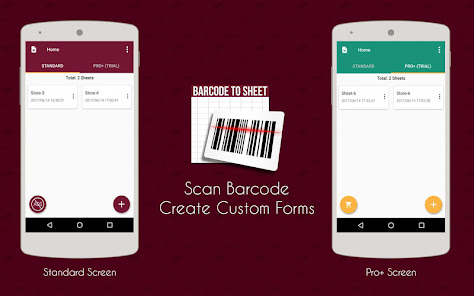
Is data entry tedious and monotonous job for you? The Barcode to sheet app is one of the ways that can help you create custom forms and save the data in CSV, XML and Excel format. A barcode scanner enables you to save the data in the sheet in varied formats. Making the work easier for the eCommerce business runners, the free Barcode scanner allows effortless entry and maintenance of products and services details. The application is useful for inventory and logistic maintenance as well.
Salient features
Easy column creation: You can create 15+ column types like Auto date and time, longitude, and latitude, auto email, web URL etc. to make the data entry easier.
Upload option: The app offers the feature of 'Upload To Dropbox' and 'Upload To Google Drive' in the Pro+/Enterprise version of the application.
Effortlessly allows large data entry: In the eCommerce scenario, a large number of data is entered and updated on the everyday basis. This reduces the job of the store admin by automating the entire thing.
Multiple format support: The application allows you to export the file in multiple formats including XLSX, CSV, XML, Excel and others.
Pre-defined templates: The user can export the files in the pre-defined templates.
Option to Create New Sheet: In addition to this, the application allows the user to create N number of custom forms. The data entry has been made simple with the Barcode to Sheet, Barcode to CSV, Barcode to XML feature.
More than just a Barcode scanner: The application allows you to scan, read or capture any of the major code scanning systems. This may include QR code scanning, ISBN scanning, EAN-13, EAN-8, UPC-A, UPC-E, text, URL scanning, Product Attributes, Calendar events and much more.
Custom Rows and Columns: The aim of the application is to make the data entry easier. Adding rows and columns in the custom form is as simple as it is done in CSV or Excel sheet. The data can be entered manually or can be done automatically by just press the scanner icon to scan and enter the data in the form.
Multi-language Support: Supports for different languages such as French, Spanish and Russian
Scannable field: Feature to mark a field as 'Scannable'. These fields can be opened in barcode scanner or camera as soon as they are focused.
Enterprise Edition: Enterprise edition provides an ability to create the sheets online. These sheets can be shared among your enterprise users for editing or data viewing in the real time. You can set up your enterprise and add the users to it based on the purchase plan.
Features available in the Enterprise edition:
► The super admin can create an Enterprise and add multiple users
► Multiple users of the same enterprise can log in at the same time and work simultaneously
► The super admin can create N number of sheets and share it with its enterprise users
► Multiple users can edit the same sheet and share the data in the real time
► The incorporated sheet locking/unlocking feature helps you avoid data overriding
Additional features
► The spreadsheet can be downloaded to the SD Card or it can be emailed from your phone
► The Row and Column names can be edited any time in the sheet as per the requirement
► Even the scanned data can be edited manually
► Delete columns any time from the sheet
► App allows the user to copy the whole sheet with or without the data in it
Use in eCommerce profession
E-Commerce store owners can utilize the app for data entry of the data like ISBN, EAN-13, EAN-8, UPC-A, UPC-E, text, URL, and Product Attributes to make the data entry in eCommerce very quick and hassle free.
Contact us
If you are having any issue or query or need any assistance or custom modifications to fit your professional purpose, you can contact us on support@velsof.com.
Please do not forget to drop us a review in the comment section below.
Barcode to Sheet Usage Rank
The usage rank is based on Similarweb's algorithm that calculates current installs and active users over a 28-day period.
All Categories in
United States--
Business in
United States--
Top Competitors & Alternative Apps
Apps with a high probability of being used by the same users, from the same store.

BEEP - Expiry Date Tracking

Kizeo Forms, Mobile forms

Stock and Inventory Simple

CamCard-AI Scanner, Transcribe
 Barcode to Sheet VS.
 December 9, 2025