

Overdub EasyMixRecorder のアプリ分析 1月16日

Overdub EasyMixRecorder
- Naoto Sasaki
- Apple App ストア
- 無料
- 音楽
This app can be used for various purposes, such as practicing harmony, karaoke, vocals, composing, and creating background music.
◆ Features
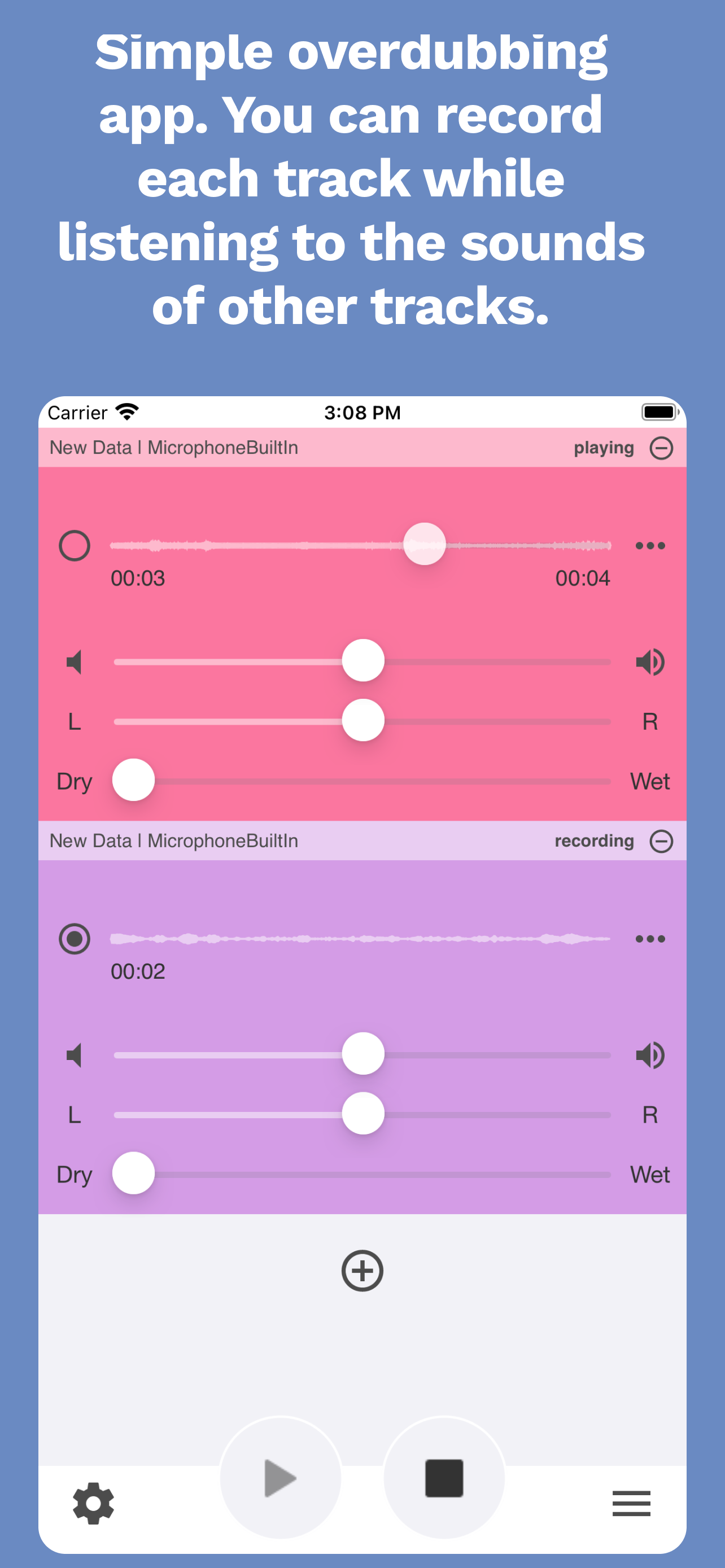
• Easily perform overdubbing.
• Add as many tracks as your iPhone allows.
• Apply effects (reverb, pan) to recorded data.
• Record in high quality (44.1kHz/32bit) in AIFF format.
• Export recorded/mixed music data as a video with custom background settings to the Photos app.
• No recording time limit. Long recordings are possible.
• Provides microphone feedback while recording.
• Record while playing audio from other apps (e.g., iTunes Music).
• Supports recording and playback in the background.
• Compatible with Bluetooth headsets for recording and playback (audio quality is 16kHz in this case).
• Edit recorded files, including trimming.
• Includes support functions such as a metronome and a simple tuner.
• Optimized for the large screen of iPads.
• Control recording/playback start and stop using Apple Watch.
◆ How to Use
◆◆ Recording
Press the ● button at the bottom of the screen to start recording. Press it again to stop.
◆◆ Playback
Press the playback button at the bottom of the screen to play the recorded audio. Adjust the volume by changing the volume settings. Changing the playback start position will reset it when stopped.
◆◆ Effects
You can apply effects (volume, balance, reverb) during playback. To save or mix audio with effects applied, you need to purchase the “Effect Application” option.
◆◆ Overdubbing
To overdub, add a new track via the + button. After adding, turn on the recording target selection on the left to set the track as the recording target. (Use headphones to prevent other tracks’ audio from being recorded when recording while playing.)
◆◆ Mixing
Press the menu button in the bottom-right corner and select “Mix” to combine multiple recorded tracks into one file. The mixed file will be saved locally as “Mix Data.” To save or mix audio with effects applied, purchase the “Effect Application” option.
◆◆ Metronome
Add a metronome track using the + button to produce metronome sounds. You can set BPM (10–300) and adjust the volume of four rhythm sounds independently to create various beats. Five metronome types are available, and click sounds can be customized. Switch between 3/4 and 4/4 time signatures.
◆◆ Microphone Feedback
Add a feedback track via the + button to hear iPhone microphone audio through headphones.
◆◆ Tuner
Add a tuner track using the + button to display the pitch of the microphone audio. It can be used as a simple tuner.
◆◆ Settings
Tap the gear icon at the bottom left to access the settings menu. Check the current output device, set the video export background, and purchase paid options.
◆◆ Latency Settings
When using Bluetooth headsets, recording may be delayed. In such cases, set the latency to around 0.70ms and fine-tune it as needed.
◆◆ iPad Support
Optimized for iPad sizes, providing a wider and clearer view. Supports multiple screens on iPad Pro.
◆◆ Apple Watch Support
Control recording/playback stop/start on Apple Watch. If a metronome track is added, it vibrates with bar timing.
ストアランキング
ストアランキングは、GoogleとAppleが設定した複数のパラメータに基づいています。
業界別 ウェブサイトカテゴリーで
米国--
音楽で
米国--



 Overdub EasyMixRecorder VS.
 1月 16, 2026