

Gathered - Design Inspiration vs RefCanvas使用状況と統計
Collect and organize images that inspire you with Gathered.
Gathered is an app built to help you curate a personal library of pictures and images that serve as reference for your creative projects.
There are many ways to grow your digital collection - snap a photo, import from your camera roll, choose from the Files app or copy it from the clipboard. You can also use the Gathered share extension to add items from other apps.
Gathered is optimized for all screen sizes, so you can quickly import images with iPhone and browse your collections in detail on the larger screen of the iPad.
Gathered can store your library in iCloud Drive and have it synced automatically across all of your devices.
The app offers a variety of useful features like:
• Defining and managing custom collections of items
• Color Palette extraction from images
• Add, move or reorder items with Drag & Drop
• Edit name and have notes for each image
• Keep Geolocation data from images you take with your camera
Try out Gathered by creating a library of up to 50 images and 5 collections. To remove this limit, you need to purchase a Gathered Pro.
Privacy Policy & Terms of Use
http://nikolakirev.com/gathered/policy
I hope you enjoy using Gathered and it helps you on your creative journey.
- Apple App ストア
- 無料
- グラフィック & デザイン
ストアランキング
- -
RefCanvas is an intuitive tool for artists and designers who need a comprehensive reference app to bring their creative vision to life.
With RefCanvas, you can import images and gifs as references onto an infinite canvas, allowing you to organize your ideas and concepts in one place.
Using RefCanvas to make reference boards is easy, simply import your images or gifs, and move them around the canvas to arrange them in the layout that works best for your project. You can adjust their size, rotation and position to your liking, giving you maximum control over your creative process.
RefCanvas also lets you save your boards, allowing you to pick up right where you left off whenever inspiration strikes. Whether you're a professional artist, designer, or someone who enjoys exploring their creative side, RefCanvas has everything you need to bring your ideas to life.
Features:
-Import images and gifs.
-Add Notes.
-Add Nodes - Useful for grouping references, nodes automatically adapt to references dragged near them.
-Supports multi import.
-Supports split screen and pop-up view - Use it as a companion app with your favorite drawing/modeling app.
-Move, scale and rotate references to create the perfect layout.
-Multi selection - edit multiple references at one.
-Save your progress as boards for future use.
-Auto set thumbnails for boards when saving.
-User friendly interface.
Features will be added soon:
-Drag and drop - Drag and drop files from others apps like the gallery.
-Paste files from the clipboard - paste images or gifs from other apps.
- Apple App ストア
- 無料
- グラフィック & デザイン
ストアランキング
- -
 Gathered - Design Inspiration VS.
 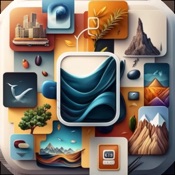 RefCanvas
1月 21, 2026