

DelayTask のアプリ分析 1月24日

DelayTask
- Robert Seber
- Apple App ストア
- 無料
- 生産性
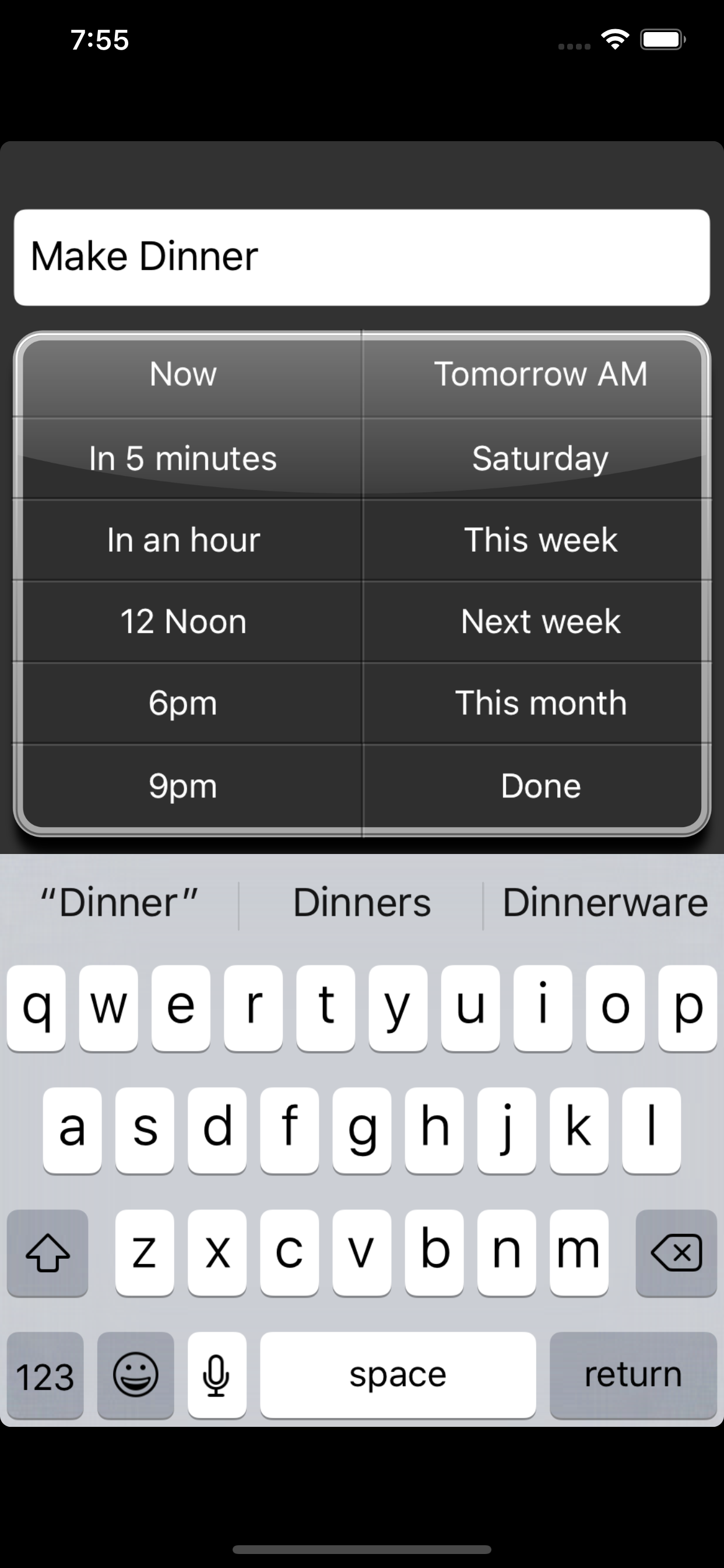
After entering your task’s description all you have to do is tap one button to set when the task is to be performed. View your current set of tasks only, or all your tasks - you decide.
View current tasks only:
It can be distracting to see tasks that aren’t due yet. DelayTask only shows you the tasks whose date or time has been reached, hiding others from view. For example, if you press “Tomorrow” the task will disappear from your “Current” list, only appearing again the following morning.
If you want to view future tasks you can do so by tapping the “All” button.
Use natural terms for dates:
Rather than enter dates using a calendar you use natural terms such as “Today”, “Tomorrow”, “Next Week”, requiring less thinking on your part.
Avoid assigning all your tasks to the same day:
When a period of several days is selected such as “This month” or “Next week” DelayTask will look at the dates in that range and assign the task to the least busy date in the period selected.
Swipe and tap to delete tasks:
No tapping to mark a task done and having it continue to stick around. Just swipe and tap to delete forever.
Uses the full screen on the iPhone 5.
Add repeated tasks:
Instead of removing your task entirely it is instead moved the number of days you request.
ストアランキング
ストアランキングは、GoogleとAppleが設定した複数のパラメータに基づいています。
業界別 ウェブサイトカテゴリーで
米国--
生産性で
米国--



 DelayTask VS.
 1月 24, 2026