

Draw Easy AI: AR Trace Sketch のアプリ分析 1月14日

Draw Easy AI: AR Trace Sketch
- Kushal Patel
- Apple App ストア
- 無料
- ユーティリティ
Draw Easy AI: AR Trace Sketch
-> AI Drawing:
- Describe what you want to draw using a prompt, tap "Generate" to instantly create an AI-made image for trace and sketch.
-> AR Drawing:
- Select any image from camera, gallery, or ready-made categories
- Adjust edges or apply filters if needed
- Place the image on a surface through your phone's camera view
- Follow real-time AR outlines to trace accurately
->What is Tracing?
- Tracing is used to transfer an image into line work from a photo or artwork. Simply place your tracing paper over the image and let your creativity flow as you trace the lines. So, Trace it & Sketch it.
- Using this app you can learn drawing or tracing.
-Whether you're a beginner or an aspiring artist, this app is your perfect companion for learning drawing and tracing.
-> So how does it works?
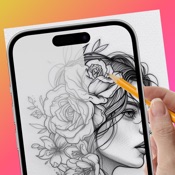
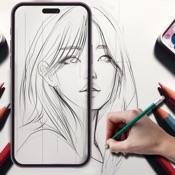
- Select an image from the gallery or capture an image with a camera, then simply apply the filter. Once applied, you will see the filtered image on the camera screen with transparency. Now, place a drawing paper or any desired surface on which you want to trace and draw. The image will not appear on the paper directly, but as a transparent overlay on the camera, allowing you to trace it accurately onto the paper.
- Draw on paper by looking at the phone with a transparent image.
- Select any image and convert it to a tracing image.
->Advance Filters.
1. Edge level : With Edge Level filter, you can control the sharpness and definition of edges in your drawings, giving them a different and professional look. Adjusting the Edge Level can help you achieve different artistic styles and emphasise specific details.
2. Contrast :The Contrast filter lets you enhance the tonal range in your drawings, making the colors appear more vibrant and the shadows and highlights more pronounced. It adds depth and richness to your artwork.
3. Noise: To tackle any unwanted noise in your drawings or images, we have included a Noise filter. This feature helps reduce graininess or pixelation, resulting in cleaner and smoother lines and surfaces.
4. Sharpness : The Sharpness filter enables you to enhance the overall clarity and crispness of your drawings. By adjusting the sharpness level, you can achieve a more defined and polished look, making your artwork stand out.
Enjoy Drawing....
Privacy Policy : https://sites.google.com/view/draweasy
Terms of Use : http://cloudsync.xyz:8081/consent/policy/TermsOfUse

ストアランキング
ストアランキングは、GoogleとAppleが設定した複数のパラメータに基づいています。
業界別 ウェブサイトカテゴリーで
米国--
ユーティリティで
米国--


 Draw Easy AI: AR Trace Sketch VS.
 1月 14, 2026