

Album Watch のアプリ分析 12月9日
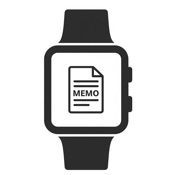
Album Watch
- kobunachou ozawa
- Apple App ストア
- 有料
- 生産性
Album Watch is an app that lets you quickly view memo images taken with your iPhone directly on your Apple Watch.
~ Features ~
-Enlarge even the smallest text in memo images for clear viewing on your Apple Watch.
-Quick access to your memo images by placing an icon on your watch face.
-Store multiple memo images and conveniently switch between them with L/R swipes.
~ How to Use ~
1. Take a memo image or screenshot with your iPhone.
2. Launch this app on your iPhone and tap the "Select a Photo" button.
3. Choose the memo image you want to send to your Apple Watch.
4. Confirm the desired image and tap the "Send to Apple Watch" button.
5. Launch this app on your Apple Watch to receive the memo image. *1
6. Repeat the above steps if you need to send other memo images. *2
7. Rotate the Digital Crown on your Apple Watch to zoom in and out of the image.
8. Tap the image to exit the zoom. *3
9. Delete unnecessary images using the "Delete" button. *4
*1 Sending high-quality, uncompressed images may take several tens of seconds.
*2 When receiving, if there are multiple memo images on your Apple Watch, the count will be displayed at the bottom of the image.
*3 To view the next memo image, swipe left or right after exiting the zoom.
*4 We recommend frequently deleting unnecessary images to save storage space.
-Video
Search Home Page with
“Maniac APP Catch Questions”
Video Instruction;
https://catch-questions.com/english/album-watch-english.html

ストアランキング
ストアランキングは、GoogleとAppleが設定した複数のパラメータに基づいています。
業界別 ウェブサイトカテゴリーで
米国--
生産性で
米国--


 Album Watch VS.
 12月 9, 2025