

PDF to Image - PDF to JPG のアプリ分析 1月18日
PDF to Image - PDF to JPG
- DLM Infosoft
- Google Play ストア
- 無料
- 生産性
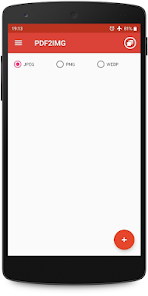
PDF to JPG Converter - Convert PDF to images in various formats like JPG, PNG and WebP
Steps to use PDF to JPG Converter
1. Select PDF file with + icon.
2. Click on image to preview and deselect unwanted images.
3. Convert to image/images.
4. View newly created folder in list.
5. View all images inside new folder.
6. Share or delete the image by long pressing the image/images in image list.
PDF to Image Converter is free and can be used offline.
PDF to Image - PDF to JPG使用ランク
使用ランクは、28日間の現在のインストール数とアクティブユーザー数を計算するSimilarwebのアルゴリズムに基づいています。
業界別 ウェブサイトカテゴリーで
米国--
生産性で
米国#2,855




















 PDF to Image - PDF to JPG VS.
 1月 18, 2026