

RemoteView for Android Agent のアプリ分析 12月2日
RemoteView for Android Agent
- RSUPPORT Co., Ltd.
- Google Play ストア
- 無料
- ツール
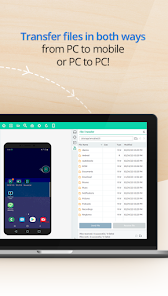
Rsupport’s RemoteView Mobile Agent allows IT professionals and users to connect and control with their Android devices from a PC or another mobile device (Android or iOS); anytime, anywhere. Install this Agent app to remotely access the device. And File Transfer in both directions.
IMPORTANT
* To use this app, users MUST have an account. Account sign up is available from www.rview.com.
* Connect to this app (device) from a PC or Android/iOS device.
* RemoteView Enterprise version supports connection from PC to Android and Mobile to Android.
* RemoteView Standard version supports connection from Mobile to Android ONLY (PC to Android is not available).
[Special Features]
- Screen Sharing / Remote Control
- Connect with Android devices remotely and view / control it in real-time.
- File Transfer in both directions.
- Drawing
- Mark up directly on the mobile screen for clear notations.
- Retrieve to Mobile device’s information (PC to Android)
- View mobile devices system information, current processes list and installed apps.
- Additional features (PC to Android)
- Send a URL from PC and record the entire session including drawings.
[Key]
- Fast and reliable connection.
- Compatible with dynamic, private IP, DHCP, firewall or proxy.
- Military-grade security: 2-step verification, AES 256 bit, SSL communication.
- Available in English, Korean, Japanese and Chinese.
[Usage]
- Control Tablets from a Smartphone.
- Share the same mobile screen for demos or support.
- Manage digital signage, kiosks, ticketing machines, or any other Android based device.
[Getting started]
- Installing the Agent
1. Download and launch the Agent app on the mobile device to be accessed.
2. Enter the account information created from rview.com.
3. Set the Access account information (device name, ID and PW).
4. Done.
- Connecting from a mobile device
1. Search for “RemoteView” in the Play Store and install the Viewer app.
2. Log in using the signed up account (rview.com).
3. Select the device to connect from the list and enter the Access account information.
4. Connected with the mobile device.
- Connecting from a PC
1. Open a compatible browser and go to rview.com.
2. Log in with the signed up account.
3. Select the device to connect from the list and enter the Access account information..
4. Connected with the mobile device.
Website: http://www.rview.com
Contact US : https://content.rview.com/en/support/contact-us/
FAQ: https://content.rview.com/en/support/
Rsupport website: http://www.rsupport.com/
RemoteView for Android Agent使用ランク
使用ランクは、28日間の現在のインストール数とアクティブユーザー数を計算するSimilarwebのアルゴリズムに基づいています。
業界別 ウェブサイトカテゴリーで
米国--
ツールで
米国--










 RemoteView for Android Agent VS.
 12月 2, 2025