

You’ve hit your search limit
Start your free trial to keep exploring full traffic and performance insights.
Get Started3D Cities and Places análises de aplicativos para 9 de julho

3D Cities and Places
- Jufen Chang
- Apple App Store
- Gratuitos
- Serviços básicos
This is a free version with limited features. For full features, Mac App and TVOS App, please look for the Pro version.
In the past, 3D Modeling requires state-of-the-art computing machines and advanced graphic programming for a building or object. With Apple Map flyover, 3D Cities and Places around the worlds are now available on your iOS devices. (This app is part of the Universal Purchase. With one purchase, you will be able to see the 3D Cities and Places on your iOS, Watch OS and Apple TV devices.). The motivation of this app is to get your the quickest access to the cities and places you can start to explore the fantastic 3D View and explore cities and places in a wonderful experience.
iOS App Quick Started:
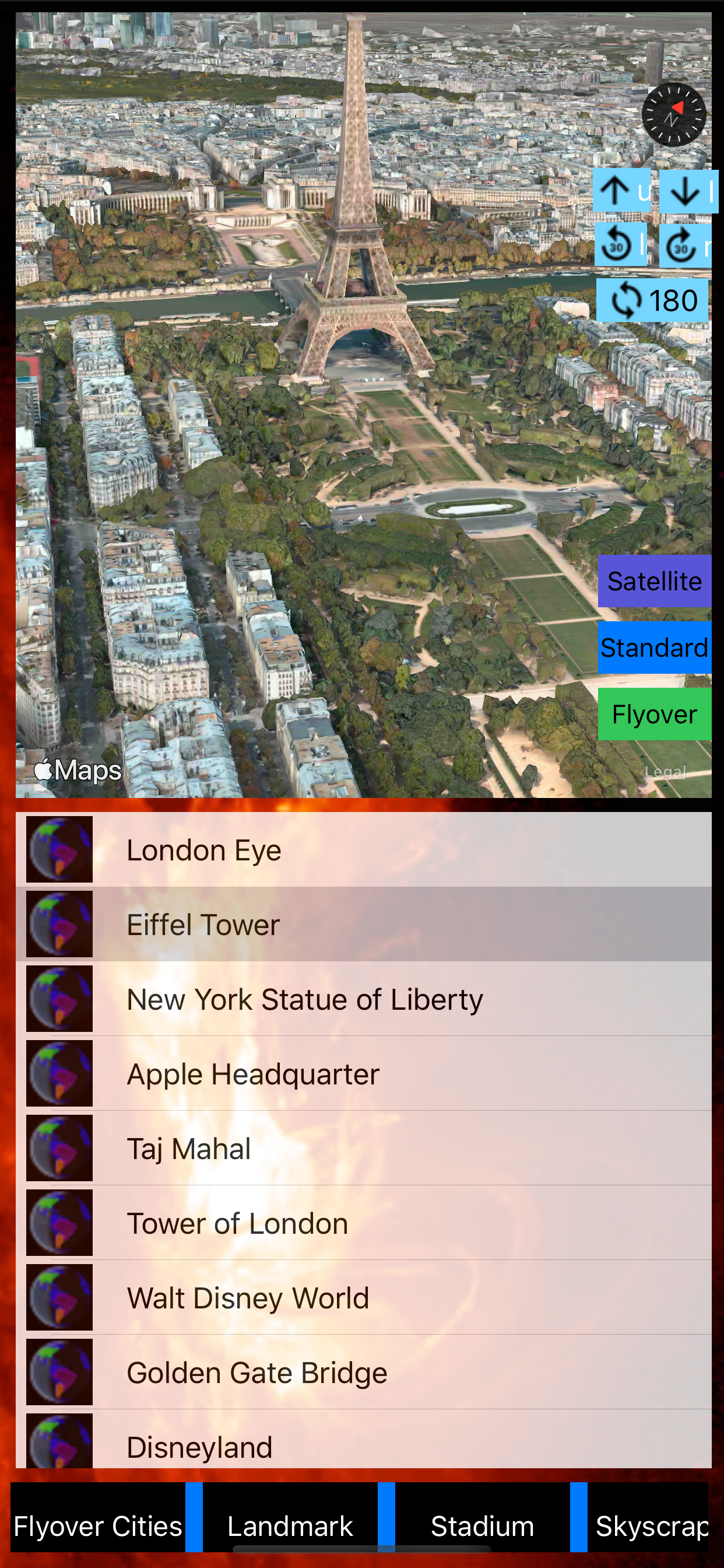
> Cities and Places with flyover support around the globe are listed. Zoom in/out and select any city/place to see the 3D View.
> Smart tip: from the "Normal" map view to find out any POI and enable the 3D Building View (two-fingers gesture to change viewing angles: zoom in/out, rotate, swipe up/down for 3D View) and then click on "Flyover" to switch to 3D Flyover View.
> To see the "New York City" in 3D View, follow the steps below:
1. Select "New York, NY" from the map or from the table
2. "New York City" 3D View should appear.
3. You can use two-fingers gesture to change viewing angles: zoom in/out, rotate, swipe up/down for viewing the city details.
> To see specific POI such as "Eiffel Tower" in 3D View, follow the steps below:
1. Select "Paris, France" from the map or from the table.
2. Switch to "Normal" map view and find the "Eiffel Tower" on the map.
3. You can use two-fingers gesture to change viewing angles: zoom in/out, rotate, swipe up/down for 3D View.
4. Switch back to "Flyover" view to see the 3D View.
Watch App Quick Started:
> Launch the Watch App and the app will communicate with the iOS App to get the nearest city/place and also notify the iOS App to select and view the city/place. Click on the "Nearest" button if you would like to search the nearest city/place again.
Introduction:
This app integrates the following technologies and data together:
- The latest Apple MapKit features such as Traffic, Buildings, POI and 3D Model
- Apple Watch Integration with iPhone.
- Apple TV integration (Universal Purchase: one purchase to get the app on iOS and Apple TV)
- Databases with built in information.
This app provides the following features:
- One click City/Place selection by selecting the table and click on a location.
- This app provides the Apple Watch Integration
- This app will provide Apple TV integration.
Ranking da Loja
A Store Rank é baseado em vários parâmetros definidos pelo Google e Apple.
Todas as categorias em
Estados Unidos--
Serviços básicos em
Estados Unidos--
Principais concorrentes e aplicativos alternativos
Aplicativos com alta probabilidade de serem usados pelos mesmos usuários, da mesma loja.

OLED Clock

File Explorer & Player

Clock mini: World Clocks

Internet Speed Test –FiberTest
 3D Cities and Places VS.
 julho 9, 2026