

You’ve hit your search limit
Start your free trial to keep exploring full traffic and performance insights.
Get StartedMicrosoft Planner análises de aplicativos para 10 de janeiro

Microsoft Planner
- Microsoft Corporation
- Apple App Store
- Gratuitos
- Produtividade
Microsoft Planner requires an eligible Office 365 work or school subscription. This app does not support Office 365 personal accounts (for example: name@outlook.com or name@hotmail.com). If you are not sure about your company’s subscription or the services you have access to, please contact your IT department.
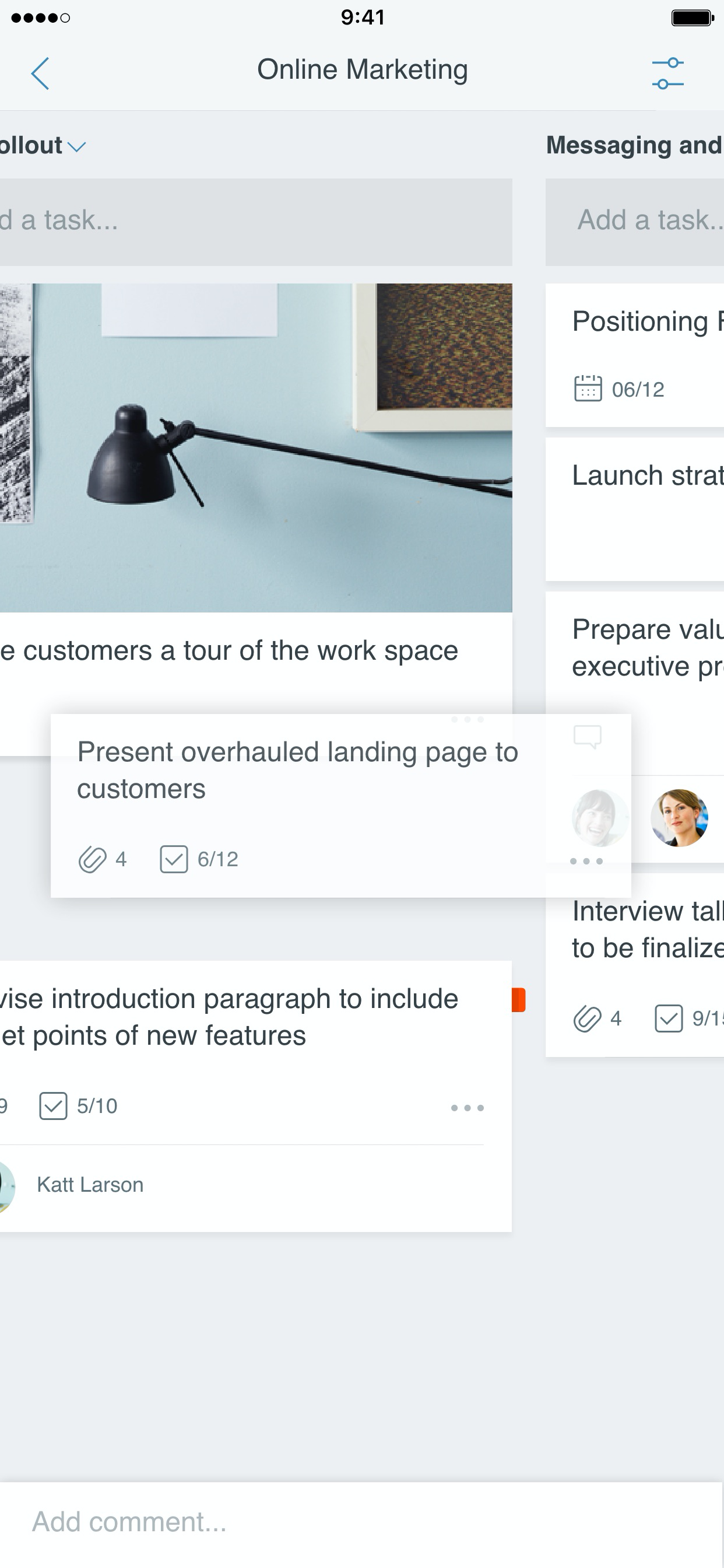
Planner provides a simple, visual way to organize teamwork. Planner makes it easy for your team to create new plans, organize and assign tasks, share files, chat about what you’re working on, and get updates on progress.
-- Organize work visually --
Each plan has its own board, where you can organize tasks into buckets. You can categorize tasks based on their status or on whom they’re assigned to. To update the status or change assignments, just drag and drop tasks between columns.
-- Visibility --
The My Tasks view provides a comprehensive list of all your tasks and their status across all your plans. When working together on a plan, team members always know who is working on what.
-- Collaborate --
Built for Office 365, Planner lets you work together on the same tasks, attach captured photos directly to them, and even have conversations around tasks without switching between apps. With Planner, all your team’s discussions and deliverables stay with the plan and don’t get locked away across disparate applications.
-- Works across devices --
Planner works across all your devices. And with Planner, everyone is always on the same page. Continue conversations and updates tasks while on-the-go or at your desk.
Terms of service: https://go.microsoft.com/fwlink/?linkid=846830
Privacy policy: https://go.microsoft.com/fwlink/?LinkId=521839
To learn more, please visit https://go.microsoft.com/fwlink/?linkid=849067
The Microsoft Planner app will request permission to access your photos and your camera: When you try to attach a photo to a Planner task, the app requests permission to access your Photos app in order to select images. If you choose to take a photo to attach to a Planner task, the app will request permission to access your Camera app.
Ranking da Loja
A Store Rank é baseado em vários parâmetros definidos pelo Google e Apple.
Todas as categorias em
Estados Unidos--
Produtividade em
Estados Unidos--
Principais concorrentes e aplicativos alternativos
Aplicativos com alta probabilidade de serem usados pelos mesmos usuários, da mesma loja.

Planmore - Schedule Planner

ClickUp: Tasks, Chat, Docs, AI

Planner for iPad

Google Tasks: Get Things Done
 Microsoft Planner VS.
 janeiro 10, 2026