

You’ve hit your search limit
Start your free trial to keep exploring full traffic and performance insights.
Get StartedNMEA Monitor análises de aplicativos para 29 de janeiro
NMEA Monitor
- Ndili Technologies, Inc
- Apple App Store
- Pagos
- Navegação
NMEA Monitor is a powerful, easy-to-use tool to record and display a wealth of real-time information directly from NMEA or AIS WiFi devices such as the Vesper Marine XB8000. Information is sourced in real-time directly from the connected AIS device and data is logged to a file on your device which you can view directly on your mobile device, or email to yourself for later data analyses and archiving. Information is also displayed and updated in real-time on the screen of your mobile device during the logging process.
View, display and log a wide range of real-time measurements, including:
GPS position
Satellites in View
Position error estimates
GPS DOP and active satellites
Track-made-good and ground speed
Recommended minimum GPS data
Received AIS data
Received Wind data
And many others
With NMEA Monitor you can view, access and log all the NMEA sentences being broadcast from your AIS device. Use this data log to answer a wealth of questions including:
exactly how fast is my ship?
exactly where did my ship go?
what is the average and maximum speed of my ship?
how fast was the wind? maximum wind speed? direction?
what are the polars for my boat?
NMEA Monitor is very easy to use: Simply start and view your measurements with one touch of a button. NMEA Monitor does require that your iPhone or iPad be connected to the same wifi internet connection as your NMEA/AIS device. You do not need to know the exact IP address of your NMEA device as this app has AUTOSCAN capabilities. However you should know the default port number (or accept the default settings on the app for your AIS. The default for Vesper Marine XB8000 is 39150).
NMEA Monitor communicates wirelessly with your AIS device. To use NMEA Monitor you need to own or have access to an NMEA device such as the Vesper Marine XB8000. All your NMEA data is stored strictly on your device only and never transmitted elsewhere. You own your data and you only have access to it.
To get started, launch the app, select its Settings tab, and enter IP address of your AIS device (if known), and port number. If unknown, be sure to enable AUTOSCAN (on by default). You may disable the AUTOSCAN feature here if you know for certain the IP address of your NMEA device and are certain you do not need AUTOSCAN. In that case be sure to enter the correct IP address.
Ensure your mobile device is connected to the same WiFi network as your NMEA device. Then from the "DISPLAY" module of the app, tap on the "CONNECT" button at the top right corner of the screen.
Once you have selected CONNECT, the app will try to establish a connection with your NMEA device through the WiFi network. If AUTOSCAN is enabled, the app will methodically scan the network searching for an active NMEA device, and will connect to the first one it finds. If AUTOSCAN is disabled, the app will try only the IP address saved in the SETTINGS module, and give-up if no NMEA device is found there. It is recommended that you enable AUTOSCAN if you are unsure of the IP address of your NMEA device.
With AUTOSCAN enabled, the first scan may take a few minutes. When the app scans and finds an NMEA device, it remembers its IP address, such that the next time you try to use the app it should connect much faster - almost instantaneously.
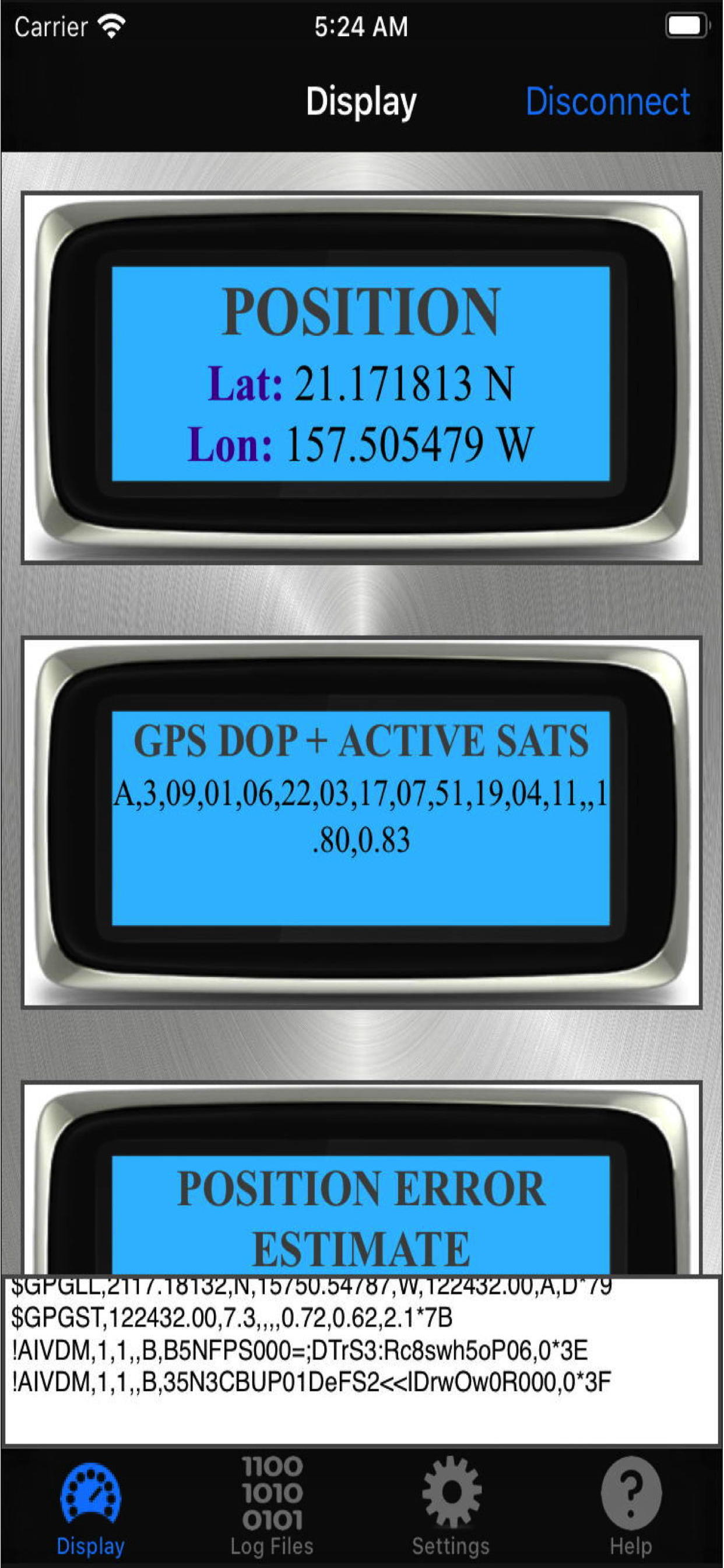
The primary dash displays of the app will show all the transmitted NMEA sentences in real time, as well as stream the live raw data in the lower portion of the screen.
All runs will automatically be logged and the raw log files will be available under the "Log Files" module of this app.
You can view raw data from current and past log files from the "Log Files" module of this app. You can email these log files to yourself, or export them to your other apps. The log files are text-based comma-delimitted files (CSV), which you should be able to view with a wide variety of common apps or text editors.
Ndili Technologies, Inc. has no affiliation to, and is not associated or sponsored by any AIS / NMEA company.
Ranking da Loja
A Store Rank é baseado em vários parâmetros definidos pelo Google e Apple.
Todas as categorias em
Estados Unidos--
Navegação em
Estados Unidos--
Principais concorrentes e aplicativos alternativos
Aplicativos com alta probabilidade de serem usados pelos mesmos usuários, da mesma loja.

NMEAremote LITE
NMEAremote

Display0183M
Almicantarat
 NMEA Monitor VS.
 janeiro 29, 2026