

You’ve hit your search limit
Start your free trial to keep exploring full traffic and performance insights.
Get StartedLock Screen Widgets 16-Widget análises de aplicativos para 18 de janeiro
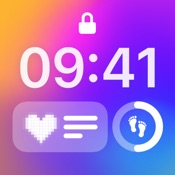
Lock Screen Widgets 16-Widget
- Gulooloo Tech Co., Limited
- Apple App Store
- Gratuitos
- Gráficos e design
Fancy new lock screen widgets?
Tired of a normal widget that has limited customization?
A fantastic lock screen and home screen widgets app including dynamic icons, quick launcher, countdown, battery, healthy, etc. is definitely what you want!
You can create your own fancy widgets with the easy-to-use widget editor. Makes your phone screen adorable! It offers various styles for you to choose from. All widgets you need are here :
- Add all size widgets
- Various widget styles
- Multiple fonts and colors
What makes Lock Screen Widget stand out:
Various Aesthetic Widget
Lock Screen Widget support all kinds of Widget. You can enjoy 200+ lock screen widgets & wallpapers after updating. Add a calendar, battery, and even a to-do list to your lock screen to let it become personalized.
All sizes are supported: Circular, Rectangular, Inline
Various types are available: dynamic icons, quick launcher, countdown, battery, healthy, etc.
Custom by yourself
Constantly update
Home Screen Widgets
With massive well-designed widgets, you can quickly make the widgets you need.
The calendar widget helps you check the date quickly on the home screen. In the Countdown widget, you can add deadlines which enables you to check the left time for important days anytime and anywhere. The clock widget gives you a chance to add multiple fancy clock styles to your screen
HD Lock Screen Wallpapers
- All wallpapers are high-quality
- Perfectly fit the Depth Effect
- Gorgeous wallpapers with various styles
Easy Set Up steps
With Lock Screen Widget, There are ONLY TWO STEPS that take less than 30 seconds to set a widget:
Long press anywhere on the home screen. Click " + " in the upper left corner. Search "Lock Screen Widget"
Select a size. Touch and hold to enter edit mode. Click "Edit Widget".Choose the widget you want to add to the home screen
After the setup, all the widgets are free to use!
Custom Widget
The Lock Screen Widget is highly Customizable. It allows you to customize the widget color, widget font, widget border, etc. Also, you can use your own preference on time & date formats. With Lock Screen Widget, there are no limits to customizing your Lock Screen & Home Screen
If you have any questions, please contact us: widget.ios@guloolootech.com
Terms of use:
http://guloolootech.com/terms-of-use.html
Privacy Policy:
http://guloolootech.com/privacy-policy.html

Ranking da Loja
A Store Rank é baseado em vários parâmetros definidos pelo Google e Apple.
Todas as categorias em
Estados Unidos--
Gráficos e design em
Estados Unidos--
Principais concorrentes e aplicativos alternativos
Aplicativos com alta probabilidade de serem usados pelos mesmos usuários, da mesma loja.
LockWidget: Lock Screen,Themes
GIF Widget for Lock Screen

StandBy Widgets 17 Wallpapers

Lock Screen 26: Widgets & Icon
 Lock Screen Widgets 16-Widget VS.
 janeiro 18, 2026