

You’ve hit your search limit
Start your free trial to keep exploring full traffic and performance insights.
Get StartedTweet Cleaning - Delete Tweets análises de aplicativos para 12 de janeiro

Tweet Cleaning - Delete Tweets
- Serkan Ozcan
- Apple App Store
- Gratuitos
- Redes sociais
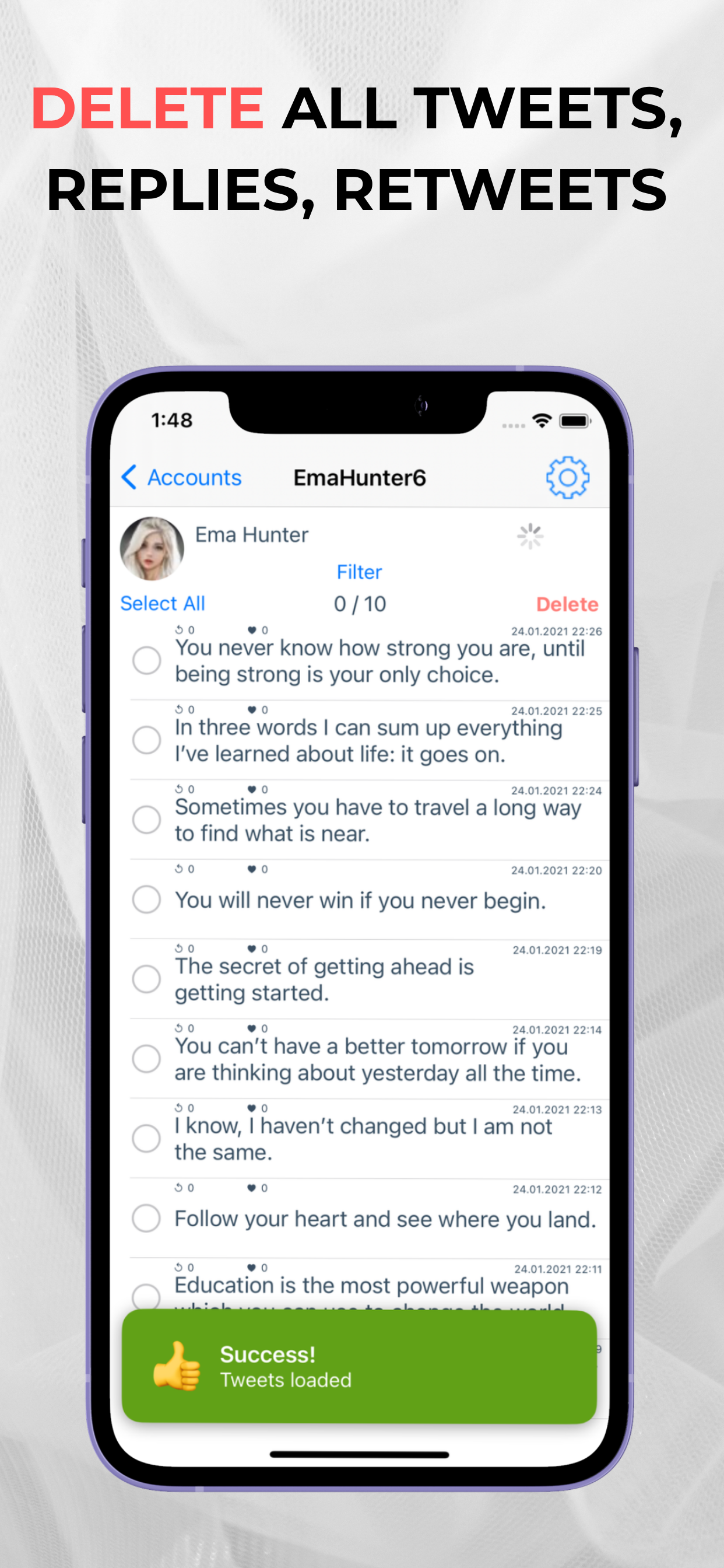
Tweet Cleaning offers the service to delete all your tweets, retweets, mentions, replies, and media with just one click!
If you seek a fresh start on Twitter, you can effortlessly delete your tweets, retweets, and replies using Tweet Cleaning. You can easily delete your old tweets by date or by using keywords.
Tweet Cleaning Features:
• Delete All Tweets
• Delete Tweets by Keyword
• Delete Old Tweets
• Delete Retweets
• Delete Twitter Replies
• Mass Delete Tweets
Moreover, you can also sort your tweets by retweet count or Twitter likes count. This allows you to keep your most popular tweets while deleting the ones you wish to remove in bulk.
As time passes, opinions change. In the open environment of Twitter, where ideas, claims, and discussions flourish, people often seek a way to delete tweets by date.
Tweet Cleaning provides the solution! You can delete all your tweets, retweets, likes, replies, and media. This enables you to delete tweets older than a year and even remove tweets from Google search results.
Many are unaware that Twitter allows users to delete their tweets. However, the challenge lies in filtering tweets by date and performing bulk operations. Deleting old tweets one by one on Twitter can be time-consuming.
This is where Tweet Cleaning comes in. It saves you time and effort by offering the option to filter tweets by date and keyword.
You no longer need to scroll through your timeline to find old tweets. Simply input the desired date or keyword, and Tweet Cleaning will display the relevant tweets.
Tweet Cleaning is a Twitter management tool that facilitates bulk deletion of Twitter likes. With Tweet Cleaning, you can delete all your Twitter likes in seconds.
If you prefer to selectively delete specific retweets rather than all of them, follow these steps:
Log in to Tweet Cleaning.
Tweet Cleaning will list all your retweets.
To delete retweets from a particular Twitter account or user, input their handle or name in the grid power search. Tweet Cleaning will filter the retweets accordingly. The grid power search can also filter retweets by keywords, hashtags, or date.
Select the retweets you wish to delete and click the red "Delete" icon at the top left to remove them.
Ranking da Loja
A Store Rank é baseado em vários parâmetros definidos pelo Google e Apple.
Todas as categorias em
Estados Unidos--
Redes sociais em
Estados Unidos--
Principais concorrentes e aplicativos alternativos
Aplicativos com alta probabilidade de serem usados pelos mesmos usuários, da mesma loja.

Circleboom For Twitter

unfollow for X aka Twitter

Who Unfollowed Me on X/Twitter

ONVO - Limitless Discoveries
 Tweet Cleaning - Delete Tweets VS.
 janeiro 12, 2026