

XL Keyboard vs CozyKey Pro Uso e estatísticas
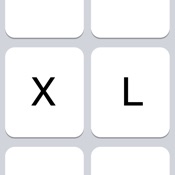
Designed to resemble the standard keyboard with extra large keys. Change the size of the keyboard, select any existing system language for spelling suggestions and autocorrect and choose the keyboard layout you like.
Features:
- Change layout: Maximized or default
- Change size
- Select emoji skin tone
- Check spelling
- Autocorrect
- Select language (choose from all installed system languages)
- Enable/disable shift state on keys
- Enable/disable click sound
- Change color
- Thumb keyboard left/right (iPhone 6/iPhone 6 Plus)
- QWERTY, AZERTY, QWERTZ, Turkish-Q, Turkish-F, or ABC
- Supports Scandinavian, Turkish and Polish keyboard layout
Tips:
- Swipe to place thumb keyboard left/right (iPhone 6/iPhone 6 Plus)
- Swipe up/down to change size of keyboard
- Click to add word to dictionary to prevent autocorrect
- To access XL Keyboard settings: tap and hold globe button
- To access special characters: tap and hold a key
- Tap and hold spacebar to switch to previously used languages
To install go to:
Settings > General > Keyboard > Keyboards > Add New Keyboard
The application does not in anyway collect information while using the keyboard.
Please note that dictation input is not possible.
- Apple App Store
- Pagos
- Serviços básicos
Ranking da Loja
- -
CozyKey is an innovative keyboard for your iPhone. The unique design provides much bigger keys and a familiar keyboard layout. There is no learning required. With bigger keys, CozyKey provides a remarkably comfortable and precise typing experience.
* Secure and security - NO Full Access required. The iOS system ensures that keystrokes cannot be sent to anywhere.
* Big keys
* Easy to use - Familiar layout
* Type with one hand - Keys are still big enough in one handed keyboard especially for big phones.
* Key tap animation - Better visual feedback
* Thoughtfully crafted punctuation keyboard - Find punctuation marks at a glance.
* Beautiful themes (Some themes are available through in-app purchase)
* Left/right arrow key - Move cursor precisely with simple action.
* Word prediction
* Auto-Capitalization
* Auto-Correction
* Quick Period
* Text shortcuts - Make use of Text Replacement in Settings for expanding text like "omw" into "On my way!"
- Apple App Store
- Pagos
- Serviços básicos
Ranking da Loja
- -
XL Keyboard versus CozyKey Pro comparação de classificação
Compare a tendência de classificação de XL Keyboard nos últimos 28 dias versus CozyKey Pro
 XL Keyboard- -
Classificação
Comparação da classificação de XL Keyboard vs. CozyKey Pro por país
Compare a tendência de classificação de XL Keyboard nos últimos 28 dias versus CozyKey Pro
Todas as categorias
Serviços básicos
Faça comparações com qualquer site com o nosso teste grátis
XL Keyboard VS.  CozyKey Pro
janeiro 9, 2026