

EdgeSlider Lite (Vol. control) análises de aplicativos para 2 de dezembro

EdgeSlider Lite (Vol. control)
- fruit4droid
- Google Play Store
- Gratuitos
- Ferramentas
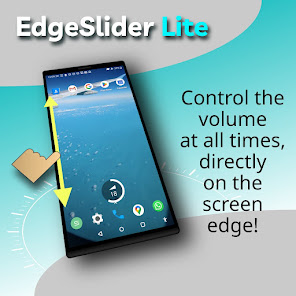
EdgeSlider Lite is a powerful yet simple tool that provides an invisible, non-intrusive thin slider along the left or right edge of the screen to directly control the media volume at all times. It is highly responsive and provides precise and quick adjustments by sliding your finger along the edge. Whether you're watching a movie or listening to music or audio messages, this app makes adjusting volume quick and effortless. It is easy to setup and runs as a background service with minimal use of resources.
EdgeSlider Lite can extend the lifetime of your volume buttons by reducing wear. Great also for devices with broken hardware volume buttons!
To start it, just open the app, adjust the options as needed and enable EdgeSlider through the master switch. (The first time you will need to grant some permissions depending on your device.) Once the master switch is on, you may close the app (EdgeSlider Lite will continue to run in the background). There will be an icon in the status bar indicating that the service is active.
This app is free and contains no ads. It is the lite version of the full featured app "EdgeSlider Pro". It contains a Pro demo mode that demonstrates the Pro functionality for one minute at a time so you can asses if the paid version is for you.
EdgeSlider Lite Features:
- Optional double width of the edge slider
- Minimal use of resources
- Starts automatically at restart if it was active before shutdown
The Pro features include:
- Fully customizable volume AND/OR brightness control: control only volume, only brightness or both, left or right side or both at the same time, full or half height with top, bottom or center positioning
- Optionally: when changing the volume, the system's graphical volume slider appears shortly, giving you quick access to the other volume channels
- Brightness can be set to linear or exponential control
- Gesture for quick disabling: Swipe horizontally from the edge to the center of the screen to temporarily (10s) disable the slider on that edge
- ***NEW*** Experimental feature: VOLUME BOOSTER. Sliding beyond the maximum volume will show the buttons for up to 3 volume gain levels. Does not work on some devices however. Use the demo mode to determine if your device is supported.
Permissions:
1. Display over other apps: Needed in order to be accessible at all times from the homescreen or from an app running in the foreground. You should always be careful with apps that require this permission, since it gives access to the screen content and allows to capture user input. For your peace of mind, this app has no network permissions, so there is no way that any data could be sent out of the app.
2. Modify system settings: This is needed only for controlling the screen brightness in the Pro demo mode.
3. Run at startup: This is needed to automatically re-activate the service if it was active prior to restarting the device.
4. Notifications permission for Android 13 or newer. This is needed in order to display the icon on the status bar. Otherwise, the service will be terminated by the system after a while.
Note 1: In some cases and depending on your device, the system's battery optimization might terminate the service and the icon in the status bar will disappear. In this case, we recommend to manually disable the battery optimization for the app (via system settings or app info).
Note 2: The icon is necessary in Android 8+ for any service to keep running in the background.
EdgeSlider Lite (Vol. control) classificação de uso
A classificação de uso é baseada no algoritmo da Similarweb que calcula as instalações atuais e os usuários ativos ao longo de um período de 28 dias.
Todas as categorias em
Estados Unidos--
Ferramentas em
Estados Unidos#4,956
Interesses dos Usuários e Principais Categorias
Principais categorias e aplicativos usados pelos usuários do EdgeSlider Lite (Vol. control)
Principais Categorias
Afinidade
Principais Aplicativos Dentro da Categoria
Mais aplicativos
36%




21%





9%



7%

Principais concorrentes e aplicativos alternativos
Aplicativos com alta probabilidade de serem usados pelos mesmos usuários, da mesma loja.

Quikshort: Shortcut Creator

Good Lock: Premium Lock Screen

PurpleLine Icon Pack : LineX

Boom: Bass Booster & Equalizer
EdgeSlider Lite (Vol. control) VS. 2ezembro d, 2025