

Santander análises de aplicativos para 2 de dezembro

Santander
- Banco Santander
- Google Play Store
- Gratuitos
- Finanças
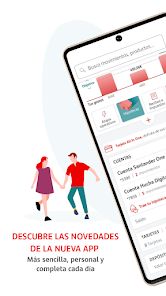
Discover the new design and functions of the new Santander App. Your bank, open 24h a day, 365 days a year:
In addition to the new enhanced design and browsing features, you can:
CHECK YOUR BALANCES, TRANSACTIONS AND EXPENSES
Check the balances and transactions of all of your products quickly and easily. You can now also filter and search for transactions by text (New)
Check your total expenses of the last three months on graphs and charts (New) FOR
YOUR DAY-TO-DAY ACTIVITY
You can now also use Bizum from the App and send and request money from friends immediately (New)
National transfers, transfers sent to your favourite recipients and transfers between your accounts. Buy and sell national securities Extraordinary and regular contributions to pension plans (New) Subscription of mutual funds and transfers between the funds in your portfolio (New)
YOUR CARDS
Now with improved security features, allowing those who are easily distracted to turn their cards on and off at any time in case they misplace their wallet (New)
Check your PIN code and CVV of your cards Top up and use your eCash card and pre-payment strap Transfer funds to your credit card from your account Immediate financing with Direct Cash (transfer money from your credit card to your account) Finance all purchases made with your Easy Pay credit card Defer payment of your Credit Card instalment to the next month with Pay Later Card activation and blocking
You can also access the operations of Santander Wallet without having to enter your passwords again (New)
BILLS AND TAXES WITH NO DIRECT DEBIT ACCOUNT
Pay for the bills and taxes with no direct debit account and pay all future bills and taxes with direct debit
You can now check and return your direct debit bills, download a copy in PDF and share it (New)
YOUR MANAGER
Access the contact details of your manager from the side menu. You can request one if you have no manager assigned (New)
PASSWORD MANAGEMENT
Modify your multi-channel password and signature from your personal area You can now also receive a new password if you have forgotten it (New)
Do you need a password to access the Mobile Banking system? Receive one from the application by entering a few personal details (New) Become a customer of the Bank in only a few minutes (New)
COMMERCIAL INFORMATION
Check your personalised offers and sign up from the application in only a few seconds (New) You can now also check the commercial information of the bank's products and sign up for them (New)
CUSTOMER SERVICE
Check the customer service helplines, customer service via whatsapp and on social media Check our virtual assistance from "We help you" and receive a reply to your questions and check the frequently asked questions of other users (New) Request an appointment at your branch to have your personal matters handled and request and collect foreign currency from your branch (New)
CASHPOINTS AND BRANCHES NEAR YOU
An improved cashpoint and branch finder for you, with more information of interest (New)
Find the cashpoints and branches near you or filter the search by location, post code, etc.
OTHER TOPICS OF INTEREST
You can now also check your notifications from the new notification mailbox found on the side menu (New) Personalise your global position and display options, including the expense and money modules (New) Find out about the latest features and news in the tutorials displayed when you access the application and check all of the operations that can be performed with the application in the "Tips" section (New) You can access with Touch ID if your device is compatible with biometric technology. Check and use the App for your transactions, accessing with your multi-channel passwords.
Leave your comments in the space in the menu that reads "Help us improve". At Santander, we work to make your day-to-day activities easier.
Santander classificação de uso
A classificação de uso é baseada no algoritmo da Similarweb que calcula as instalações atuais e os usuários ativos ao longo de um período de 28 dias.
Todas as categorias em
Estados Unidos--
Finanças em
Estados Unidos#2,089
Interesses dos Usuários e Principais Categorias
Principais categorias e aplicativos usados pelos usuários do Santander
Principais Categorias
Afinidade
Principais Aplicativos Dentro da Categoria
Mais aplicativos
15%






12%



11%




11%





Principais concorrentes e aplicativos alternativos
Aplicativos com alta probabilidade de serem usados pelos mesmos usuários, da mesma loja.

N26 — Love your bank

Scotiabank Mobile Banking

bunq

HSBC UK Mobile Banking
Santander VS. 2ezembro d, 2025