

You’ve hit your search limit
Start your free trial to keep exploring full traffic and performance insights.
Get StartedReality Augmenter аналитика приложений для 28 января
Reality Augmenter
- George Brown
- Apple App Store
- Платный
- Утилиты
The Reality Augmenter is a video/projection mapping app and requires a projector This app can connect to a projector via a standard video adapter for your device, or wirelessly via an Airplay or Google Cast enabled device.
Key Features
Use camera roll for video, image and slide show texture sources
Import photos and videos from directly from Dropbox
Webpages as textures
Scrolling text source with font control
Any number of source texture subdivisions
Use any source texture as a mask
Airplay and Google Cast enabled for wireless connection
Precise quad geometry editor with pan and zoom
Display and UI decoupled so app acts as remote control
Details
The Reality Augmenter is a tool for projection mapping, a technique to project images onto surfaces without precise alignment of the projector. The app is ideal for art installations, window displays, visual merchandising, galleries, nightclub visuals, display booths and anything else you can dream up.
The Reality Augmenter uses the projector as a secondary display, while the iOS device is used to configure the display.
Sources Tab
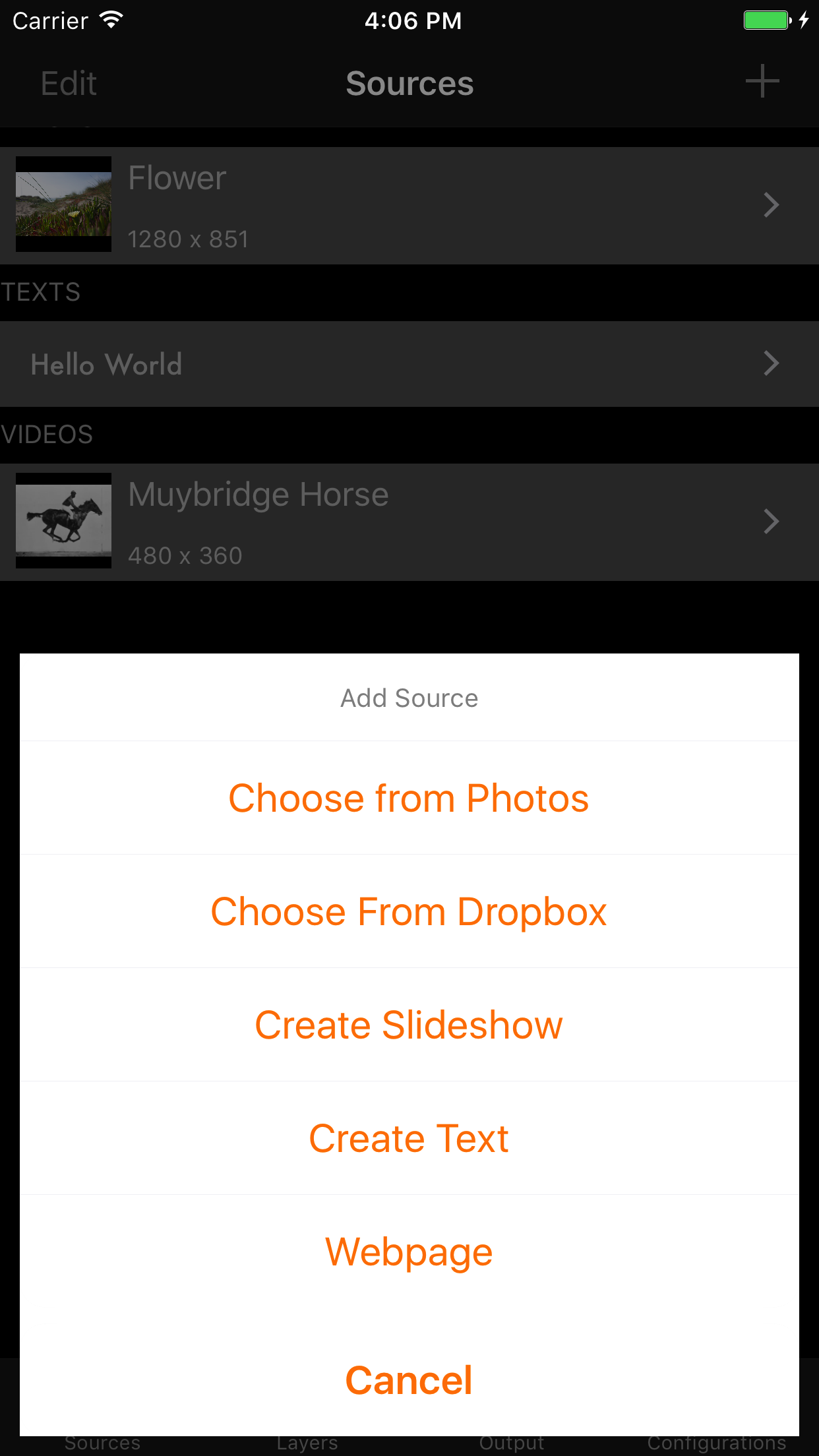
Pick videos and photos and albums from the camera roll, create text or specify webpages to use as sources from the Sources tab. Once created you can edit various aspects of the source depending on it's type.
Sources can be cropped using the crop icon in the top right of any source editor.
Layers Tab
Create layers in the Layers tab, sources can be assigned to and combined in layers, layers are projected.
The Edit Layer view allows you to select sources as the main layer image (required), and optionally set an overlay and a mask.
When used as a mask, the source image used is converted to black and white, the threshold controls the cut off point of the mask.
To unlock geometry edit, either touch the edit button in the top left of the layers view, or long press on any layer. Once editing is finished, touch the done button to relock the geometry.
Edit the geometry to drag and map the four corners of the quad to the surface being mapped. The secondary display will highlight the quad being edited to help with mapping. You can zoom in and out with the pinch gesture. At higher zoom levels, corners will snap to the corners of nearby layers. Once snapped, the the circle around the corner will change to orange, and all snapped corners will move along with your current layer. To remove a snapped corner, simply hold before dragging the corner away.
Output Tab
The Output tab provides facilities to play and pause the entire project, flip the output of the secondary display, and activate a basic screensaver for when the device will be in use a long time. You can also connect to a Cast device here.
Configurations Tab
New configurations can be accessed, created and deleted here.
The number of photo and videos supported varies between device, and will be affected by size and quality of videos and photos used.
For long periods of use, it's recommended to turn off screen locking and keep the iOS device plugged in to power. The app has a built in screensaver that can be activated to turn the display off. As the Reality Augmenter currently runs using OpenGL ES, drawing will be suspended if the app enters background. Notifications also pause output, for long periods of unattended use, you should turn off all notifications.
Рейтинг магазина
Ранг магазина определяется на основе нескольких параметров, установленных Google и Apple.
Все категории в
Соединенные Штаты--
Утилиты в
Соединенные Штаты--
Лучшие конкуренты & Альтернативные приложения
Приложения с высокой вероятностью будут использоваться одними и теми же пользователями, из одного и того же магазина.
Prspctv

Vera: Offline AI
Easy Subtraction

Wasabi Explorer
 Reality Augmenter VS.
 январь 28, 2026