

You’ve hit your search limit
Start your free trial to keep exploring full traffic and performance insights.
Get Started25 Ocakiçin Omnistat 2 uygulama analizi

Omnistat 2
- Mathieu Bolard
- Apple App Store
- Ücretliler
- Araçlar
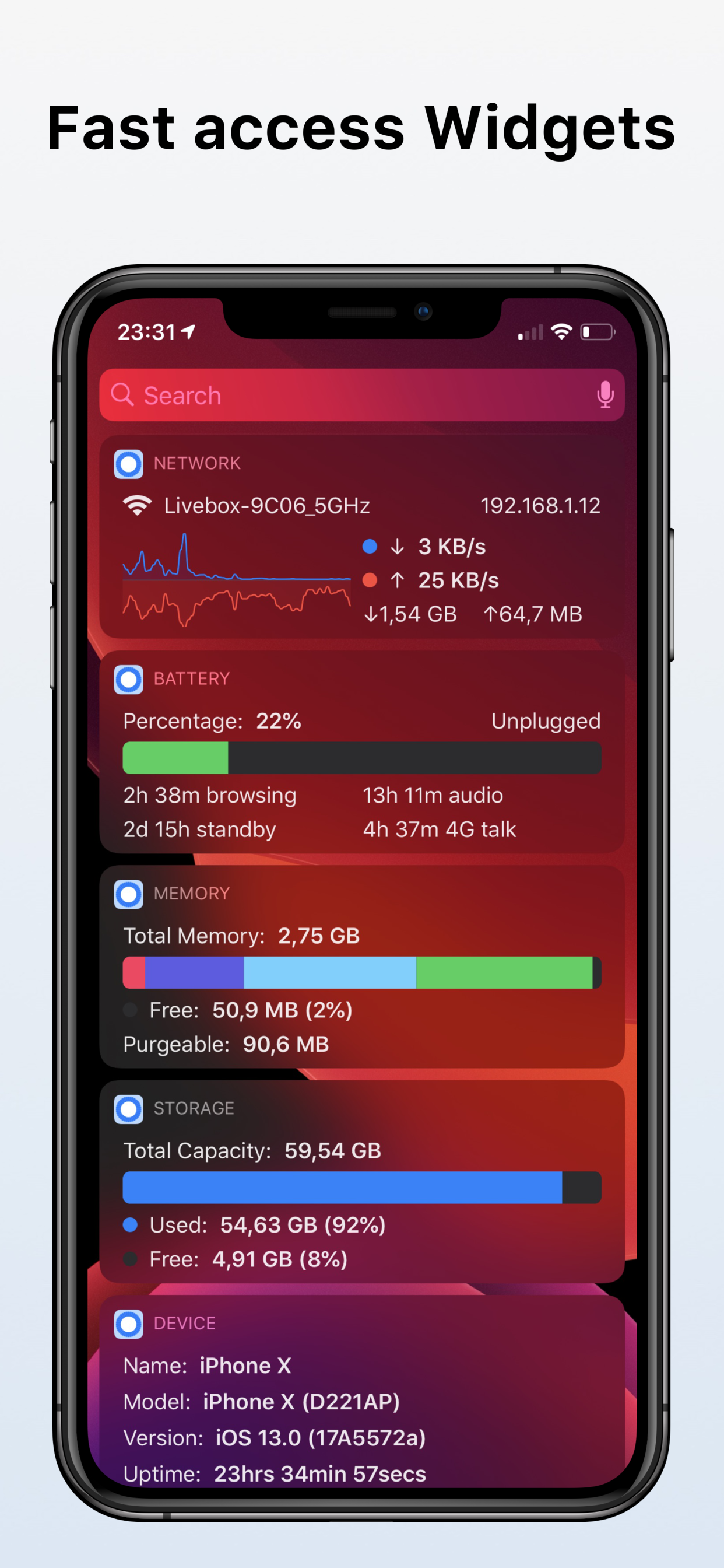
Access your device's technical information from the app or even from the widgets.
With Omnistat for iOS you can see:
- Name of the device
- Host name
- Model of the device
- Internal device name
- Name of the operating system
- Current version of the operating system
- Build number of the current operating system
- Kernel version
- Device uptime
- Current Wi-Fi network
- BSSID and SSID of the Wi-Fi
- Wi-Fi Interfaces
- IPv4 and IPv6 address of each connected Wi-Fi interface
- Use of Wi-Fi data (download / upload)
- Speed of download / uploading in Wi-Fi
- Carrier
- Carrier mobile country code
- Carrier network country code
- Carrier ISO country code
- Carrier radio technology
- Cellular interfaces
- IPv4 and IPv6 address of each connected cellular interface
- Use of cellular data (download / upload)
- Cellular download / upload speed
- Size of Storage (Total, Used and Free)
- List of partitions on the device's storage
- Mount point for each partition
- Size used and free of each partition
- File system name of each partition
- RAM of the device (total, compressed, resident, active, inactive and free memory)
- Size of memory pages
- Writing volume in memory
- Memory reads volume
- Memory reactivations volume
- Memory compression volume
- Memory decompression volume
- Volume of memory faults
- Written swap
- Read swap
- Purgeable memory
- Purged memory
- CPU usage
- Thermal State
- Device processor name
- Device processor type
- Number of CPU cores
- Processor frequency
- Processor Architecture
- Little Endian / Big Endian
- Maximum number of processes
- Current number of processes
- Current number of threads
- Size of the cache blocks
- Cache L1 Instruction
- Cache L1 Data
- Cache L2
- Battery percentage
- Battery voltage
- Battery capacity (in mAh)
- Battery power
- Battery status
- Estimated remaining battery time
- Power saving mode state
• This product is not to the widgets in the notification. Now you click "Edit" in the "Edit" button. the widget of your choice.
Mağaza Sıralaması
Mağaza Sıralaması, Google ve Apple tarafından belirlenen birden fazla parametreye dayanmaktadır.
Tüm kategoriler içinde
Amerika Birleşik Devletleri--
Araçlar içinde
Amerika Birleşik Devletleri--
En İyi Rakipler & Alternatif Uygulamalar
Aynı mağazadan, aynı kullanıcılar tarafından kullanılma olasılığı yüksek olan uygulamalar.

DLNA Browser

Air Route

Hotspot Info

NetTools Pro
 Omnistat 2 VS.
 Ocak 25, 2026