

21 Aralıkiçin Brain Tutor 3D uygulama analizi

Brain Tutor 3D
- Rainer Goebel
- Apple App Store
- BOŞTA
- Eğitim
Explore the brain from the palm of your hand! Learn about the structure and function of the human brain by interacting with high-resolution rotatable 3D mesh models in real-time like you've never seen it before!
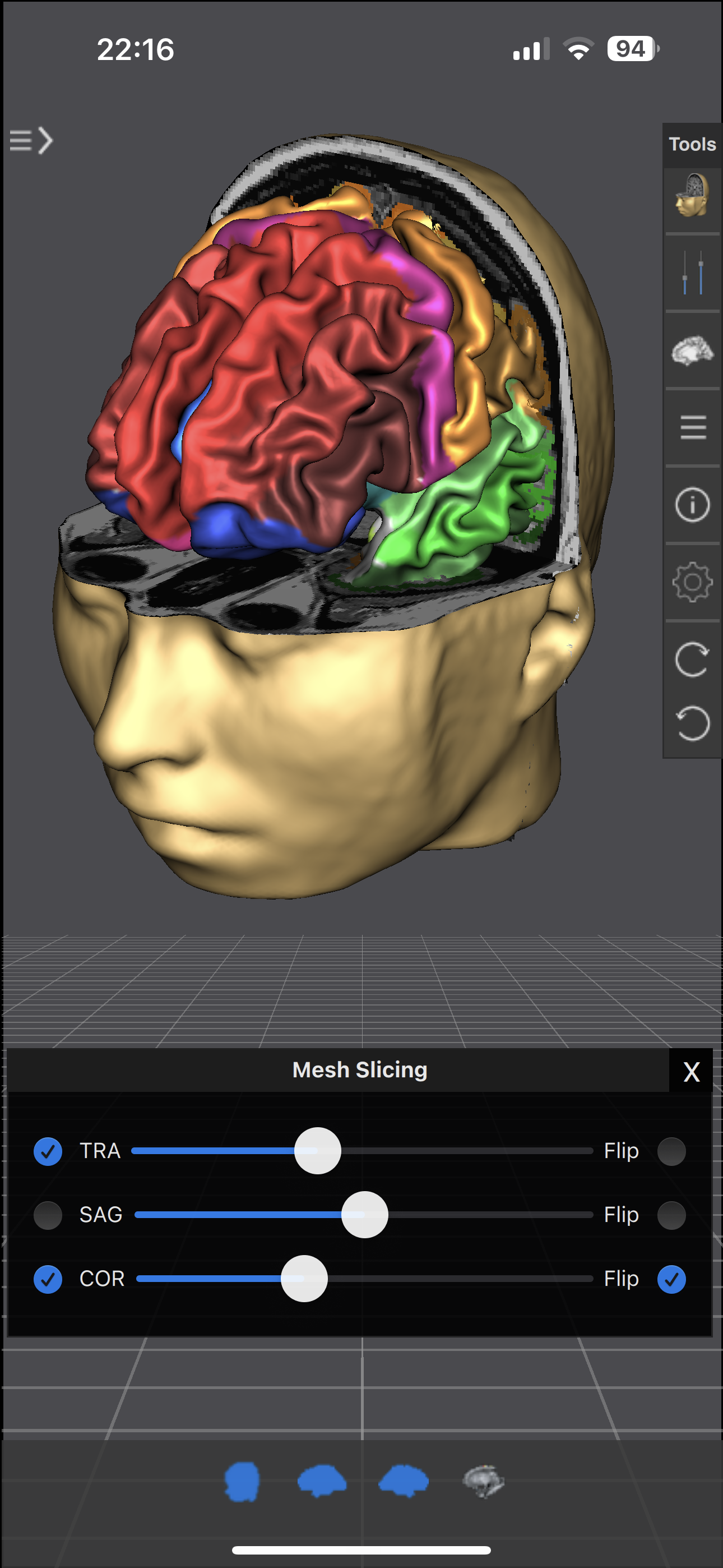
Brain Tutor 3D uses rendered head and brain models as well as fiber tracts that were created from magnetic resonance imaging (MRI) scans of a study volunteer. The MRI data allows to look "inside" the brain using real-time slicing at millimeter resolution. For students, cognitive neuroscientists, medical professionals and everyone interested in the brain, the program provides information about the anatomy and function of the human brain with various atlases describing and visualizing lobes, gyri, sulci, Brodmann areas, subcortical structures, selected specialized functional areas and major fiber tracts.
With Brain Tutor 3D you can:
* Explore high-resolution 3D models of the head and brain in real-time.
* Visualize major white matter fiber tracts.
* Slice the brain along three axes (sagittal, axial and coronal).
* View MRI brain slices at millimeter resolution.
* Learn from text information about the functions of selected lobes, gyri, sulci, subcortical structures, Brodmann areas, functional areas and fiber tracts.
* Learn where brain structures are located both within 3D brain models as well as in MRI slices.
To get started:
* Tap on a 3D brain model to reveal a brain area at that location.
* Switch to another atlas and a specific brain area or fiber tract using the navigation tables.
* Select a 3D model (brain hemisphere, head) with the tab bar buttons at the bottom.
* Pan with one finger to rotate the brain model scene.
* Pan with two fingers to move the brain model scene.
* Use pinch gesture to zoom a brain model.
* Select the head model to switch to head slicing mode.
* Switch between navigation and slicing mode with two icons on right side in the top bar.
* In head slicing mode, pan with one finger to move the slicing plane.
* Tap on a slicing direction icon in the top bar to switch between three orthogonal slice planes.
* Tap on text icon (iPhone/iPod Touch) or info icons in brain areas/tracts table to view text information about selected brain structure.
This app has been designed and programmed by Prof. Rainer Goebel, a leading expert in anatomical and functional brain imaging and award-winning developer of scientific software. For more information about his work, see http://www.brainvoyager.com/RainerGoebel.html.
Mağaza Sıralaması
Mağaza Sıralaması, Google ve Apple tarafından belirlenen birden fazla parametreye dayanmaktadır.
Tüm kategoriler içinde
Brezilya--
Eğitim içinde
Brezilya--
En İyi Rakipler & Alternatif Uygulamalar
Aynı mağazadan, aynı kullanıcılar tarafından kullanılma olasılığı yüksek olan uygulamalar.

Brain and nerves (Anatomy)

Psychology Dictionary

Improv(e) your start at UM

TrainTool
 Brain Tutor 3D VS.
 Aralık 21, 2025