

You’ve hit your search limit
Start your free trial to keep exploring full traffic and performance insights.
Get Started13 Şubatiçin Vision Detector uygulama analizi

Vision Detector
- Kazufumi Suzuki
- Apple App Store
- BOŞTA
- Geliştirici Araçları
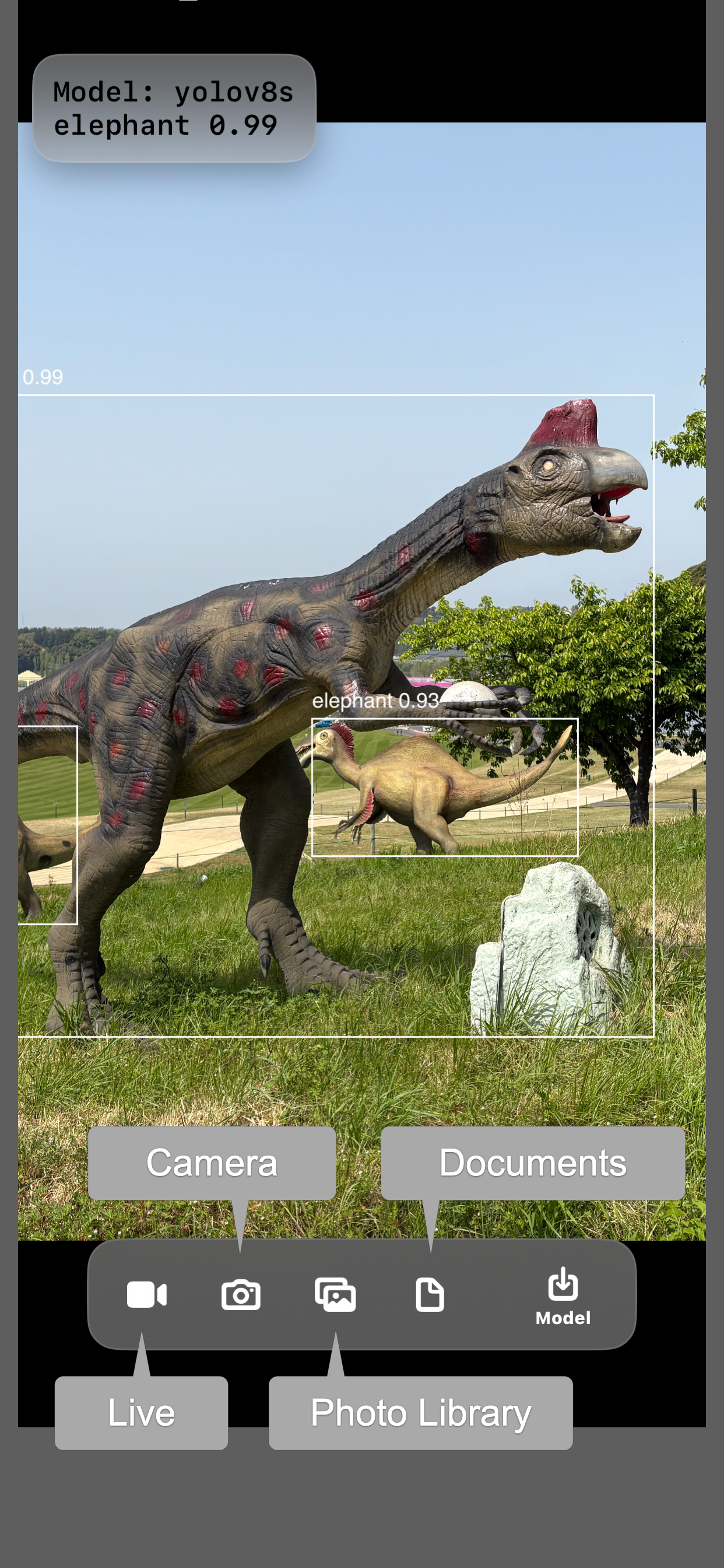
Vision Detector lets you run Core ML models directly on your iPhone or iPad without building an app in Xcode. It provides a simple way to test and evaluate machine learning models on real devices using on-device inference.
To get started, create a machine learning model in Core ML format using Create ML or coremltools. Copy the model file to your device using the Files app. Supported locations include local storage and cloud services such as iCloud Drive, OneDrive, Google Drive, and Dropbox. Models can also be transferred using AirDrop. After launching Vision Detector, select and load your model.
You can choose an input image from multiple sources:
• Live video from the built-in camera with continuous inference
• Still photos captured with the camera
• Images from the Photo Library
• Images from the file system
For live video input, inference runs continuously on the camera feed. Performance such as frame rate depends on the device.
Supported model types:
• Image classification
• Object detection
• Style transfer
Models that rely on MultiArray inputs or outputs, or that do not include a non-maximum suppression layer, are not supported.
Note: Vision Detector does not include any pre-trained machine learning models. You must provide your own Core ML model to use the app.
Mağaza Sıralaması
Mağaza Sıralaması, Google ve Apple tarafından belirlenen birden fazla parametreye dayanmaktadır.
Tüm kategoriler içinde
Amerika Birleşik Devletleri--
Geliştirici Araçları içinde
Amerika Birleşik Devletleri--
En İyi Rakipler & Alternatif Uygulamalar
Aynı mağazadan, aynı kullanıcılar tarafından kullanılma olasılığı yüksek olan uygulamalar.

シンプル振動確認

True Scanner

AppPronto

AI Capture: Create ML Datasets
 Vision Detector VS.
 Şubat 13, 2026