

You’ve hit your search limit
Start your free trial to keep exploring full traffic and performance insights.
Get Started29 Ocakiçin docViewer uygulama analizi

docViewer
- Gianluca Natalini
- Apple App Store
- Ücretliler
- Üretkenlik
"docViewer" is a “all in one” program to display any type of document, images, audio files and video files.
With "docViewer" you can store an infinite number of documents in your portable device and you can visualize / share / print them whenever you want, also in offline mode.
Compatible documents:
- iWork documents (Pages, Numbers, Keynote)
- Microsoft Office documents (Office ‘97 and newer)
- Rich Text Format (RTF) documents
- PDF files
- Text files (TXT) documents
- Comma-separated value (csv) files
- Images
- Audio files (normal playback or with HiFi)
- Video files (normal play, with external televisions, with video projectors)
- Zip files (view contents)
Archive (Flash Drive feature):
- Local archive of documents: you can save all the documents that you want in the internal memory of the device, take them with you and view them offline (no internet connection is required)
Typical usage:
- import documents (e.g. email attachments, pdf, doc, pages, etc...)
- save them to the device's memory (internal storage - once imported, an internet connection is not required to work on the document)
- view them
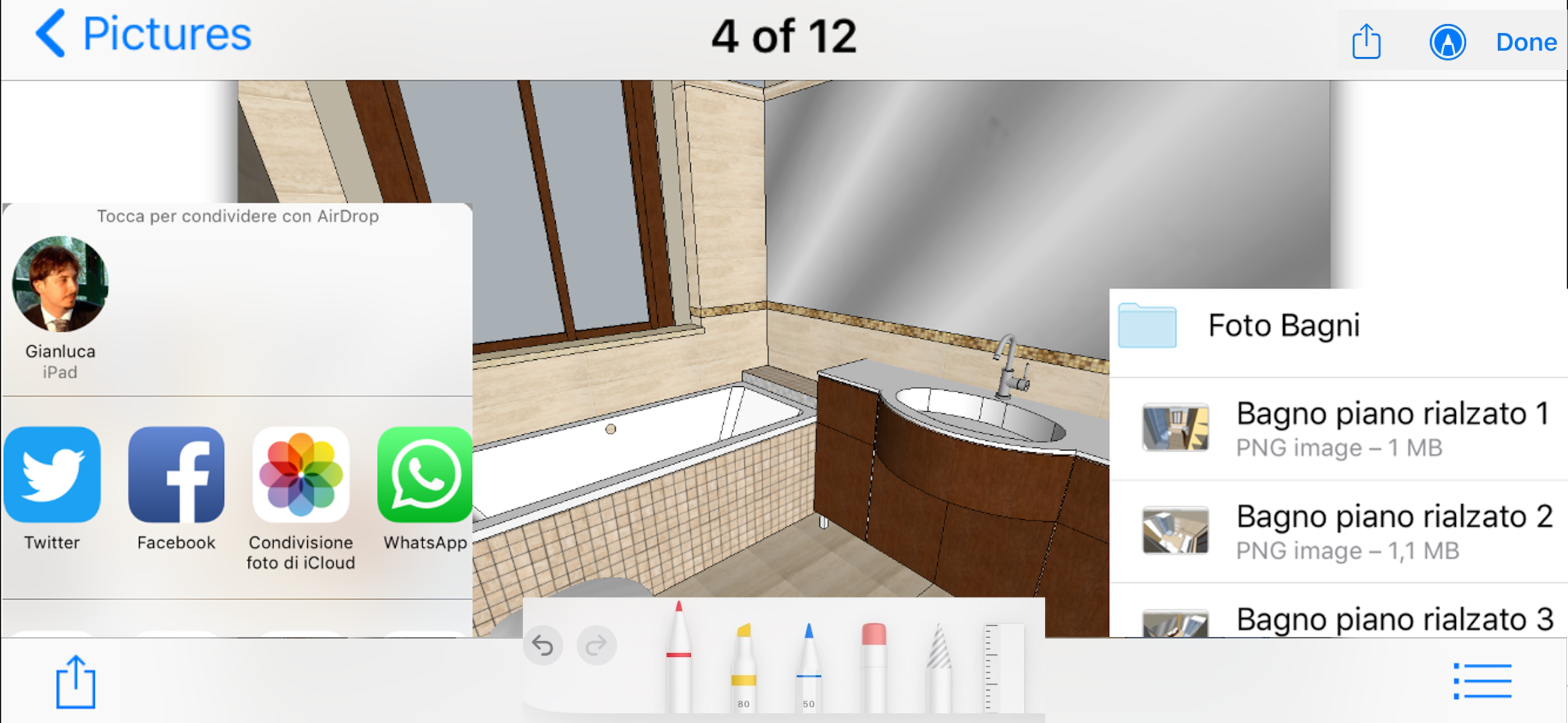
- edit them (add freehand text, text written with the keyboard, drawings, highlight, underline, delete, color, review, correct, etc...)
- search for words in the document
- save the modified document to files
- print
- share or forward by email
Rename documents:
- Tap and hold your finger on the document file name for 1.5 seconds to rename the document
Documents Sharing:
- "ITunes File Sharing"
- "Open In"
- "Importing documents”: from email attachments, from Safari, from other installed applications, from Dropbox, iCloud Drive, AirDrop, etc...
- "Exporting documents”: with other applications installed, Dropbox, iCloud Drive, AirDrop, etc...
- "Publishing documents”: on Facebook and Twitter
- "Sending documents”: with an email, iMessage, WhatsApp, etc…
- Copy / Paste
Document print:
- AirPrint
- Export to PDF file format (zoom with two fingers the print preview and share the generated PDF using the share button)
Document visualization:
- Viewing documents in full screen (Portrait, Landscape)
- Zoom (pinching the screen with two fingers)
- Pan (by dragging a finger across the screen)
- Zoom IN/OUT automatically (double tap)
- Horizontal swipe (quickly) to move from one document / song / video / photo to another one
Vocal reading of documents:
- Using Siri
Dictionary:
- Definition of terms highlighted in the document by using the multilingual dictionary
Application Type:
- UNIVERSAL APP (you pay only once and you can run on all your devices)
Mağaza Sıralaması
Mağaza Sıralaması, Google ve Apple tarafından belirlenen birden fazla parametreye dayanmaktadır.
Tüm kategoriler içinde
Amerika Birleşik Devletleri--
Üretkenlik içinde
Amerika Birleşik Devletleri--
En İyi Rakipler & Alternatif Uygulamalar
Aynı mağazadan, aynı kullanıcılar tarafından kullanılma olasılığı yüksek olan uygulamalar.

AI Chat & Smart Chatbot

Text Editor App

rubyi - run code, autocomplete

ARchi VR - Create & Browse AR
 docViewer VS.
 Ocak 29, 2026