

1月13日 的 theVRkit 應用程式分析

theVRkit
- Dermandar (Offshore) S.A.L.
- Apple App Store
- 免費版
- 照片與影片
THIS APP REQUIRES A CLIP-ON FISHEYE LENS.
Use theVRkit fish-eye lens to capture 360 Spherical Panoramas. You can buy it on www.theVRkit.com to produce high resolution full 360 panoramas (with floors and ceilings) to create 360 virtual tours.
Built-in ultra wide lenses are indeed wide, but they only capture 2/3 of the vertical field of view and leave blind spots on top/bottom.
Just clip the lens and make a full turn. Multiple images are taken, and stitched instantly on your phone, no internet connection needed. The result is amazing.
theVRkit fisheye lens was specially selected for its field of view, clarity and sharpness. We have tested nearly all the lenses of the market, our lens will give you the best output.
An optional electronic rotator allows for perfect captures. You can get professional quality VR images at the press of a button.
Share the result on Facebook 360 or view it in VR Cardboard mode.
Based on the technology of our award-winning app DMD Panorama (10M+ downloads).
A detailed instruction manual is available in the faq section on the website theVRkit.com.
Quick setup (check the faq in the app - top-left icon - for detailed setup):
Manual mode (with the lens and without the rotator):
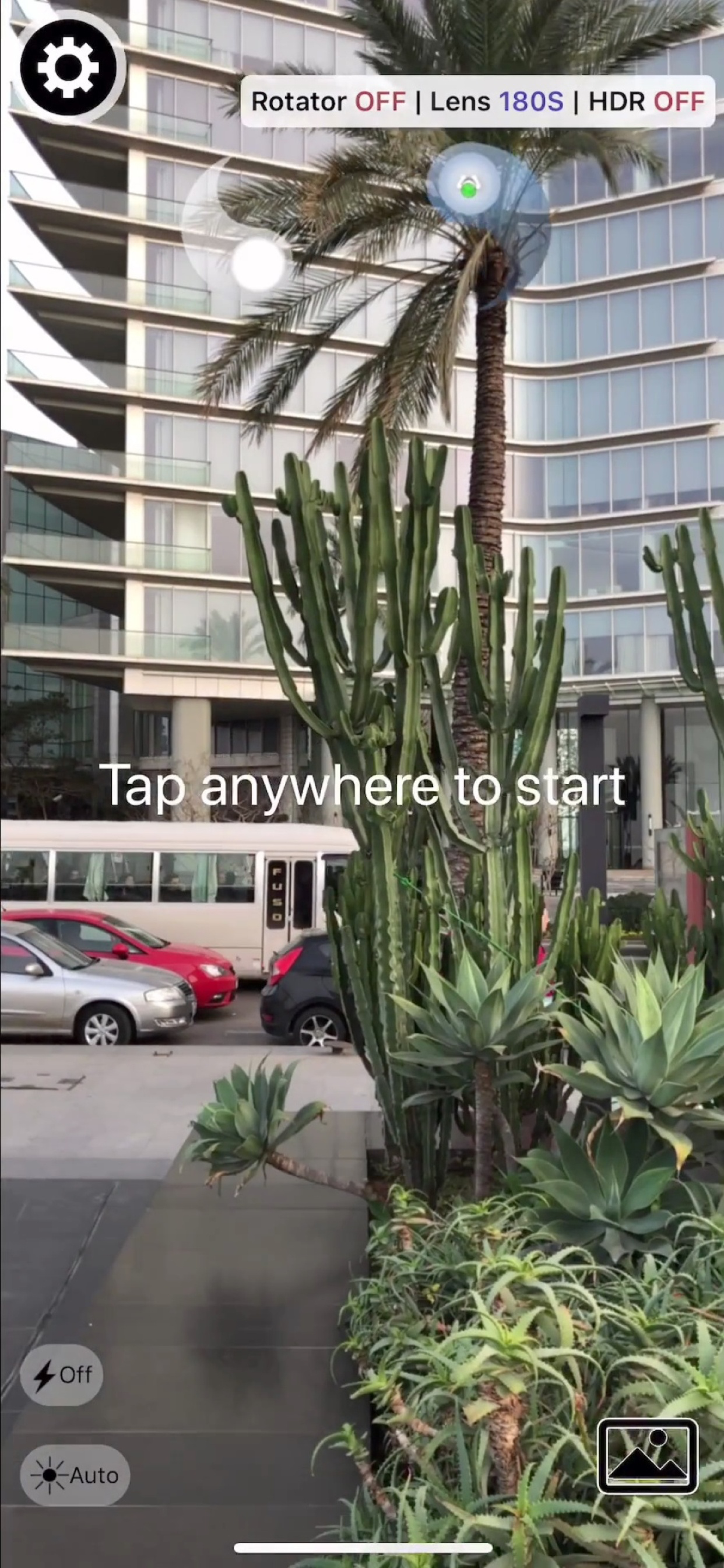
- open the app and select the right options (rotator off) in the top-left corner
- make sure you use the proper lens (180S/T or 160M). You can use third-party lenses for testing, but use our lenses for perfect results
- remove your phone cover for best results
- clip theVRkit fish-eye lens on the rear-camera lens, the screen should show a sharp centered circle with black corners. If the circle is not sharp or centered, adjust the lens position
- hold the phone vertical, tap on the screen to take first shot, start rotating slowly either to the right or left, wait for the symbols (Yin Yang) to snap to take next shot
- keep rotating to complete a full turn, the 360 panorama should appear instantly when you finish your turn
Rotator mode (with the lens and the rotator):
- open the app and select the right options (rotator on) in the top-left corner
- make sure you use the proper lens (180S or 160M). You can use third-party lenses for testing, but use our lenses for perfect results
- remove your phone cover for best results
- clip theVRkit fish-eye lens on the rear-camera lens, the screen should show a sharp centered circle with black corners. If the circle is not sharp or centered, adjust the lens position
- make sure the rotator is charged, you should charge it for at least 2 hours at first usage
- screw the rotator on the provided mini-tripod or a standard one
- put the phone on the rotator and screw tightly the phone holder
- turn the rotator on, it shows a blue led. If the app does not connect automatically, check you have turned on Bluetooth mode in your phone. There is no need to pair the device or to use the rotator buttons
- tap the screen, the rotator should start rotating, the app will capture a picture every time the rotator stops
- the 360 panorama appears instantly when the rotator makes a full turn
We are sure you will be satisfied by the quality. If you have any issue, you can always contact us for a comment or help: help@theVRkit.com
商店排名
商店排名基於Google和Apple設定的多個參數。
所有類別 在
美國--
照片與影片 在
美國--


 theVRkit VS.
 1月 13, 2026