

1月22日 的 Deleter - bulk clean photos 應用程式分析

Deleter - bulk clean photos
- Miror MB
- Apple App Store
- 付費
- 公共設施
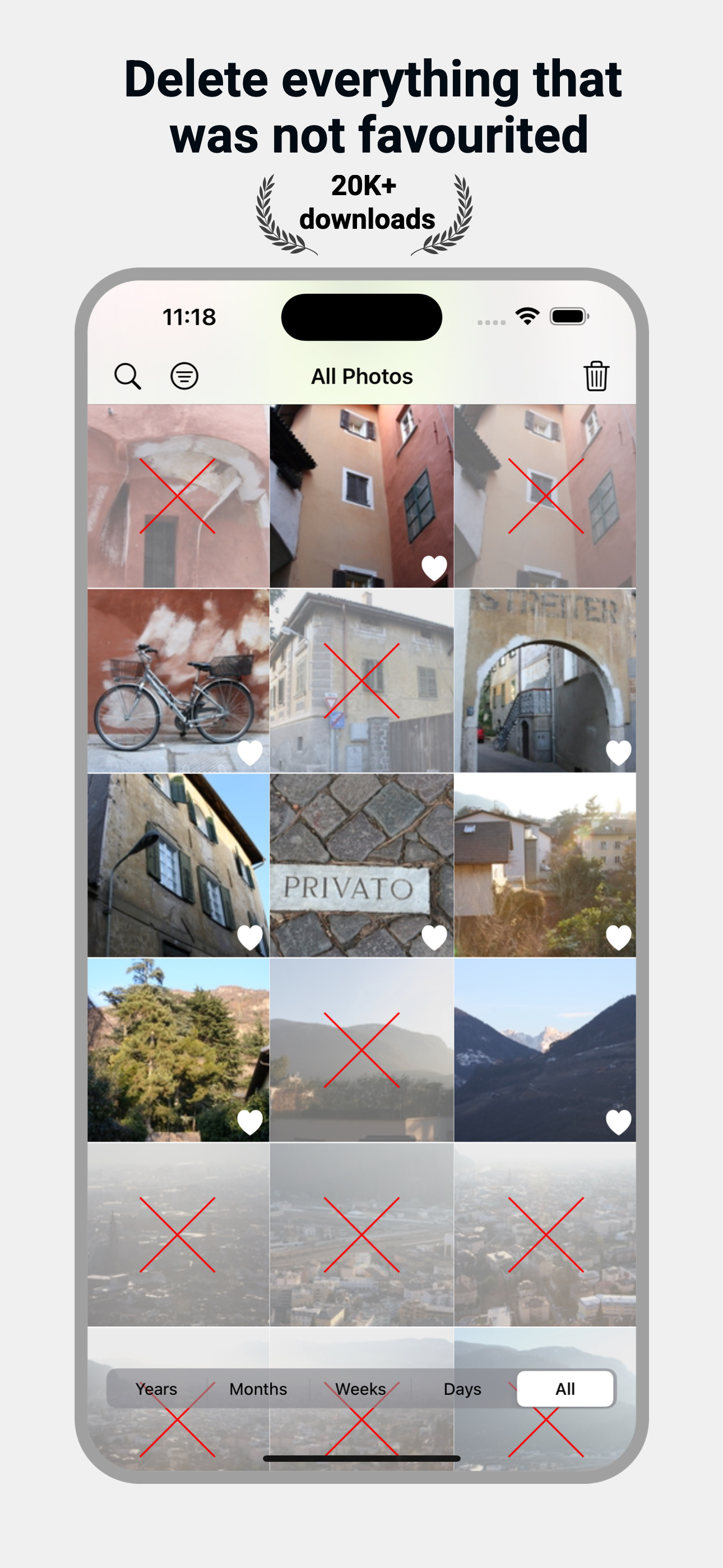
Deleter does one thing — and does it really well: deletes your unfavourited photos and videos.
HOW TO USE DELETER:
1 Pick a time range — Days, Weeks, Months, Years or All
2 See all your unfavourited pics
3 Tap once. Review and confirm. They’re gone.
Deleter is the easiest way to say goodbye to your photo clutter. No swiping, no second-guessing — just a clean camera roll in seconds.
If you are like us- constantly reviewing your camera roll and favouriting the pictures you want to keep, Deleter is a perfect tool for you.
The system puts all your deleted photos in the Recently Deleted folder of your default Photos app.
To remove them finally and free our disk space:
- Open default Photos app.
- Go to Albums/Recently Deleted.
- Press Select and Delete All.
- Confirm the deletion (this cannot be undone).
If you have any ideas or questions, please email us at aleksandras@coder.lt
商店排名
商店排名基於Google和Apple設定的多個參數。
所有類別 在
美國--
公共設施 在
美國--


 Deleter - bulk clean photos VS.
 1月 22, 2026