

1月6日 的 Thunderstorm for Nanoleaf 應用程式分析

Thunderstorm for Nanoleaf
- Scott Dodson
- Apple App Store
- 付費
- 娛樂
Summon a thunderstorm light show using your Nanoleaf devices. Watch your devices pulse and flash to the sounds of a storm.
THUNDERSTORMS
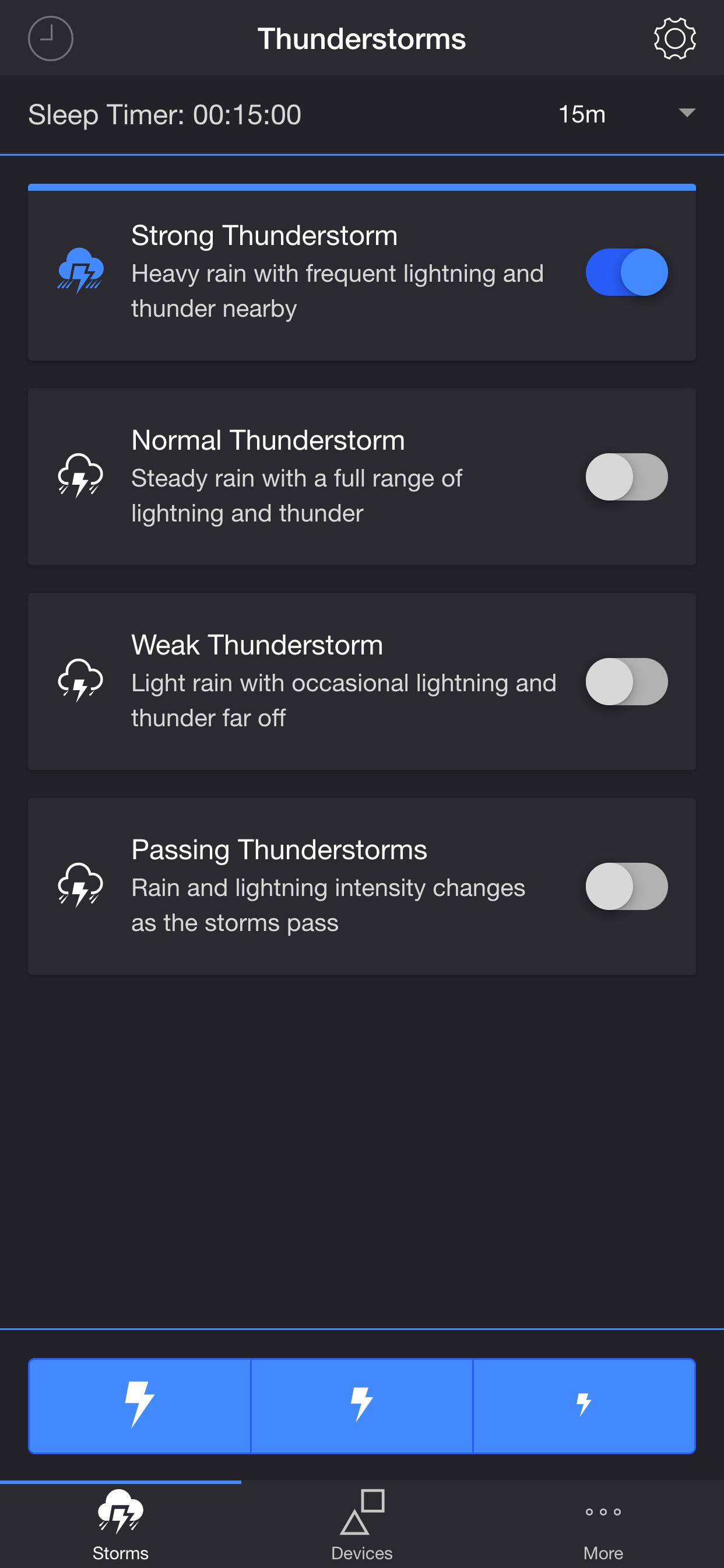
• Strong Thunderstorm — Heavy rain with frequent lightning and thunder nearby
Devices pulse quickly to the sound of heavy rain. Booming sounds of thunder accompany bright flashes of light.
• Normal Thunderstorm — Steady rain with a full range of lightning and thunder
Devices pulse to the sound of rain. The sound of thunder can be heard from various distances. The closer the lightning, the louder the sound, and the brighter the flashes of light!
• Weak Thunderstorm — Light rain with occasional lightning and thunder far off
Devices pulse slowly to the sound of light rain. Dim flashes of light are followed by soft sounds of thunder.
• Passing Thunderstorms — Rain and lightning intensity changes as the storms pass
Devices pulse and flash at different rates to correspond with the current strength of the storm.
SETTINGS
Sky
• Change the base color and brightness of your lights
Rain
• Toggle rain sound effects
• Change rain audio: Default, Heavy, Steady, Light, On Tin Roof
• Change rain volume
• Toggle rain light effects
• Change rain speed: Default, Slow, Medium, Fast
• Change rain transition effects: Explode, Flow, Random Lights
• Change color and brightness of rain light effects
Lightning/Thunder
• Toggle thunder sound effects
• Change thunder volume
• Change delay lightning (Wireless audio delay offset)
• Toggle delay thunder
• Toggle lightning light effects
• Change lightning animation effects: Random Animation, Explode, Flow, Random Lights
• Change lightning transition effects: Random Transition, Flicker, Pulse, Fade Quickly, Fade Slowly
• Change lightning/thunder occurrence: Default, Never, Occasional, Normal, Frequent, Unreal
• Change color and max brightness of lightning light effects
Passing Thunderstorms
• Change starting storm for Passing Thunderstorms: Weak, Normal, Strong
• Change cycle time for Passing Thunderstorms: 15m, 30m, 60m
Background Sounds
• Toggle background sounds: Birds, Cicadas, Crickets, Frogs
• Change background sounds volume
General
• Change default end state: On, Off
• Select mode to automatically start when app opens
• Choose time to automatically stop selected mode
• Choose time to automatically restart selected mode when sleep timer ends, enabling recurring cycle
DEVICES
Add one or more of your Nanoleaf devices on the Devices tab. Toggle on the devices you want to use for your thunderstorm light show. To edit a device in the list, swipe the item to the left and tap the pencil icon.
ADDITIONAL FEATURES
• Lightning on Demand — Start a storm and utilize the lightning buttons at the bottom of the screen for manual control.
• Sleep Timer — Set a timer complemented with an audio fade-out feature.
• Bluetooth and AirPlay Support — Connect to Bluetooth speakers directly, or connect to speakers with AirPlay using the Control Center. Adjust the Delay Light FX setting to offset any wireless audio delay.
I'd love to hear your thoughts and appreciate you taking the time to rate the app. By leaving a review, I can continue to improve Thunderstorm for Nanoleaf and create a great experience for you and future users. Thank you! —Scott
商店排名
商店排名基於Google和Apple設定的多個參數。
所有類別 在
美國--
娛樂 在
美國--


 Thunderstorm for Nanoleaf VS.
 1月 6, 2026