

1月17日 的 Roku Remote Control・Cast to TV 應用程式分析
Roku Remote Control・Cast to TV
- AirBeamTV BV
- Apple App Store
- 免費版
- 照片與影片
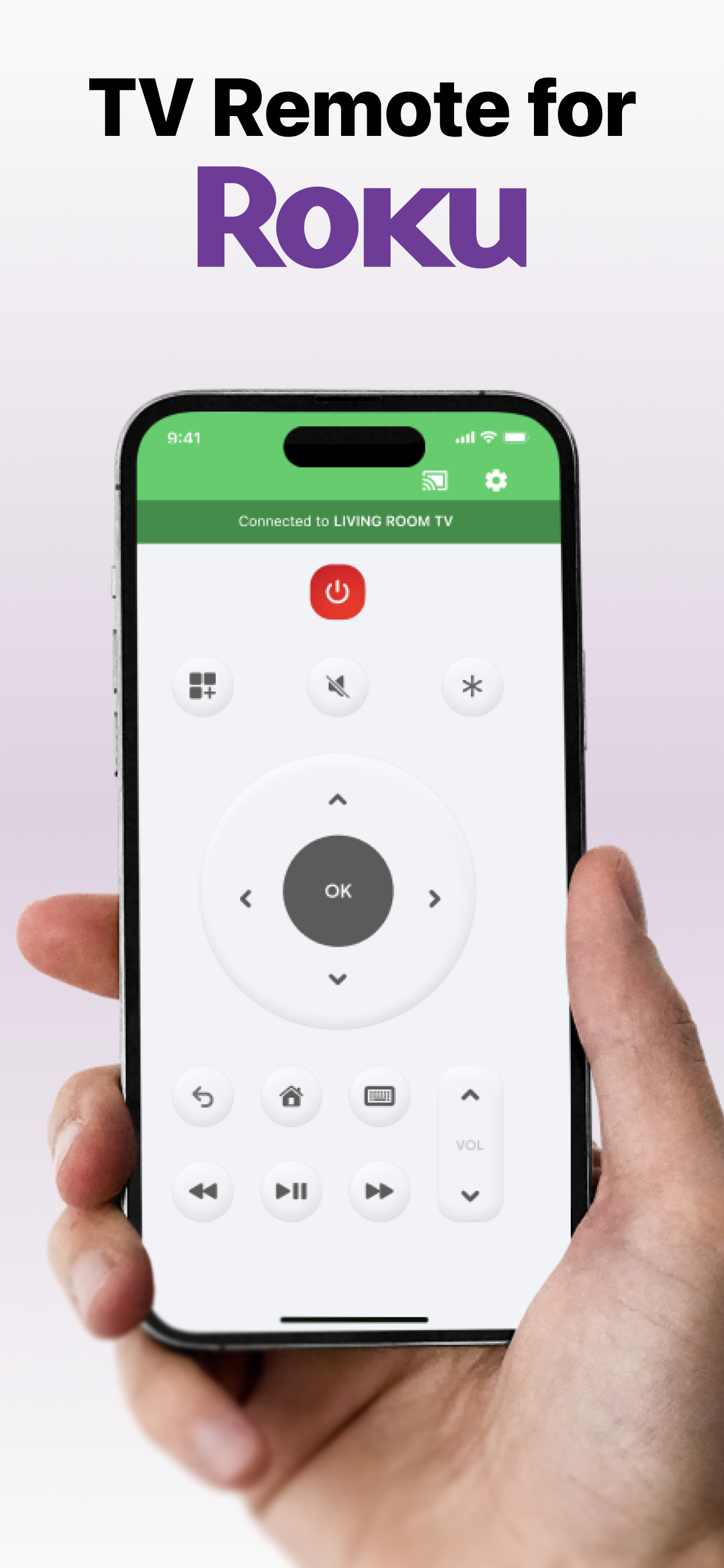
Cast to Roku from iPhone or iPad with the ultimate Roku Remote + Screen Mirroring App developed by AirBeamTV. Use your phone as a remote and easily enjoy your favorite content on the big screen in record time! Control your Roku directly from your iPhone or iPad — navigate channels, adjust volume, or play and pause with ease.
WHY AREN'T MY APPS WORKING ON ROKU?
Recently, Roku updated its default settings, which may block mobile apps from connecting to the device.
Follow these steps to fix the issue:
Open Roku’s System Settings:
On your Roku remote, go to the Settings menu and select System.
Adjust Network Access:
Navigate to Advanced System Settings
Then go to Control by Mobile Apps
Select Network Access.
Enable Access:
Set the option to Enabled or Permissive to allow mobile apps to connect.
ADVANTAGES:
Seamless Mirroring: Instantly mirror your iPhone or iPad screen to your Roku device.
Cast with Ease: Stream videos, photos, presentations, and more directly to your Roku.
Built-in Remote Control: Use your iPhone or iPad as a Roku remote — change channels, control playback, and navigate the Roku interface.
High-Quality Streaming: Enjoy HD mirroring with low latency and clear audio.
User-Friendly Interface: Easy setup and intuitive controls for all users.
Reliable & Secure: Strong connection and safe data transmission.
Mirror the screen and audio of your iPhone or iPad to any Roku Streaming Player, Roku Stick, or Roku TV (Hisense, TCL, Insignia, JVC, RCA, Westinghouse, Philips, Sanyo, Hitachi, Magnavox, Element, Onn, Sharp). You can mirror any app from your device to the TV.
HOW IT WORKS:
Connect your iPhone or iPad to the same Wi-Fi network as your Roku. Avoid using VLANs, VPNs, or subnets.
Open the Mirror for Roku app. It will detect nearby Roku devices. Select your Roku.
The first time, your Roku will show the Mirror for Roku install screen. Choose "Add Channel" to install the receiver.
Enable notifications. We only use them to inform you if your Roku is connected properly.
Tap "Start Mirroring" to begin. You can then open any app, and your screen will continue to mirror.
To stop mirroring: tap the red bar on your device or go back to the app and select "Stop Mirroring."
DRM NOTICE:
Some apps block screen mirroring. Developers can choose to disable mirroring. Apps like Netflix, Disney+, and AppleTV+ do not support this.
ENJOY ALL FEATURES:
The Pro Version unlocks:
Audio support during mirroring
Lifetime app updates
Higher resolutions (720p, 1080p)
Payment will be charged to your iTunes Account at confirmation of purchase.
Subscription auto-renews unless turned off at least 24 hours before the end of the current period.
Your account will be charged for renewal within 24 hours before the end of the current period.
Manage your subscriptions and turn off auto-renewal in Account Settings.
Unused trial portions are forfeited after a subscription purchase.
Terms of Use: http://bit.ly/ABTV-TOU21
Privacy Policy: http://bit.ly/ABTVPrivacy
More info: https://www.airbeam.tv/brands/mirror-for-roku-tv/
Questions? Email: support@airbeam.tv
商店排名
商店排名基於Google和Apple設定的多個參數。
所有類別 在
美國--
照片與影片 在
美國--


 Roku Remote Control・Cast to TV VS.
 1月 17, 2026