

Effects Art - Filters Artworks 與 Paintation: Famous Art Filters 使用情況與統計
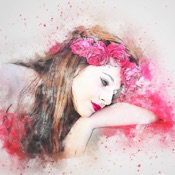
Effects Art create awesome photo artworks using deep art technology, combine between Cartoon Photo Filters with stunning photo filters.
with Effects Art you can convert a lot of your photos into oil painting effect, pencil sketch, sketch art, polygon art and many other art effects.
- Photo to cartoon: You can turn photo into cartoon effects with cartoon filter and art filters
- Sketch Art: Convert photo to pencil sketch effect to impress your friends.
- Art Effects: Make your photo look like oil painting, watercolor painting, artworks.
- Frame art: apply a lot of frames for photo artworks, It will look like a masterpiece
- Text on photo: add any text with colors, fonts on your artwork photo.
Downloading and enjoy yourself.
- Apple App Store
- 免費版
- 照片與影片
商店排名
- -
Turn your photos into stunning masterpieces with the most comprehensive AI art studio on the App Store. Featuring over 500 styles from every major art movement, Paintation allows you to stylize, edit, and retouch your images with professional precision—all while keeping your data 100% private.
WHY CHOOSE PAINTATION? Unlike other AI editors, Paintation works entirely offline. Using advanced on-device AI models (TFLite), your photos never leave your phone. Experience lightning-fast style transfer without cloud uploads or privacy risks.
EXPLORE THE HISTORY OF ART Dive into a massive library of 500+ styles categorized by era: • Renaissance, Baroque, Rococo, and Neoclassicism. • Romanticism, Realism, and Impressionism. • Post-Impressionism, Art Nouveau, and Expressionism. • Cubism, Abstract Art, and Surrealism. • Specialized textures and sketch effects (Charcoal, Pencil, Ink).
EDUCATIONAL INTEGRATION Learn as you create! Every style includes an info button linked to WikiArt. Discover the story behind the masterpiece and the artist who inspired your edit.
PROFESSIONAL 4-STAGE WORKFLOW
1. PREPARE: Complete retouching suite before you stylize. • Vanish Tool: Effortlessly remove unwanted objects using AI. • Liquify: Reshape and distort for perfect proportions. • Clone Stamp: Duplicate or repair parts of your image. • Background: Automatic detection and replacement. • Standard Tools: Crop, rotate, brightness, contrast, and sharpen.
2. STYLIZE: Apply high-end style transfers. • Choose from 500+ curated styles or create your own by uploading any reference image to use as a custom style.
3. FILTER: Add the finishing touch. • Apply abstract and color filters including Sepia, Black & White, Threshold, Negative, and specialized OpenCV colormaps.
4. ADJUST: Fine-tune the result. • Precision controls for saturation, hue, smoothness, and vignette to make your artwork pop.
SAVE & SHARE YOUR WAY Export your creations in multiple formats: • High-resolution result image. • Split-view (Original vs. Result). • Art Collage (Original + Style + Result).
KEY FEATURES: • 100% Offline processing – No internet required. • Multi-stage editing: Use your result as a new input. • Selection Category: Quick access to the best-performing styles. • Built-in Vignette and Smoothness tools.
Download Paintation today and start your journey through the history of fine art!
CREDITS are listed on http://paintation.com
Terms of Use: http://paintation.com/terms-of-use-ios.html
- Apple App Store
- 免費版
- 照片與影片
商店排名
- -
 Effects Art - Filters Artworks VS.
  Paintation: Famous Art Filters
1月 24, 2026