

1月12日 的 KOSTAL Solar App 應用程式分析

KOSTAL Solar App
- KOSTAL Solar Electric GmbH
- Apple App Store
- 免費版
- 公共設施
Professional monitoring for your photovoltaic system.
Important:
The KOSTAL Solar App now obtains data from the new KOSTAL Solar portal. Data and information from the PIKO Solar Portal are no longer displayed in the app.
To enable you to use the KOSTAL Solar App with your existing solar portal account, KOSTAL will send you a welcome e-mail in the the next few days, asking you to re-enter your password. If you do not want to wait for the welcome e-mail, you can use the "Reset password" function on the KOSTAL Solar Portal website for your existing account.
KOSTAL Solar App
The free KOSTAL Solar App offers professional monitoring of your photovoltaic system. You can conveniently and easily retrieve all functions from your smartphone or tablet at any time.
To set up and use the app, you need access to the KOSTAL solar portal and an inverter installed there. For the login of the app the same access data as for the solar portal are needed.
General information
With the KOSTAL Solar App, you can now conveniently monitor your solar systems while you are on the move or from your couch, and display relevant system data. You have the opportunity to access the consumption and generation data over different periods such as day, week, month and year, as well as access to the historical data of your plant. With this app, you are always up to date.
Download the free KOSTAL Solar App now and take advantage of the new and enhanced features.
Start page
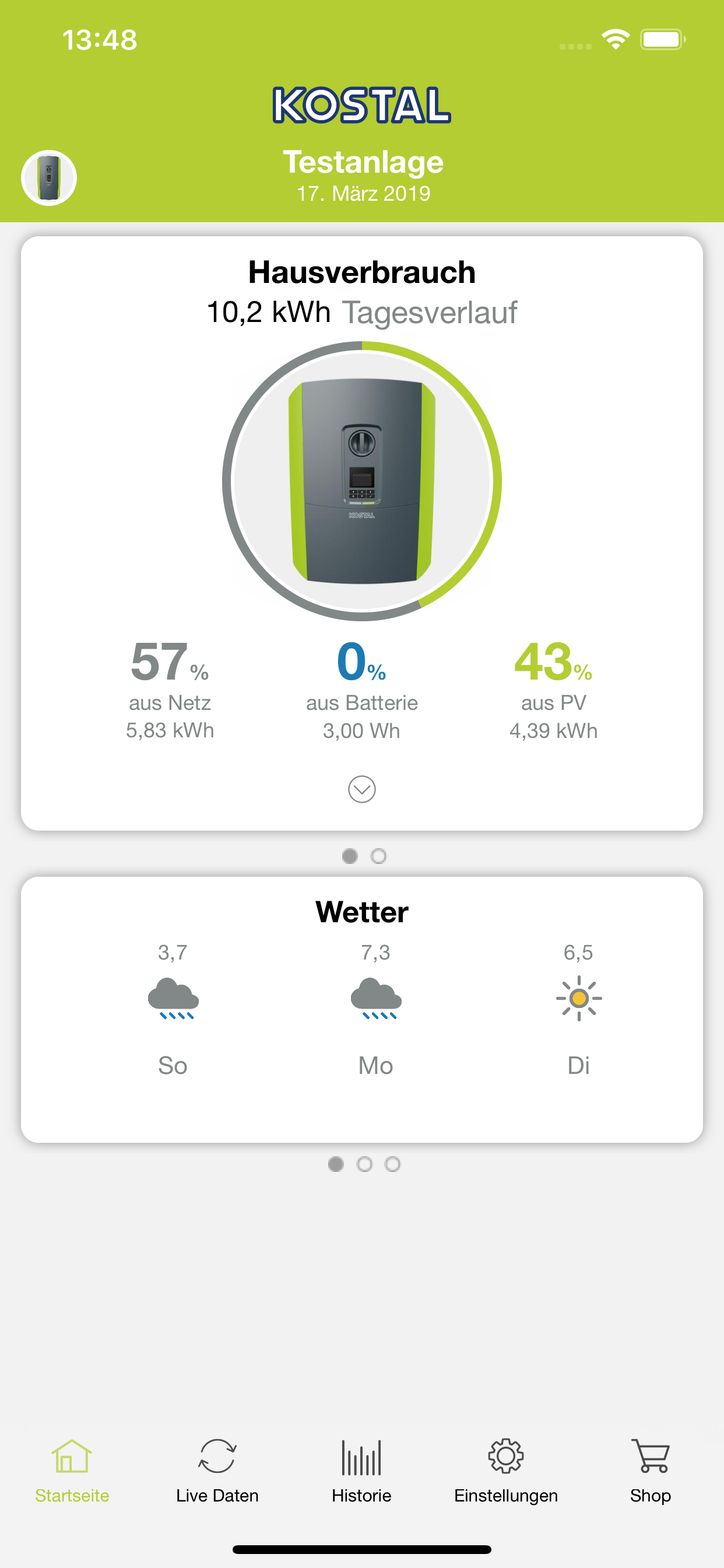
On the start page, the current home consumption is shown graphically as well as percentage. You can immediately see from the diagram how your own home consumption is covered by PV, a battery or the public grid. A new feature shows you a 3-day forecast for generation and home consumption.
With a simple swipe action with your finger to "right" or "left" on the individual tiles, you can view more areas. By clicking on the drop-down arrows, you can display extended dates or periods.
Last data
Under the "Last Data" the last live values of the last transfer to your installation are displayed to the KOSTAL Solar Portal. The new diagram shows the home consumption [W], the feed in [W], the generation [W], as well as values relating to a battery.
If you do not have a own battery yet, you can use the KOSTAL Solar App to activate a virtual battery and see the resulting savings. Try it for yourself and see what the Virtual Battery calculates.
History
Under "History" you can graphically display the historical data of your plant. Here you can switch between the daily, monthly, annual and total values of domestic consumption and production. You can switch these views of house consumption and generation again with a "swipe action".
The highlight of the KOSTAL Solar App is the virtual battery, in which you can select a desired capacity and calculate an individual forecast.
In the lower area you will see an overview of your respective values (home consumption / production). The data from the last available periods are compared in weekly, monthly or annual sections. Thus, you can immediately see if your income has increased or decreased compared to previous years.
商店排名
商店排名基於Google和Apple設定的多個參數。
所有類別 在
美國--
公共設施 在
美國--


 KOSTAL Solar App VS.
 1月 12, 2026