

DigSpice SPEED 與 RealtimeSpeedmeter 使用情況與統計
デジスパイス社製のGPSロガー"デジスパイス3、4"用の速度計アプリです。
対応製品をご購入の上ご使用ください。
Bluetooth Low Energy(BLE)経由でデジスパイスの速度情報を使用します。
GSPの速度情報を使用することで正確な速度を表示します。
<使用方法>
デジスパイス の スライドスイッチを "BLE"にし、アプリ画面左下の"ON"をタップします。
デジスパイスが見つかれば"DS3"あるいは"DS4"で始まる識別名がリスト表示されます。リストから接続したいデジスパイスの行を選んでタップします。
Bluetooth通信が開始され、正常に接続されれば"ON - CONNECTED"となります。
さらに、デジスパイスの測位が完了すると"POSITION OK"と表示されます。
この状態で正確な速度が表示されます。
<最高速の表示>
画面右下に最高速が表示されます。
最高速をリセットするには最高速の数値部分を長押しします。
デジスパイスとの接続をやり直すと最高速は自動的にリセットされます。
- Apple App Store
- 免費版
- 導航
商店排名
- -
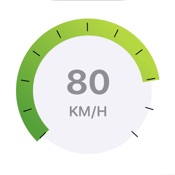
This app is a new speedometer app that aims at more accurate and real-time speed measurement than other speedometer apps by using the values of the iPhone's built-in GPS and accelerometer.
feature:
- [Real-time speed display] Uses a combination of GPS and acceleration sensor values to display more accurate speed in real time
- [Can be measured even in places where GPS cannot be received] Since the speed is measured based on the acceleration sensor, it is possible to reflect changes in speed even in places where GPS cannot be used, such as indoors and tunnels.
- [Easy-to-understand speed notation] Speed is indicated by both analog meter and digital display
- [Customize] You can select the fastest speed setting and speed unit from the settings
About required permissions:
- In order to use speed measurement by GPS, it is necessary to allow the acquisition of location information.
- Apple App Store
- 免費版
- 導航
商店排名
- -
 DigSpice SPEED VS.
  RealtimeSpeedmeter
1月 25, 2026