

1月15日 的 ByteMarker 應用程式分析

ByteMarker
- Michael Newell
- Apple App Store
- 付費
- 照片與影片
Note: This app is optimized for iOS 18. The spatial video and photo features only work on iOS 18.
Note: To toggle 360 VR video, tap the L/R icon which will then show T/D.
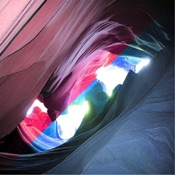
A photo album with photography tools designed for 3D photo and video content, such as converting media files into anaglyph (red / cyan) and Left / Right stitched images.
Supported Formats:
- Apple Spatial Photo
- Apple Spatial Video
- MPO
- 3D AVI
- Adobe VR
- Left / Right 180 VR videos
- Top / Down 360 VR videos
- Left / Right Stitched Images
Directions:
1. Save the original supported media file to your device or iCloud account
2. From the ByteMarker app, click the + icon
3. Import the original supported media file using the Files browser
4. Tap the image cell to view the photo or video
5. Tap the Save button to save the photo or video to your library
6. Tap the . . . button on the top left of the Photos view to switch between export formats

商店排名
商店排名基於Google和Apple設定的多個參數。
所有類別 在
美國--
照片與影片 在
美國--


 ByteMarker VS.
 1月 15, 2026