

You’ve hit your search limit
Start your free trial to keep exploring full traffic and performance insights.
Get StartedObject Detection Cam app analytics for January 31

Object Detection Cam
- Heng Jia Liang
- Apple App Store
- Paid
- Photo & Video
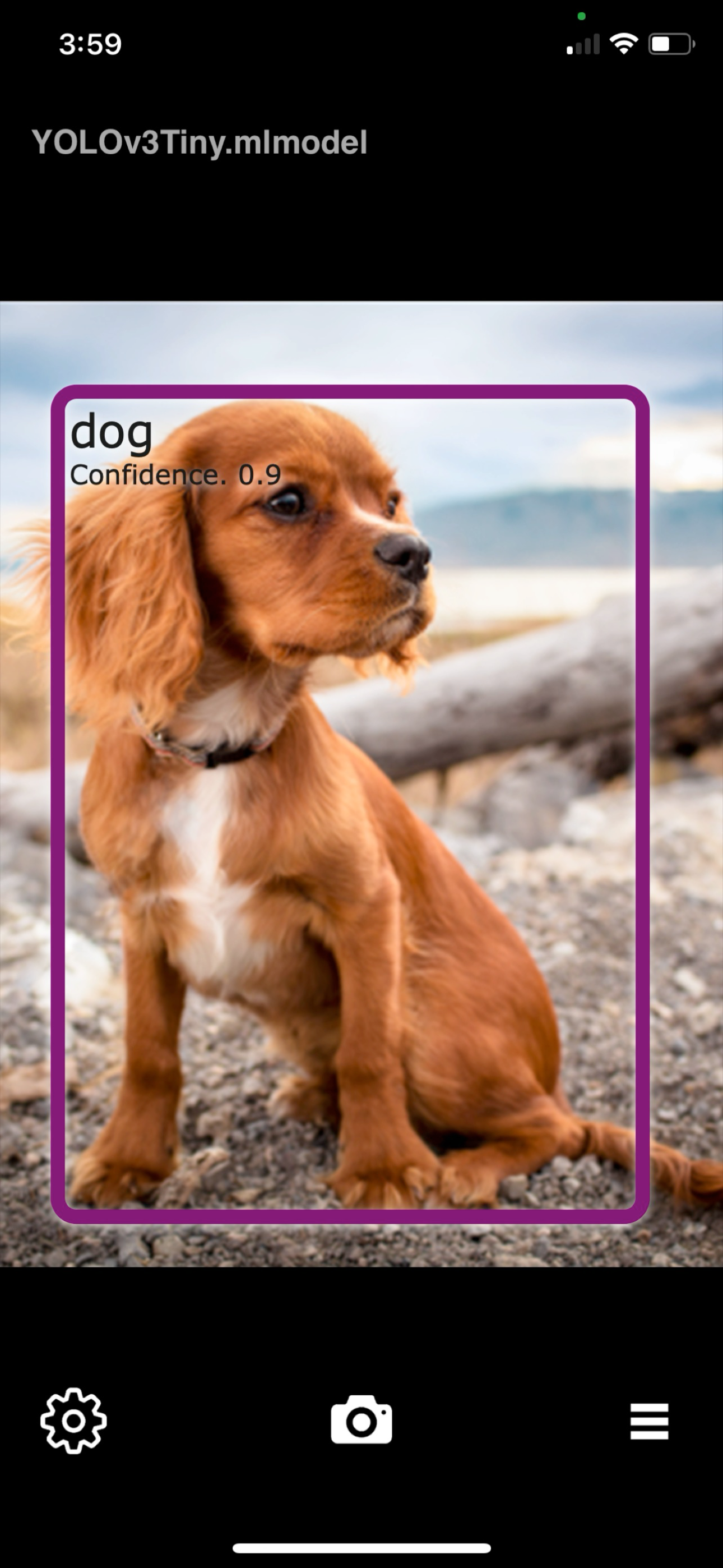
Object Detection Cam enables you to detect objects in real time using your iPhone or iPad with custom-trained machine learning models.
The app includes a built-in model, YOLOv3Tiny.mlmodel, a lightweight neural network optimized for fast object detection across 80 object classes.
Object Detection Cam Features:
• Load and run custom machine learning models from the built-in library
• Rename or delete models directly within the app
• Capture photos and save them instantly to the Photos library
• Enable sound alerts when an object is detected
• Choose from different sound tones for object detection feedback
• View all class labels supported by the active machine learning model
Adding Custom Models:
You can download pre-trained .mlmodel files and add them via AirDrop to the following directory in the Files app:
[OD Cam]
You may also train your own object detection models using tools such as CreateML or TensorFlow (conversion to .mlmodel required)
Custom Model Tips:
For instance, if you train a model to detect 5 dog breeds—Husky, Bulldog, Golden Retriever, German Shepherd, and Beagle—it will recognize these accurately.
However, detecting a breed like Boxer (not in the model) may yield incorrect results (e.g., identified as Bulldog).
To improve accuracy, include as many relevant object classes as possible during training.
Usage Examples:
• Detect plant species in a jungle environment
• Identify dog breeds using a trained model
• Detect various animal or insect species
• Monitor item status (e.g., identify defective items)
• And many more use cases—powered by your creativity
Quick Start Guide:
1. AirDrop your .mlmodel file (e.g., DogBreedsModel.mlmodel) into the [OD Cam] folder in the Files app
2. Launch Object Detection Cam
3. Go to the Library tab and tap your custom model
4. The camera will now detect objects based on the model’s class labels
5. When an object is detected, a bounding box and label will appear on screen
6. Tap the shutter button to save a photo to your camera roll
[*] Ensure your model is specifically trained for object detection (not image classification or other model types)
What is Object Detection?
Object detection uses machine learning or deep learning algorithms to identify and locate objects within images or video.
While image classification assigns a label to an entire image, object detection involves localizing one or more objects with bounding boxes and assigning them class labels.
Thanks for your support!
Visit nitrio.com for more iOS tools and creative apps.
Thanks for your support and do visit nitrio.com for more apps for your iOS devices.
Store Rank
The Store Rank is based on multiple parameters set by Google and Apple.
All Categories in
United States--
Photo & Video in
United States--
Top Competitors & Alternative Apps
Apps with a high probability of being used by the same users, from the same store.

Visym Collector

Vizalyzer

Geo Stamp: Timestamp on Camera

AI-Camera
 Object Detection Cam VS.
 January 31, 2026