

You’ve hit your search limit
Start your free trial to keep exploring full traffic and performance insights.
Get StartedImage To PDF: File Scanner app analytics for January 10

Image To PDF: File Scanner
- Miguel Alejandro Acosta Del Vecchio
- Apple App Store
- Free
- Productivity
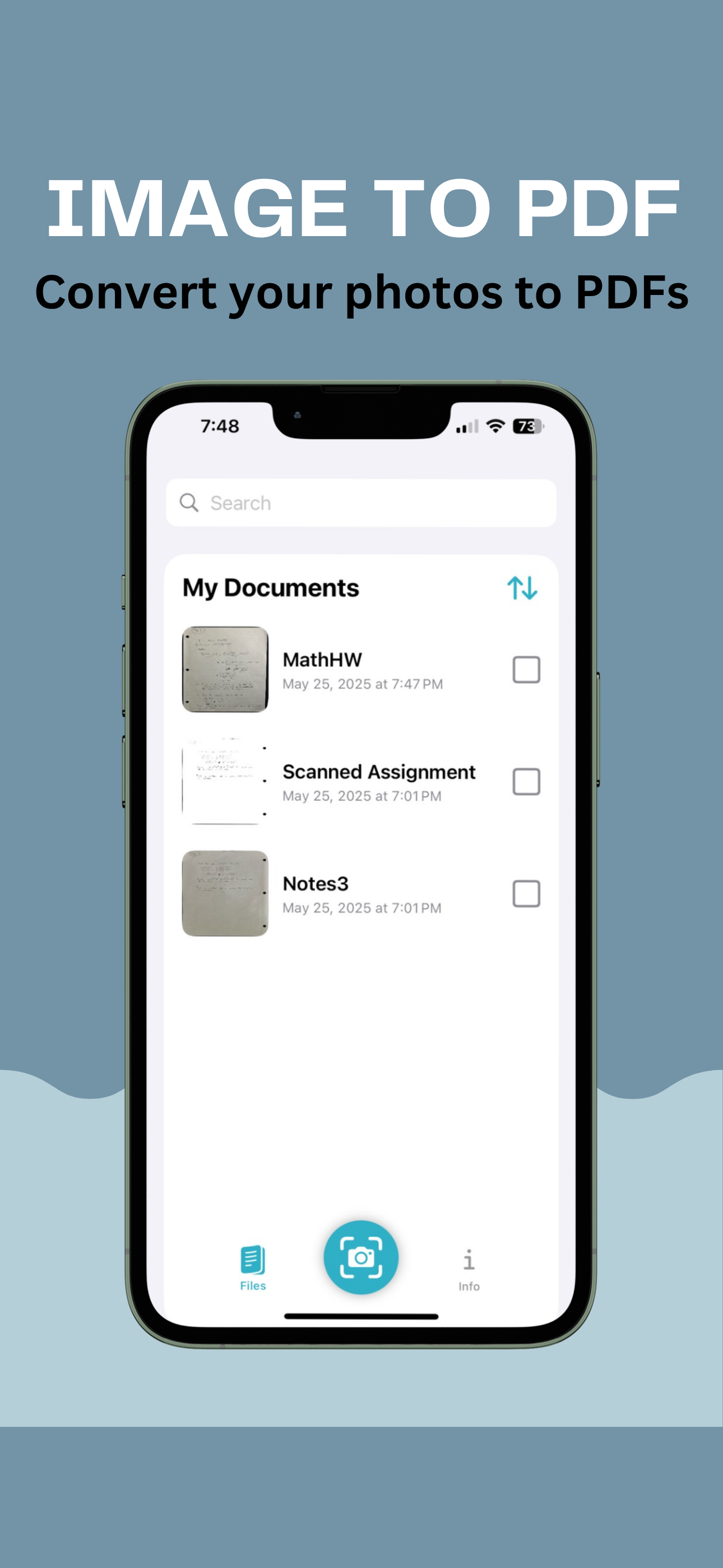
Image To PDF: File Scanner is the fastest and most powerful way to convert images, scanned files, handwriting, and photos into high-quality, professional PDF documents.
Whether you’re scanning receipts, converting handwritten notes, digitizing printed documents, or creating clean PDFs from your photo library, Image To PDF: File Scanner delivers high accuracy, flexible editing, and seamless export. With smart OCR technology and built-in tools for cropping, filtering, watermarking, and signature insertion, Image to PDF: File Scanner makes mobile document handling simple and efficient.
Image To PDF: File Scanner key features:
- Convert Photos and Images to PDF
Instantly turn any image into a clean, high-resolution PDF. Capture photos directly from the camera or select from your photo library.
- Accurate OCR (Optical Character Recognition)
Extract text from printed documents and even handwriting with over 99% accuracy. Copy, translate, or share the extracted text anywhere.
- Handwriting to Text Conversion
Take a picture of handwritten notes, assignments, or forms and convert them to editable, searchable text using advanced OCR and Apple’s Vision framework.
- Add Signatures
Insert your signature into any scan. Customize size, color, and rotation. Drag and drop it exactly where you need it on the page—perfect for digital signing.
- Crop & Filter Images
Clean up your scans with built-in cropping and filtering tools for better readability and professional-looking results.
- Translate Text
Translate text over many languages—great for study, travel, or business.
- Add Watermarks
Protect your content by applying customizable watermarks to your scans or PDFs before sharing.
- Save & Organize Scans
Keep a history of all your scans. Quickly search for text across saved documents using keywords or phrases.
- Export & Share
Share your PDFs or text results via email, AirDrop, messaging apps, or save them directly to Files, Drive, or iCloud. You can also copy text to your clipboard with one tap.
Why Choose Image to PDF?
- No login required
- Fast, lightweight, and easy to use
- Works offline – perfect for on-the-go professionals, students, and creators
- Built with native SwiftUI and Apple technologies for maximum performance and stability
Whether you need a reliable Photo-to-PDF converter, a handwriting recognition tool, or an all-in-one mobile scanner with editing tools, Image to PDF: File Scanner is the must-have utility app for scanning documents.
Terms of Use: https://www.apple.com/legal/internet-services/itunes/dev/stdeula/
Store Rank
The Store Rank is based on multiple parameters set by Google and Apple.
All Categories in
United States--
Productivity in
United States--
Top Competitors & Alternative Apps
Apps with a high probability of being used by the same users, from the same store.

Text Extractor OCR

PenToPrint Handwriting to PDF

Picture to text: Image Scanner
X-Notes: AI Study Notes
 Image To PDF: File Scanner VS.
 January 10, 2026