

BlackBoard-simple- 與 Chalk Draw -writing Blackboard 使用情況與統計
Black board comes up! BlackBoard , you may have written using more than one finger .
You can write very smoothly .
**********************************************
Very simple feature ! ! I can and notes by hand quickly !
* Basic functions
****************************
▼ When you tap the button at the bottom of the screen , bar and color selection and save comes out .
▼ You can write using multiple fingers at the same time .
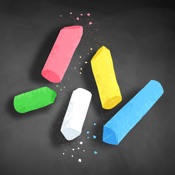
▼ simple , color five black , red , blue , green , pink .
▼ to slide , adjustable thickness of the line .
▼ Press the " eraser " button , you can turn off the line you wrote . ( Adjustable thickness to turn off the slide )
▼ Press the " Trash " button , you can bulk delete .
▼ Press the "disk" button , you can save the image .
※ If you can not save image ...
Please turn on the "Settings" / Privacy / photo / " BlackBoard " .
- Apple App Store
- 免費版
- 生產力
商店排名
- -
Chalk Draw is a new application that turns your iPhone/ iPad into a genuine chalkboard!
The application lets you write and draw everything you want on the board, using colored chalks.This application is very useful in many situations: teach your child math, explain graphs to your colleagues, or simply play tic-tac-toe.
Let your children play with Chalk Draw and teach them how to draw their first butterfly.
Thank you for taking the time to report any bugs or to request an enhancement to Chalk Draw application. Feedback is very important to us. We will do our best to answer queries. Email us at drawerfree@gmail.com
- Apple App Store
- 免費版
- 生產力
商店排名
- -
 BlackBoard-simple- VS.
  Chalk Draw -writing Blackboard
1月 25, 2026