

1月12日 的 Samsung TV Remote 應用程式分析

Samsung TV Remote
- New World Apps
- Google Play 商店
- 免費版
- 工具
It’s time to turn your phone into a Samsung remote control app and experience a smarter, more convenient way of controlling your TV. It is far easier to control a TV without the hassle of finding a remote that is often lost. Download the app to your smartphone, set the app, and it is all set to control your Samsung smart TV anytime.
How to connect:
1. Open and go to the main interface of this Samsung remote app
2. Click the device button in the top right corner to get the device list
3. Choose the device you want to connect the Samsung remote
4. Finish now you can enjoy the Samsung smart remote
The main features of the application:
- One-touch connection to other apps like YouTube, Netflix, and Spotify
- Easy installation and setting up
- Auto-detect your TV on the same WIFI network
- Easily control Smart TV with the fully functional app
- Keyboard feature to simplify text input and search on Smart TV
- Quick access to your favorite channels and apps on TV in a few taps
- Mirror phone screen to smart TV with the app
- Cast local photos/videos and web videos to Samsung TV
Selection Screen:
Choose any remote of your choice from many remotes.
Discovery screen:
This screen will show all the devices connected to the same network. You can find your TV here to pair up with the remote.
Remote control screen:
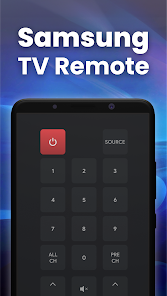
Your chosen remote control will appear here. You can tap on buttons and use them just like your original remote.
Touch Pad Screen:
This touchpad screen enables you to add favorite or frequently used buttons to the top strip for convenience. It also allows the users to navigate using the built-in touchpad area of the screen.
Apps Screen:
All the apps installed in your smart TV will appear here. Common apps like YouTube, Netflix, Prime Video, Media Player, etc., will appear in this section.
Media Screen:
A convenient media manipulation screen.
Troubleshoot:
• It can only work when it is on the same WiFi as the smart TV.
• Reinstalling the app and rebooting the TV can fix most of the connecting issues.
• Upgrading the application to the latest version can solve some connection issues.
Disclaimer:
This Samsung Remote Control App is designed to work best with Samsung TVs. However, please note that this app is not the official Remote Control for Samsung app.
Feel free to rate our app.
Samsung TV Remote 使用排名
基於 Similarweb 的算法,根據過去 28 天的安裝數和活躍用戶數進行計算。
所有類別 在
美國--
工具 在
美國#6,216
用戶興趣和熱門類別
Samsung TV Remote用戶使用的熱門類別和應用程式



















 Samsung TV Remote VS.
 1月 12, 2026