

1月27日 的 Remote for MPC 應用程式分析

Remote for MPC
- Andrè Formosa
- Google Play 商店
- 免費版
- 影片播放器與編輯器
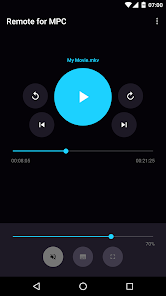
Remote for MPC does exactly what its name implies: it lets you remote control Media Player Classic straight from your phone! It features a very minimalistic and straightforward user interface that allows you to access the controls you use most with ease.
Features
✓ No advertising whatsoever
✓ Intuitive user interface
✓ Standard media player controls
✓ File browser which enables you to search for and play files on the computer running MPC
✓ Automatically find computers running MPC
✓ Notification controls
✓ Keep screen on
✓ Pause or mute automatically when receiving calls
Instructions for connecting to MPC
Make sure that your phone and computer are on the same network!
Media Player Classic:
• Go to View -> Options -> Player -> Web Interface
• Select "Listen on port" and press "OK"
• Make sure that "Allow access from localhost only" is unchecked!
In App:
• Go to Server Management
• If a computer is automatically found click on the three dot menu and press "Connect", otherwise add one manually
Please note that Remote for MPC is an unofficial app.
Remote for MPC 使用排名
基於 Similarweb 的算法,根據過去 28 天的安裝數和活躍用戶數進行計算。
所有類別 在
美國--
影片播放器與編輯器 在
美國--








 Remote for MPC VS.
 1月 27, 2026