

1月18日 的 PDF to Image - PDF to JPG 應用程式分析
PDF to Image - PDF to JPG
- DLM Infosoft
- Google Play 商店
- 免費版
- 生產力
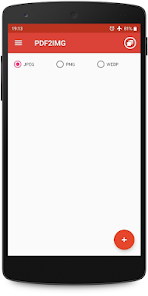
PDF to JPG Converter - Convert PDF to images in various formats like JPG, PNG and WebP
Steps to use PDF to JPG Converter
1. Select PDF file with + icon.
2. Click on image to preview and deselect unwanted images.
3. Convert to image/images.
4. View newly created folder in list.
5. View all images inside new folder.
6. Share or delete the image by long pressing the image/images in image list.
PDF to Image Converter is free and can be used offline.
PDF to Image - PDF to JPG 使用排名
基於 Similarweb 的算法,根據過去 28 天的安裝數和活躍用戶數進行計算。
所有類別 在
美國--
生產力 在
美國#2,855
用戶興趣和熱門類別
PDF to Image - PDF to JPG用戶使用的熱門類別和應用程式




















 PDF to Image - PDF to JPG VS.
 1月 18, 2026