

12月23日 的 Clock Timer Vault 應用程式分析

Clock Timer Vault
- GSW Connect
- Google Play 商店
- 免費版
- 工具
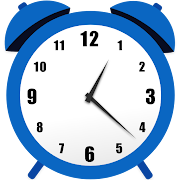
Hide Photos, Videos and Files. The app allows you to hide personal images, videos and files in hidden albums that are behind the secret clock. The app image looks like a simple clock, but it has a secret vault behind it.
☆ Hide private photos, videos and files under the watch.
☆ Access the hidden albums using time password on the clock screen of this app.
☆ Keep secret photos, videos & files hidden and safe.
The app works like normal clock.
When you enter the password you made using the timer, it will open the hidden albums.
-----------MAIN FUNCTION-----------
【Secret door】
- Disguised and discreet watch, hide private photos, videos & files.
- On the front is a watch app that camouflages your private files.
【Fingerprint App Lock】
- You can use your fingerprint to unlock the Secret Time vault and AppLock Fingerprint.
【Protection files】
- Turn “ON” application protection option in settings. This protects you from deleting the app and private files by mistake.
-----------SPECIAL FEATURE -----------
- Clock Vault, makes it easy to protect your private files ensuring your file is safe even if your phone is lost or damaged.
- This is a powerful vault gallery! Try this amazing functional photo locker to hide images, videos & files safe.
- How to use Clock Lock?
Step 1: Launch our Clock Vault and press the middle clock button.
Step 2: Set a desired time password by hours and minutes, after press the middle button of the watch.
Step 3: Now repeat the password to confirm.
IMPORTANT: Do not uninstall this app before restoring your personal files, otherwise they will be lost forever.
- Device administrators permission:
The Clock Vault app needs device administrator permission to prevent it from being uninstalled by intruders and this app never use this permission except for uninstall prevention. Enable this Settings permission.
- Accessibility service permission:
Allow accessibility service permission to use App Lock so that you can use quick feature and reduce battery usage.
----------- Frequently Asked-----------
1- How to hide files for new users?
Answer: Open Clock Lock app, set password and then turn on mailbox, you can upload photos, videos and files in Vaulty Gallery!
2, Forgot password. How can I reset it?
To reset password you have to open our Timer lock and input 10:10 hours on the clock and press middle button. It password reset screen will open with secret question set, answer it correctly and set new password or press on button? Symbol on the screen and it will open the restart screen.
Contact Us:
gswconnect@gmail.com

Clock Timer Vault 使用排名
基於 Similarweb 的算法,根據過去 28 天的安裝數和活躍用戶數進行計算。
所有類別 在
美國--
工具 在
美國#8,260














 Clock Timer Vault VS.
 12月 23, 2025