

2月2日 的 Chat Stats for WhatsApp 應用程式分析

Chat Stats for WhatsApp
- José Luis Galán
- Google Play 商店
- 免費版
- 生產力
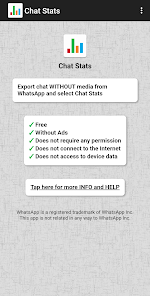
✓ Free
✓ Without Ads
✓ Does not require any permission
✓ Does not connect to the Internet
✓ Does not access to device data
To obtain the statistics, simply export the individual or group chat from WhatsApp to this 'Chat Stats' app
After analyzing the exported chat, this app displays the statistical data with bar graphs
Some examples of the analyzed data from each chat are:
☆ Messages per user
☆ Words per user
☆ Letters per user
☆ Average of letters per message
☆ Media files per user
☆ Emojis per user
☆ Links per user
☆ Messages per day of the week
☆ Messages per hour of day
☆ Days with more messages
☆ Messages in the last days
☆ First message of each user
☆ Last message of each user
☆ Most used words
☆ Most used emojis
☆ Top emojis per user
☆ Most linked websites
☆ Top websites per user
All this information with data and graphics is displayed on a single page, so that in a simple way you can save, send or share with other users
'Chat Stats' does not require special permissions to work. The analysis is done in isolation, without access to the Internet or device data
Steps to get statistics of any WhatsApp chat with 'Chat Stats':
✓ Open WhatsApp
✓ Open individual or group chat
✓ Tap Chat Options, the three dots that appear up right
✓ Tap Export chat option
✓ Choose Export WITHOUT media files
✓ Select 'Chat Stats' to export chat
Another option: A chat that has been previously exported to a .txt file can also be analyzed, simply select it in the file manager and open it with 'Chat Stats'
The analysis of the chat can be done over the full chat or between two dates, by selecting the option Analyze by date
The View full chat option allows you to quickly view the full chat and search in the chat content
With Search messages option, you can quickly search for messages that contain a text, are from a date or from a certain user
In addition to statistics generation, visualization and quick search of chats, there are 2 other useful functions for WhatsApp:
☆ Open chat with phone number. This option allows you to create / open a new WhatsApp chat from the recipient's phone number, without adding it to the contact list in advance
☆ Open personal chat for notes. This option allows you to create / open a new WhatsApp chat with yourself, with your own phone number. A chat is created with a single user, without anyone else, to use it as a notebook or to keep photos, videos, audios, documents and locations
These created chats, after sending a first message, will be available to be used from WhatsApp, without having to access 'Chat Stats'
'Chat Stats' has been developed with the simple goal of learning to develop Android apps and satisfy enthusiasm for the world of statistics and fun programming. As well as spending the free time in epoch of pandemic and quarantine.
WhatsApp is a registered trademark of WhatsApp Inc.
This app are not related in any way to WhatsApp Inc.
________________________________
PRIVACY POLICY
ChatStats has been developed as a free app and without ads
ChatStats does not have permission to access the Internet
ChatStats does not transfer chat data to the Internet or any remote server, all analysis is performed locally on the device in isolation
The chat analysis and the chat view for quick search work completely offline. If you're especially concerned, you can turn off your Internet connection before importing the chat file
ChatStats does not have permission to access other data or services on the device
ChatStats simply reads the TXT file, analyzes or formats the chat data and shows the result to the user
ChatStats does not store or share chat content with other services
To open chats with phone numbers, ChatStats uses the public feature of WhatsApp ( https://bit.ly/3gZdxnF )
ChatStats does not store or share the phone numbers used.
Privacy is a priority
Chat Stats for WhatsApp 使用排名
基於 Similarweb 的算法,根據過去 28 天的安裝數和活躍用戶數進行計算。
所有類別 在
德國--
生產力 在
德國#1,903
用戶興趣和熱門類別
Chat Stats for WhatsApp用戶使用的熱門類別和應用程式





 Chat Stats for WhatsApp VS.
 2月 2, 2026