

12月2日 的 Video Player - OPlayer 應用程式分析

Video Player - OPlayer
- OLIMSOFT
- Google Play 商店
- 付費
- 影片播放器與編輯器
★ ★ ★Under development for 12 Years ★ ★ ★
★ ★ ★DTS & DivX officially supported ★ ★ ★
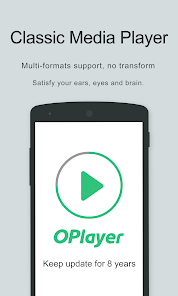
OPlayer is a professional media playback tool. It supports almost all media formats, It is one of the best HD video player for android tablet and android phone.
KEY FEATURES:
● Support MOST video formats, including MKV, MP4, M4V, AVI, MOV, 3GP, FLV, WMV, RMVB, TS etc.
● Ultra HD video player, support 4K.
● Hardware acceleration.
● Keep your video safe with gesture unlock.
● Cast videos to TV with Chromecast.
● Support subtitle downloader and more.
● Play video in pop-up window, split screen or back-ground.
● Night Mode, Quick Mute & Playback Speed.
● Identify ALL video files on your device and SD Card automatically.
● Full featured file manager, including move/cut/paste ...
● Manage or share videos easily.
● Easy to control volume, brightness and playing progress.
● Multi playback option: auto-rotation, aspect-ratio, screen-lock etc.
● Video player hd for both android tablet and android phone.
Video Player
OPlayer is a MKV Player, DVD Player, AVI player, FLV Player, and supports almost all video formats, such as MP4, M4V, MOV, 3GP, FLV, WMV, RMVB, TS etc.
Music Player
OPlayer supports almost all audio formats, including WMA, FLAC, MP3, OGG, MIDI, AMR, AAC, DTS, M4A etc.
HD Video Player
Play HD, full HD & 4k video smoothly with HW decoding.
Floating Video Player
Video popup enables multitasking. The floating video player overrides other apps and it can be moved and resized easily. Enjoy video on the split-screen and use other apps as usual.
Background Video Player
Enjoy video on the background just like a music playback. Now you can watch a video in the way of listening to books.
Video Player for android tablet
Support all devices, watch videos on both android tablet and android phone.
Video player with casting to TV
Video player for Chromecast. Cast videos to android TV with Chromecast easily. It’s the best chromecast apps for android free.
Easy to use
Easy to control volume, brightness and playing progress by sliding on playback screen.
Files manager
Identify ALL video files on your device and SD Card automatically. In addition, manage or share videos easily.
We are open to any suggestions for better user experience. Please feel free to contact us at olimsoft@gmail.com.
Video Player - OPlayer 使用排名
基於 Similarweb 的算法,根據過去 28 天的安裝數和活躍用戶數進行計算。
所有類別 在
美國#614
影片播放器與編輯器 在
美國#20












 Video Player - OPlayer VS.
 12月 2, 2025