

12月3日 的 Multi Web Chat - Read Secretly 應用程式分析

Multi Web Chat - Read Secretly
- World Scan & Cleaner
- Google Play 商店
- 免費版
- 圖書館與示範
Multi Web Chat - Read Secretly - Multi Space - Web Scan Chat Sync - Manage Multiple Web Accounts in One App
Tired of juggling multiple apps to manage several chat accounts? With Multi Space - Web Scan Chat Sync, you can easily synchronize and manage multiple web chat accounts (and other chat platforms) all in one place. Whether it's your personal, family, or work accounts, this app allows you to seamlessly stay connected across all your devices without the hassle of switching between multiple apps.
Status Saver & Business Status Saver is the ultimate feature of Multi Space app for downloading and saving photos, videos, and GIFs from Web Chat account statuses. Whether it's a stunning image or an exciting video, Status Saver & Business Status Saver helps you keep those memories forever!
Key Features:
Sync Multiple Accounts: Sync and manage multiple web chat accounts (including your Friends, Family and Children accounts etc.) from a single app.
Seamless Switching: Effortlessly switch between different chat accounts without logging in and out.
Unified Dashboard: Access all your chat accounts from a centralized interface and manage chats, messages, and notifications easily.
Cross-Platform Sync: Sync chats from your phone to the web and manage them in real-time from your mobile or tablet.
Download photo/video chat: Now you can download photo and video message and share with others.
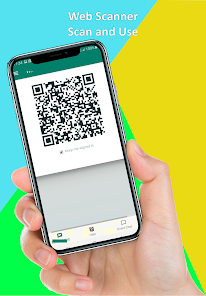
Easy Setup: Simply scan the QR code from each account you wish to sync and start managing your chats right away.
Easy Download: Save photos, videos, and GIFs from Web Chat statuses effortlessly.
Fast & Simple: One-click save option for images, videos, and stories.
View and Manage: Browse through saved statuses with an intuitive gallery feature.
Status Sharing: Share your favorite statuses & business status with friends and family anytime.
In-App Preview: Preview statuses directly within the app before saving them.
Offline Access: View your saved statuses even without an internet connection.
User-Friendly Interface: Sleek and easy-to-use design for a seamless experience.
No Login Required: Simply open the app, view statuses, and start saving instantly.
How to Use Multi Space - Web Scan & Sync:
1. Download and install the Multi Space - Web Scan Chat Sync app.
2. Open the app and select the chat platform you want to sync).
3. Scan the QR code from each account you want to sync (just like Web Chat Account).
4. Switch between accounts seamlessly and stay connected to all your chats at once.
How to Use Status Saver & Business Status Saver Feature:
1. Open Web Chat App and view the status or business status you want to save.
2. Launch Status Saver and it will automatically detect the viewed statuses.
3. Select the status or business status you want to save.
4. Click Save to download it to your device's gallery.
5. Access and share your saved statuses anytime!
Why Use Multi-Chat Sync?
Simplify Your Life: Manage multiple accounts with one app and say goodbye to the hassle of logging in and out of different services.
Time-Saving: No more switching between apps—stay on top of all your conversations from one central location.
Work & Personal Life: Perfect for professionals who need to manage both work and personal chat accounts simultaneously.
Important Note:
This app is designed to sync and manage chat accounts through web interfaces, and it does not store or interfere with your original chat apps.
The app supports popular chat platforms.
Get Multi Space - Web Scan & Sync Now!
Start managing multiple chat accounts in one place! Multi Space - Web Scan & Sync makes it easier than ever to stay connected to all your messaging platforms, saving you time and effort while keeping everything organized.
商店排名
商店排名基於Google和Apple設定的多個參數。
所有類別 在
美國--
圖書館與示範 在
美國#150


 Multi Web Chat - Read Secretly VS.
 12月 3, 2025