

12月2日 的 Video Converter Pro 應用程式分析

Video Converter Pro
- VidSoftLab
- Google Play 商店
- 付費
- 工具
The Ultimate Video Toolbox — Convert, Compress, Edit & Share
📱 VidSoftLab Video Converter & Editor Pro — The all-in-one app to effortlessly convert, compress, and edit your videos.
Instantly convert, edit, and compress your videos and audio in all major formats—with batch support and a powerful, intuitive interface.
🚀 Why Choose VidSoftLab Video Converter & Editor Pro?
• ⚡ Super-fast HD & 4K video conversion.
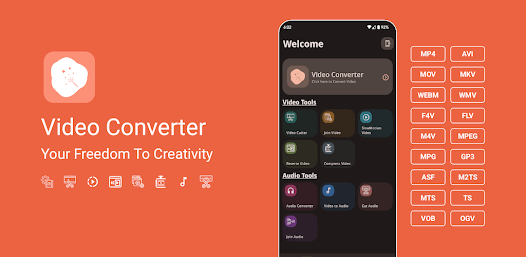
• 🔄 Convert any format: MP4, MKV, AVI, FLV, MOV, WebM, 3GP, WMV, H264, H265 & more.
• 🔊 Extract and convert audio: MP3, M4A, AAC, FLAC, OGG, WAV, AC3.
• ✂️ Advanced editing: Trim, cut, merge, crop, reverse, slow motion & rotation.
• 📦 Smart compression: Shrink file size with minimal quality loss using H264/H265 (HEVC) codecs.
• 🎵 Audio tools: Audio converter, cutter, and merger.
• ✨ Intuitive & User-Friendly Interface: Enjoy a smooth and easy experience.
• 🎨 Dynamic themes: Light, Dark & System Default.
• 🌐 Multilingual: Supports 50+ languages.
🎬 Top Features:
🔁 Video Converter
Convert videos to all popular formats with support for custom:
• Resolution (240p to 4K or custom)
• Frame Rate (FPS)
• Bitrate (CBR & VBR)
• Audio/Subtitles: Add or replace tracks & subs (SRT, VTT, etc.)
🎥 Video Editor Tools
• Trim & Cut: Select specific start/end times with millisecond precision.
• Merge: Join multiple clips seamlessly.
• Reverse: Rewind any scene in seconds.
• Slow Motion: Smooth playback up to 4X slower or faster.
• Crop & Rotate: Full control over aspect ratio and orientation.
• Intro/Outro Maker: Add branding or creative intros for videos.
📉 Video Compressor
• Compress large video files using H264/H265 (HEVC) codecs.
• Set target file size and bitrate to save space without quality loss.
🎵 Audio Converter & Editor
• Convert audio to MP3, M4A, AAC, FLAC, OGG, OPUS & more.
• Trim Audio: Precise trimming with preview.
• Merge Audio: Combine audio files of any format.
• Edit metadata (Title, Artist, Genre), adjust volume/speed.
🧰 Batch Processing & Offline Mode
• Queue and convert multiple files at once with full editing support.
• 100% offline—no internet required.
🔧 Advanced Settings
• Custom Encoding: Constant/Variable Bitrate support
• Channel Selection: Mono/Stereo options
• Sample Rates: 8kHz to 48kHz
• Codec Options: h264, mpeg4, vp9, aac, mp3, flac & more
🌟 Designed for Everyone:
• Clean, modern interface with Light & Dark mode
• Available in 50+ languages.
• Compatible with 200+ Android devices.
📩 Need Help or Have Ideas?
Email us at: kajalchiragsoft@gmail.com
⚠️ Notes
This app uses open-source code from FFMPEG.
🏆 Ideal For:
YouTubers, video editors, vloggers, music enthusiasts, students, and professionals who want a fast, flexible, and feature-rich multimedia toolbox on the go.
Video Converter Pro 使用排名
基於 Similarweb 的算法,根據過去 28 天的安裝數和活躍用戶數進行計算。
所有類別 在
美國--
工具 在
美國--










 Video Converter Pro VS.
 12月 2, 2025