

12月23日 的 Toonita: Cartoon Photo Editor 應用程式分析

Toonita: Cartoon Photo Editor
- Ignite.rs
- Google Play 商店
- 免費版
- 攝影
Turn your photos into professional caricatures, technical blueprints, and vintage comic art.
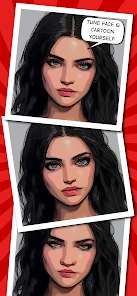
Toonita is an all-in-one cartoon photo editor designed for creators who demand precision. Unlike simple filter apps, Toonita offers a professional 5-stage processing pipeline that gives you total control over your illustration. Whether you want to make a funny caricature for your profile picture (PFP) or a detailed graphite drawing, our AI tools make it possible.
WHY TOONITA? We combine old school aesthetics with modern technology. From removing a messy background to creating a noir masterpiece, Toonita is the ultimate tool for digital art.
THE 5-STAGE CREATIVE PIPELINE
(1) PREPARE: Advanced Editing Tools Before you stylize, use our pro tools to fix your image. This isn't just a toy; it’s a serious photo editor. 🎭 Face Tune: Use professional face retouching tools to resize eyes, nose, and mouth for the perfect cartoon face look. ✨ Vanish & Remove: Use the AI powered eraser to make unwanted objects disappear. 🌀 Liquify & Distort: Use the Warp and Deform tools to exaggerate features – perfect for creating a hilarious caricature or funny face avatar. 🖌️ Clone Stamp: Manually fix details like a pro retoucher. ✂️ Background: Automatically cutout people and replace the background with transparent PNGs or new scenery.
(2) STYLIZE: 36+ Filters & Techniques This is where the magic happens. We cover everything from sketch effects to retro computing styles.
✏️ Classic Sketch & Drawing: Transform photos into realistic art using pencil, charcoal, and graphite styles. Achieve the look of hand-drawn ink illustrations or a soft black & white sketch. Perfect for a classy portrait.
💾 Retro & Vintage Vibes: Travel back to the 80s and 90s. Use our ASCII and Matrix filters to turn images into code and symbols. Try the Dither effect for that old-computer graphics look, or go for a grunge aesthetic with added grain for texture.
💥 Comic & Pop Art: Create your own graphic novel. We offer styles like Sin City (Noir), Lichtenstein, and classic Comic book shaders. Use Halftone filters to simulate the dots and lines of vintage printing.
📐 Technical & Artistic: Turn a photo of a car or building into a Blueprint (technical drawing). Experiment with Money (engraving style), Newspaper, Magazine, and Poster effects. For color lovers, we have Pop Art and Pixel (8bit) variations.
(3) ADJUST: Fine-Tune Your Art Don't settle for default settings. Adjust the thickness of your lines, the density of dots in a halftone pattern, or the darkness of a pencil sketch. Control the monochrome balance in grayscale images to get the perfect noir atmosphere.
(4) STICKERS: Speak Your Mind Turn your drawing into a story. Add a speech bubble to your characters. Use our meme maker tools, add custom text, or place stickers to complete your comic page.
(5) FILTER: Final Touches Apply final color grading. From Sepia tones for that old photo look to Monochrome and Grayscale filters for dramatic effect.
PRO FEATURES FOR SERIOUS CREATORS:
✓ High Resolution: Export your illustration in up to 12MP.
✓ Multi-Stage: Use your sketch result as an input for a painting filter.
✓ Quality: No watermarks on Premium exports.
Download Toonita today and start creating professional caricatures, retro drawings, and comic art!
CREDITS are listed on http://toonita.app/toonita/.
Toonita: Cartoon Photo Editor 使用排名
基於 Similarweb 的算法,根據過去 28 天的安裝數和活躍用戶數進行計算。
所有類別 在
美國--
攝影 在
美國--












 Toonita: Cartoon Photo Editor VS.
 12月 23, 2025