

2月4日 的 Shared KLWP Themes Vol 1 應用程式分析

Shared KLWP Themes Vol 1
- DSHDinh
- Google Play 商店
- 免費版
- 個人化
This is a collection of my shared themes. New themes will be added constantly.
**** How to fix items disappeared randomly ****
Please remove all the Visibility animation of each items (widgets). You can find these Visibility animation at the Animation tab of each item.
***
Please set the Transition Effect of Nova Launcher to None. This will make the theme run smoother.
There is Dark mode for each themes. All the color options are setup on screen, so you don't need to config theme in the editor.
Supported different aspect ratios.
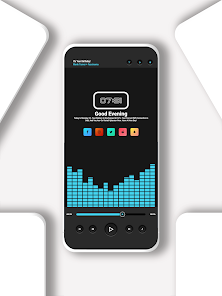
Theme #6 specifications:
1. A 3 pages setup preset. Each page has different wallpapers. You can change them easily with global variables.
2. You need to set 3 pages on your homescreens as well as in the KLWP editor.
****If you are using Huewei phones, you may face with the " wallpaper is not scrolling" issue. To fix this, please follow steps below:
Please ensure that you have "background scrolling" enabled in your Launcher settings, for example, in Nova, you can find this in "Settings -> Desktop -> Wallpaper Scrolling". Then ensure that the image you set as background is larger then your screen (if you cropped it to screen size it wont scroll because there is nothing to scroll). Finally ensure that the number of screens in your launcher have the same count as the ones on the preset you are using. On some Huawei phones you need to go back to EMUI launcher (if its not your Launcher already), select a picture as a background and select the scrolling option on the bottom right, then go back to your Launcher of choice and KLWP. ****
Special thanks to:
+ @vhthinh_at, @ngw9t for wallpapers that are used in this theme.
+ http://istore.graphics for templates
Notes:
1. This is not a standalone app. You need: Nova Launcher Prime, KLWP pro to run it.
2. In Nova Settings, you need to do:
A. Homescreen -> Dock -> Disable it
B. Homescreen -> Page Indicator -> None
C. Homescreen -> Advanced -> Show Shadow, off
D. App Drawer -> Swipe Indicator -> off
E. Look and Feel -> Show Notification Bar -> off
E. Look and Feel -> Hide Navigation Bar -> checked
Special thanks to @vhthinh_at and http://istore.graphics for templates
If you have any troubles in using the theme, please email me. My email: dshdinh.klwpthemes@gmail.com
Thank you very much.
*Permission:
https://help.kustom.rocks/i180-permissions-explained
Tutorial materials:
https://drive.google.com/folderview?id=14Bh4q7ejEXeOnCg4FcDHDoQeEfCOdTXe
Shared KLWP Themes Vol 1 使用排名
基於 Similarweb 的算法,根據過去 28 天的安裝數和活躍用戶數進行計算。
所有類別 在
美國--
個人化 在
美國--


 Shared KLWP Themes Vol 1 VS.
 2月 4, 2026