

2月11日 的 Icon Changer - App Icon Pack 應用程式分析

Icon Changer - App Icon Pack
- Mobile Smart Growth
- Google Play 商店
- 免費版
- 生活方式
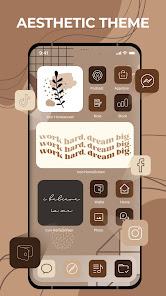
Icon Changer is the #1 choice to customize your Android home screen with Icon Pack themes, icons & widgets! It helps make your app icons, backgrounds & widgets look Icon Changer AF!
Using Icon Changer, you can change application icons on the screen with various images to express your personality and preferences. The App offers a wide variety of beautifully designed icons, themes and screenshots.
Icon Changer makes it easy to make your own home screen! Re-try your home screen with widgets, icons and wallpapers! Just hold fast to the bearings step by step, bid goodbye to depleting screen!
Icon Changer offers you enormous heaps of styles, scene, universe, liveliness, neon,… If you need to design yourself, you can change text style, text tone or establishment picture.
Carefully select various themes from the best app for customizing your home screen design with icons and wallpapers.
Icon Changer, is awesome application to customize / dressup and change any application icon and application name. You can set your own photos with replace to application original icon. Our app will create shortcut of your selected application on your home screen. Simplest way to decorate your app icon and your android phone.
Key Features Icon Changer,
- 3000+ Customize App Icons
- 300+ Widgets including Date, Clock, Calendar, Bible, Motivation, Battery, Countdown Widgets etc
- Many types of icon images to choose from
- Provide various icon and screen styles, such as fresh, sci-fi, landscape, lovely, etc.
- Allow to upload image from album to make icon biểu
- Allows renaming the app
- Simple and convenient
- Save time and energy with Icon Changer 1-click special theme installer for custom app icons.
❉ How To Use Themes in Icon Changer
1) Open application, Go to 'THEMES' tab and Choose your favorite theme.
2) Select applications which you want to generate new shortcut icons. Click on 'INSTALL All' button.
3) If app ask for permission, Please 'Allow' it to add shortcut icon on home page.
4) Now you will see one dialog to add shortcut on Home Page. Click on 'ADD'.
5) Go To Home Screen and see setup theme.
❉ About To Avoid Watermark
On Android 8.0 and above, android system will automatically add a watermark of your app to the shortcut icon. Using widget technology, We proving a way to avoid watermark icon and Newly created icon looks like pro:
👉 Steps to use widget technology.
1. Go to your phone's desktop or home screen, long press (press & hold) a blank space. Then it will open the pop-up menu. Just click on the “Widgets” option.
2. Find out “Icon Changer” app from widgets page, long press (touch & hold) it and drag it to your home screen or desktop page.
3. The widget of our app will be opened automatically. After that you can change app icon without any Watermarks.
We will continue to update icons and themes to make you feel new every night. Go beautify your screen with Icon Changer!
We are also looking for your feedback, suggestion, or recommendation. Please, feel free to let us hear from you at your review so we can continue to bring you the best experiences and updates these Icon Changer - App Icon Pack app.
Icon Changer - App Icon Pack 使用排名
基於 Similarweb 的算法,根據過去 28 天的安裝數和活躍用戶數進行計算。
所有類別 在
德國#7,004
生活方式 在
德國#334
用戶興趣和熱門類別
Icon Changer - App Icon Pack用戶使用的熱門類別和應用程式










 Icon Changer - App Icon Pack VS.
 2月 11, 2026