

1月18日的RevMov - Reverse Video Editor应用程序分析

RevMov - Reverse Video Editor
- REAFO CO., LTD.
- Apple 应用商店
- 免费
- 照片与视频
Make a reversing playback video with this app.
-- How to use.
1. Select a video.
2. Wait for making a preview.
3. Press Save.
-- Editing
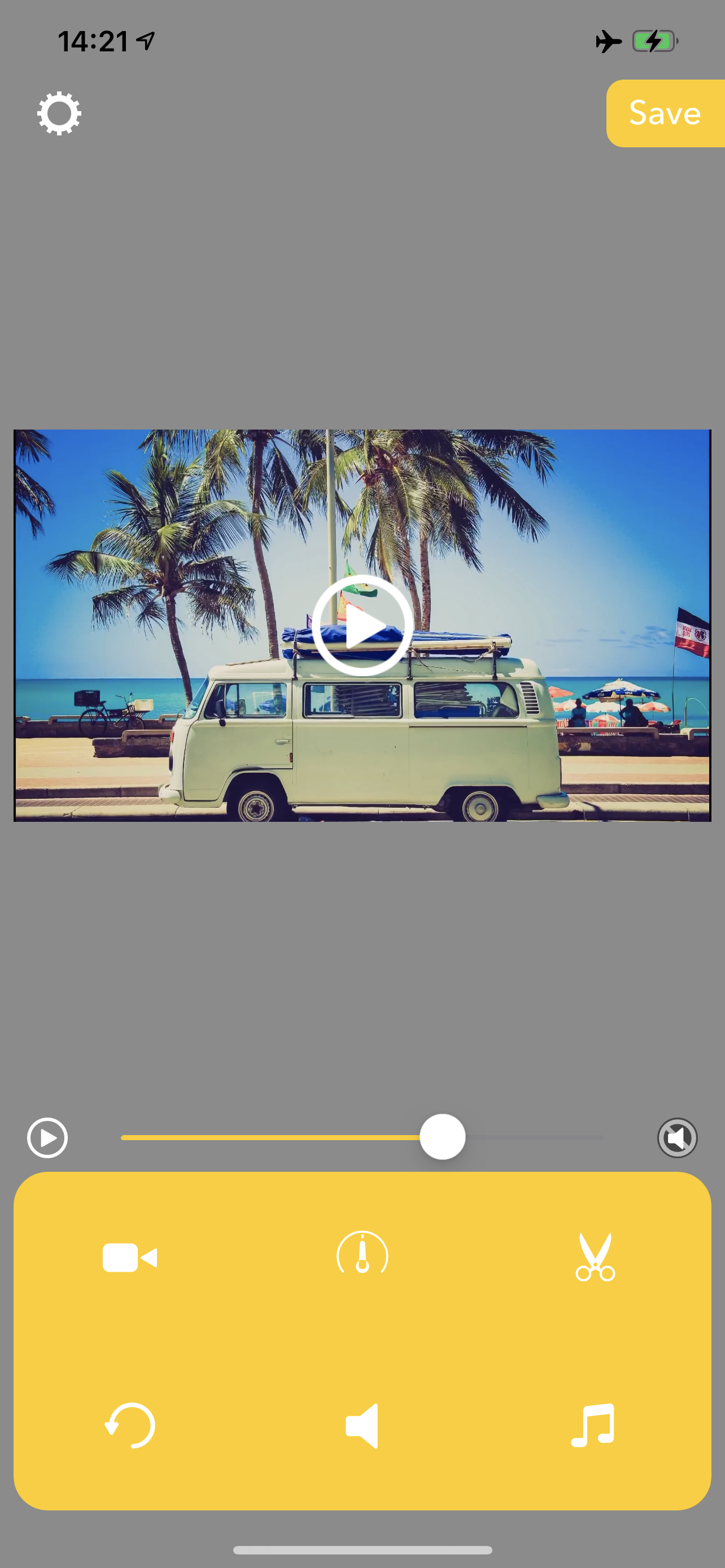
After finished making preview, you can edit the reversed video like below.
Triming:Press Scissors icon then set the time range you want to need.
Playbackspeed:Press Meter icon then set the playback speed to be fast forward/slow motion.
Volume:Press Speaker icon then set the volume you want to set.
BGM:Press Music note icon then adds BGMs.
Reset Editing:Press circle arrow icon to reset these editings.
商店排名
商店排名基于 Google 和 Apple 设置的多个参数。
所有品类在
美国--
照片与视频在
美国--


 RevMov - Reverse Video Editor VS.
 一月 18, 2026