

1月11日的Today's Birthdays应用程序分析

Today's Birthdays
- Moballo, LLC
- Apple 应用商店
- 免费
- 生产力
Tired of your calendar being cluttered with birthdays? Tired of missing the ones that count? Today's Birthdays is the app for you.
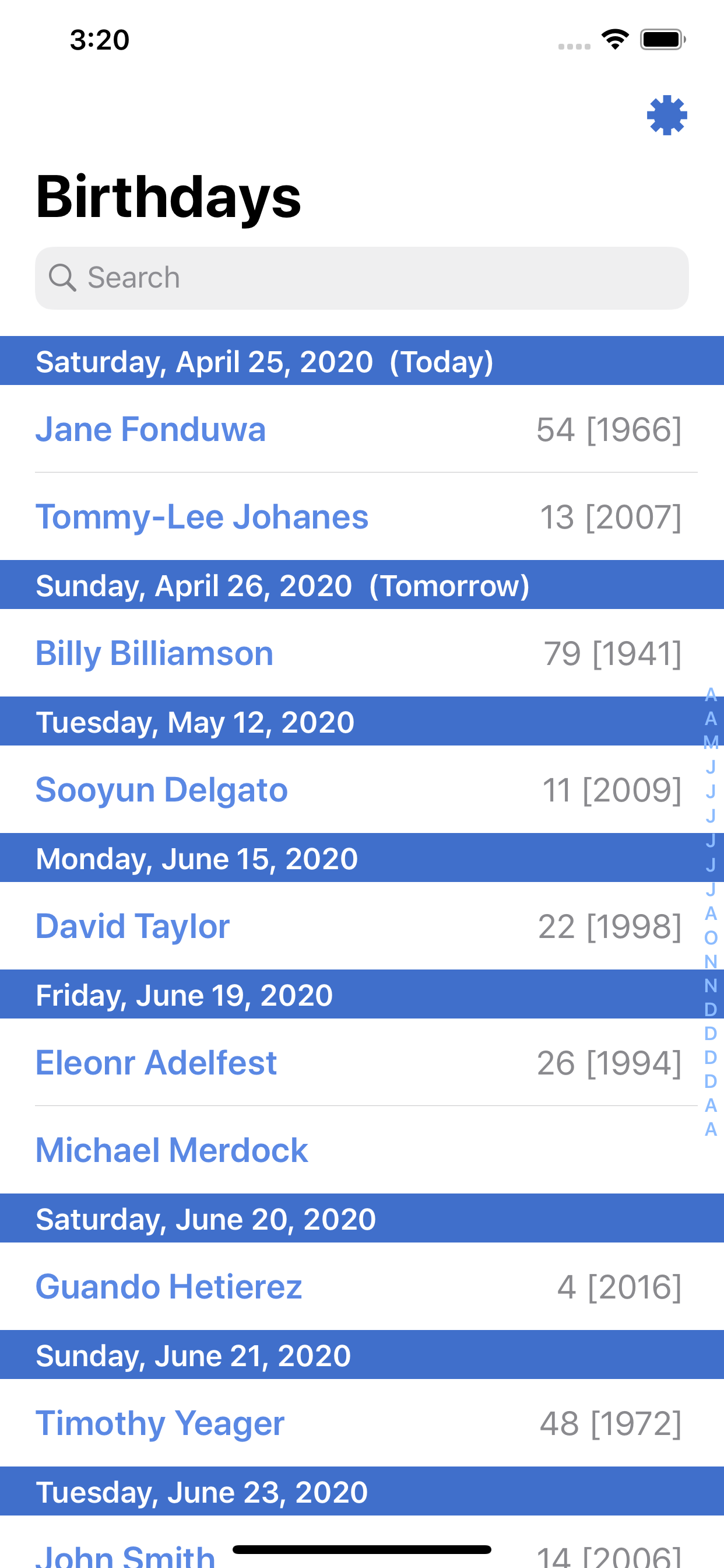
Today's Birthdays syncs together your calendars and contacts to create a single, go-to app for birthdays.
Declutter your Calendar app once and for all by hiding the birthday calendar; Today's Birthdays will keep track of them for you. Set personal birthday alerts to remind you in advance of an upcoming birthday. Add the widget to your notification screen to never miss today's birthdays again!
Today's Birthdays supports all calendars and countless birthday services, including your contacts, calendar, and Google! To add a birthday to Today's Birthdays, simply add the birthday to your contacts. You can also add all the birthdays of your Google friends by adding the Google Birthdays Calendar to the Calendar app! These services are supported through what is called "Calendar Subscriptions." Services such as Google provide Calendars that you can subscribe to that contain all of your friends' birthdays. Simply subscribe to those Calendars from your iOS Calendars app and they are fully compatible with Today's Birthdays!
**Today's Birthdays will never transmit any of your contact or calendar information from your device. Ever. Period. Your data stays on your device and your device only. We know, we like privacy too.**
Frequently Asked Questions:
Q: "I don't see my birthdays in the app?
A: In Today's Birthdays, tap the settings icon in the top right corner. Tap "Choose Birthday Calendars" and make sure any calendars that have birthdays are enabled (notably your calendar's built-in birthday calendar).
Q: "How do I add a birthday to the app?
A: To add a new birthday to Today's Birthdays, simply create (or edit) a contact in the Contacts app and set their birthday there. You can also add all the birthdays of your Facebook or Google friends by adding the Facebook Birthdays Calendar or Google Birthdays Calendar to the Calendar app!
Q: "So how do I subscribe to the Facebook Birthdays Calendar?"
A: Please follow these instructions to set up your Facebook Birthdays:
- Go to www.facebook.com/events on your iOS device
- Long press the Refresh button at the top right and tap "Request Desktop Site"
- Scroll down to bottom of page
- At the right side of page you'll see a section starting with "You can add your events to Microsoft Outlook, Google Calendar or Apple Calendar. Once you add them, they'll stay updated."
- Press "Upcoming Events" (or "Birthdays") and press Subscribe in the popup you will get
- Go back to Today’s Birthdays. If your Facebook Birthdays don’t show up automatically, tap the settings button in the top right, tap "Choose Birthday Calendars" and make sure your Facebook Birthdays calendar is checked!
商店排名
商店排名基于 Google 和 Apple 设置的多个参数。
所有品类在
美国--
生产力在
美国--


 Today's Birthdays VS.
 一月 11, 2026