

Number Row Keyboard 对比 Numberie Keyboard 的使用情况和统计数据
Number Row Keyboard: The Smartest Number Keyboard on the App Store
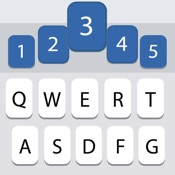
Switch to a new keyboard without the pain. Number Row Keyboard looks and behaves just like your original keyboard, with the added functionality of a number row.
Stop wasting time switching back and forth between letters and numbers. Number Row Keyboard gives you instant access to the numbers you need, right at your fingertips.
Type faster and more efficiently with Number Row Keyboard. Whether you're working on a spreadsheet, sending an email, or writing a code snippet, Number Row Keyboard will help you get the job done quickly and easily.
Number Row Keyboard is also highly scalable and customizable. You can choose to show or hide the prediction bar, and you can adjust the size and placement of the number row to fit your needs.
Plus, Number Row Keyboard is 100% private and secure. All keyboard data is stored locally, so you can be sure that your information is protected.
Download Number Row Keyboard today and experience the difference!
- Apple 应用商店
- 付费
- 公共事业
商店排名
- -
Need to type number more often on your iPhone or iPad?
We got the solution for you, this is one of the best keyboards, which display the 5th row for fast and easy number typing, that available on the App Store. With accurate autocorrect and and intelligent next-word suggestion, Your typing experience is always faster and smarter. Get unique and beautiful keyboard appearance with our deep customizable each row for alphabet and background.
Features:
• Number row is always display on the 5th row on the top of the keyboard
• Easily access number pad at anytime for better number input experience
• Amazingly fast typing experience with swipe up to input suggested words
• Up to 10 suggested words can appear on a time
• Unlimited customizable themes with alphabet and background setting for each keyboard row
• Include 9 beautiful built-in themes
• Show letter case on the keyboard
• Most used symbols is always appeared for your input
• Included instruction for easy keyboard setup
Currently, English QWERTY layout and dictionary support only.
NOTE: Numberie Keyboard requires "Allow Full Access" under "Settings > General > Keyboard > Keyboards > Numberie Keyboard - Numberie Keyboard > Allow Full Access" enabled in keyboard settings to function properly, and save/load your keyboard settings. We won't record nor send any information.
- Apple 应用商店
- 付费
- 公共事业
商店排名
- -
Number Row Keyboard与Numberie Keyboard排名比较
对比 Number Row Keyboard 与 Numberie Keyboard 在过去 28 天内的排名趋势
排名
Number Row Keyboard 对比 Numberie Keyboard 的排名,按国家/地区比较
对比 Number Row Keyboard 与 Numberie Keyboard 在过去 28 天内的排名趋势
所有品类
公共事业
通过免费试用版比较任何网站
 Number Row Keyboard VS.
  Numberie Keyboard
一月 11, 2026