

1月13日的PrintMyNames应用程序分析

PrintMyNames
- Thomas ROBB
- Apple 应用商店
- 免费
- 公共事业
PrettyPrint your Contacts with PrintMyNames -
AirPrint your Contacts directly from your iPhone to your AirPrint enabled wireless printer. Select the 'data-fields' and 'data-labels' - any or all (including the entire 'Note' field) - to be printed from each of your Contacts. Select the 'PageFormat' - either single-column or dual-column. Select from font color and font size combinations.
Don't have a wireless printer? No worries, you're covered! Use the 'Share Sheet' to send a PDF file via AirDrop or Email to a desktop/laptop platform with a wired (or wireless) printer. There your Contacts can be previewed, manipulated (scaled, duplexed, ranged, orientated, etc) and printed. In this PDF mode, USLetter and A4 page size are supported as well as Portrait and Landscape page orientation.
Create a customized CSV file of your Contacts suitable for spreadsheet applications - Apple Numbers or Microsoft Excel. Just double-click the CSV file to get started.
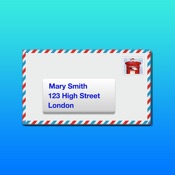
Want to selectively print mailing labels from your Contacts? Easy! Pick from supported label sizes or create a custom label size. Also easily print postcards, envelopes and indexcards from your Contacts.
Selectively share your Contacts information -
Have you used the 'Share Contact' feature in Contacts? It's a quick and easy way to share Contacts information. But there's just one catch. ALL the information in the selected Contact card goes! You knew that, right? Of course you did.
Well, now you have a way to share ONLY the information YOU want to share. Just want to share your work phone(s) and company information? Just home address, thumbnail photo and/or "Note" field information? Just Facebook "handle" and/or email address(es)? How about any 'custom' labeled data you've created? Easy - just set it up on the Select screen, select a Contact card and initiate the share via VCF file - either by AirDrop, Mail or Message.
In other words, "Be Selective".
Print ALL Contacts or filter your Contacts by Company name, by Date range, by iOS generated Group(s), by Name range or by Note content.
Optionally, skip 'NameOnly' entries and/or omit 'DataField' labels.
Selectively, print Addendums:
Contacts Directory
Contacts by Group
Contacts by Company/Organization
Contacts by Date
Contacts with Photos
Contacts with Duplicates
Contacts on Mail labels
Contacts on Postcards
Contacts on Envelopes
Contacts on Index cards
Export your Contacts to another device (iPhone, iPad or Mac) using VirtualCardFormat (VCF):
Export your Contacts - all Contacts, or filtered subsets of Contacts
Export your Contacts - all fields, or selected fields (phones, emails, addresses etc.)
Export your Contacts - all field labels, or selected field labels (home, work, custom etc.)
Eliminate duplicate Contacts (both intra-Contact and inter-Contact) with the Merge & Purge feature.
Create, update and remove Contact Groups directly on your iPhone - no Cloud connection needed.
Experience localized date/time formatting.
Use the 'SAMPLE Page' option to verify compatibility with your wireless printer and to verify the format of your printed Contacts.
Note that the first four 'screenshots' depicted above are actually 'printershots' of printed output from this app. The aspect ratios are somewhat distorted here (QR Code, for example) as they must conform to App Store screenshot pixel dimensions - but they look good on a printed page! The sample output shows the Contact 'data' found in the 'DataFields' selected in 'Phones' screenshot. 'Printershot' three shows Contacts on mailing labels and number four shows is a Contact on an index card.
Also note the print of a Profile Page 'Photo', 'Note' and 'QR Code' from a Contact. Shown is the Apple Store in beautiful downtown San Luis Obispo, California, USA.
商店排名
商店排名基于 Google 和 Apple 设置的多个参数。
所有品类在
美国--
公共事业在
美国--


 PrintMyNames VS.
 一月 13, 2026